

Advanced Sequence Manager
You bought this module and need support? Click here
Advanced Sequence Manager
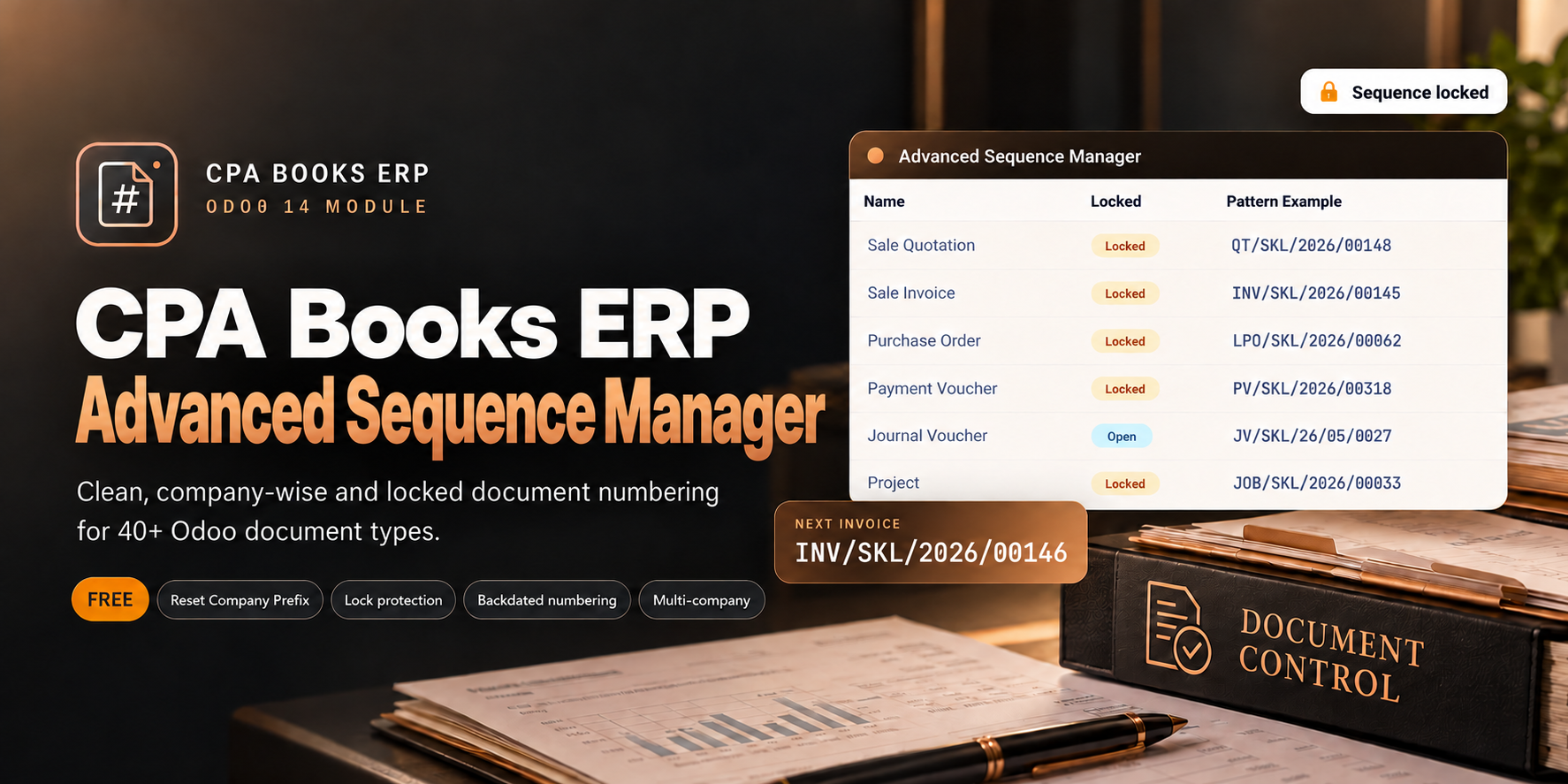
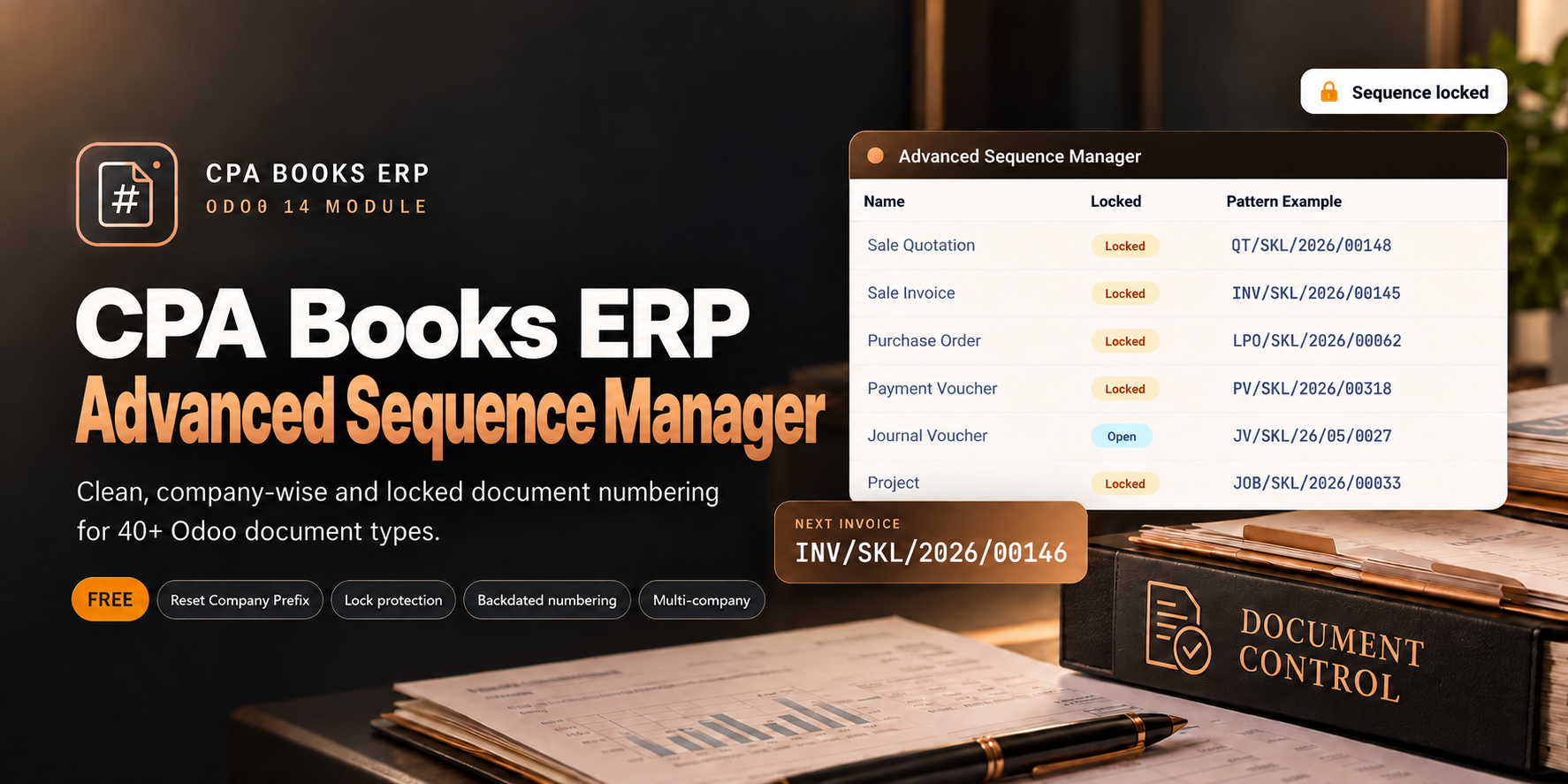
Every document number in your Odoo, clean, company-wise and locked. Set one company prefix and get consistent numbering for 40+ document types: quotations, invoices, vouchers, deliveries, projects and more.
Stop fixing numbers by hand
Standard Odoo keeps sequences in many places, with different formats per app. Advanced Sequence Manager gives you one screen and one rule for all of them.
BNK1/2026/05/0012 · P00062
✗ Different formats in every app
✗ Prefixes edited one sequence at a time
✗ Backdated documents land in the wrong year
✗ Anyone can change a number or a prefix
DO/SKL/2026/00097 · PV/SKL/2026/00318
✓ One pattern: CODE / COMPANY / YEAR / NUMBER
✓ One wizard sets the prefix for every document type
✓ Backdated documents use their own period's series
✓ Locked sequences and a Sequence Editor permission
Everything you need for clean numbering
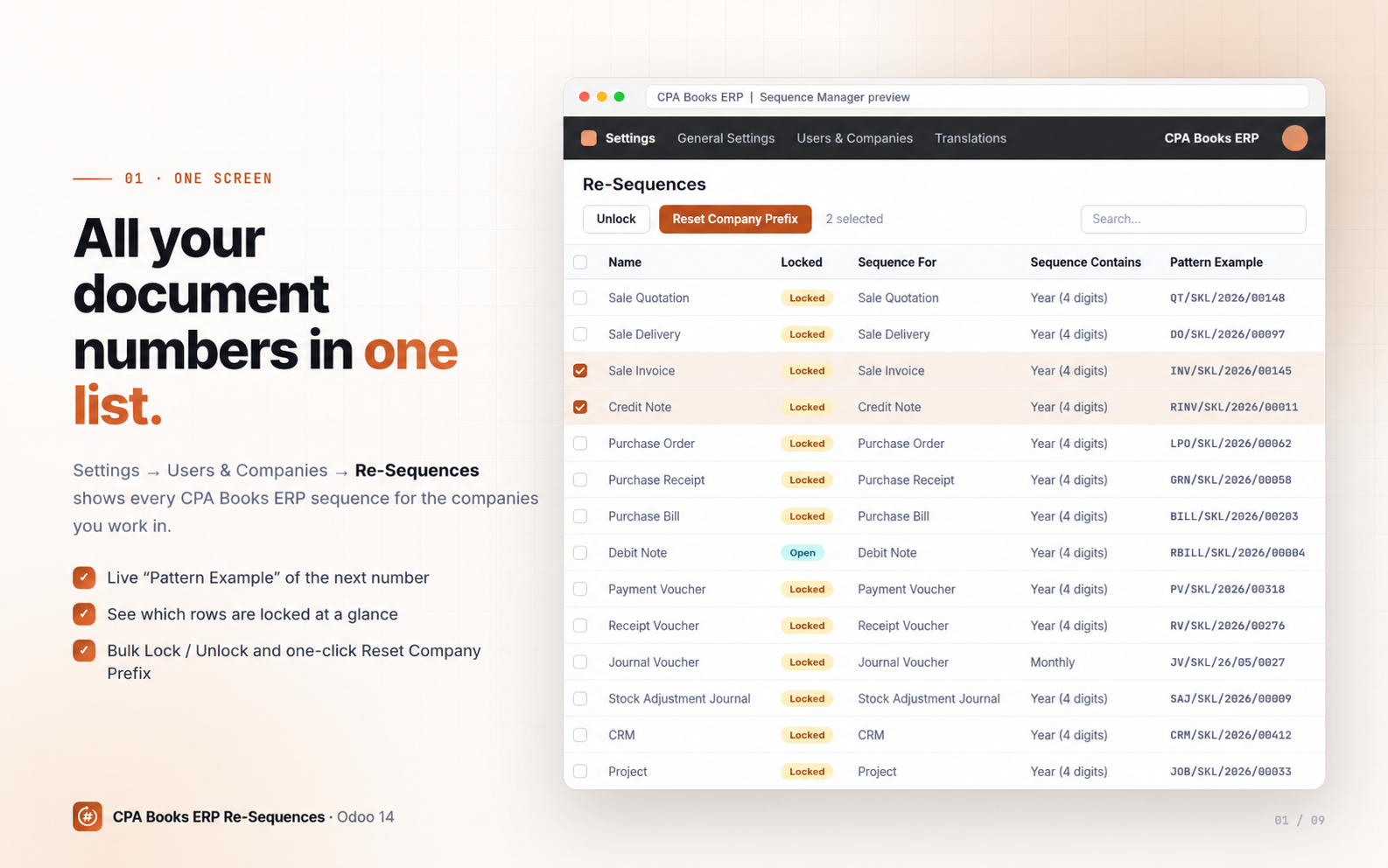
One Advanced Sequence Manager screen
All document sequences in one list, with a live Pattern Example of the next number.
Reset Company Prefix
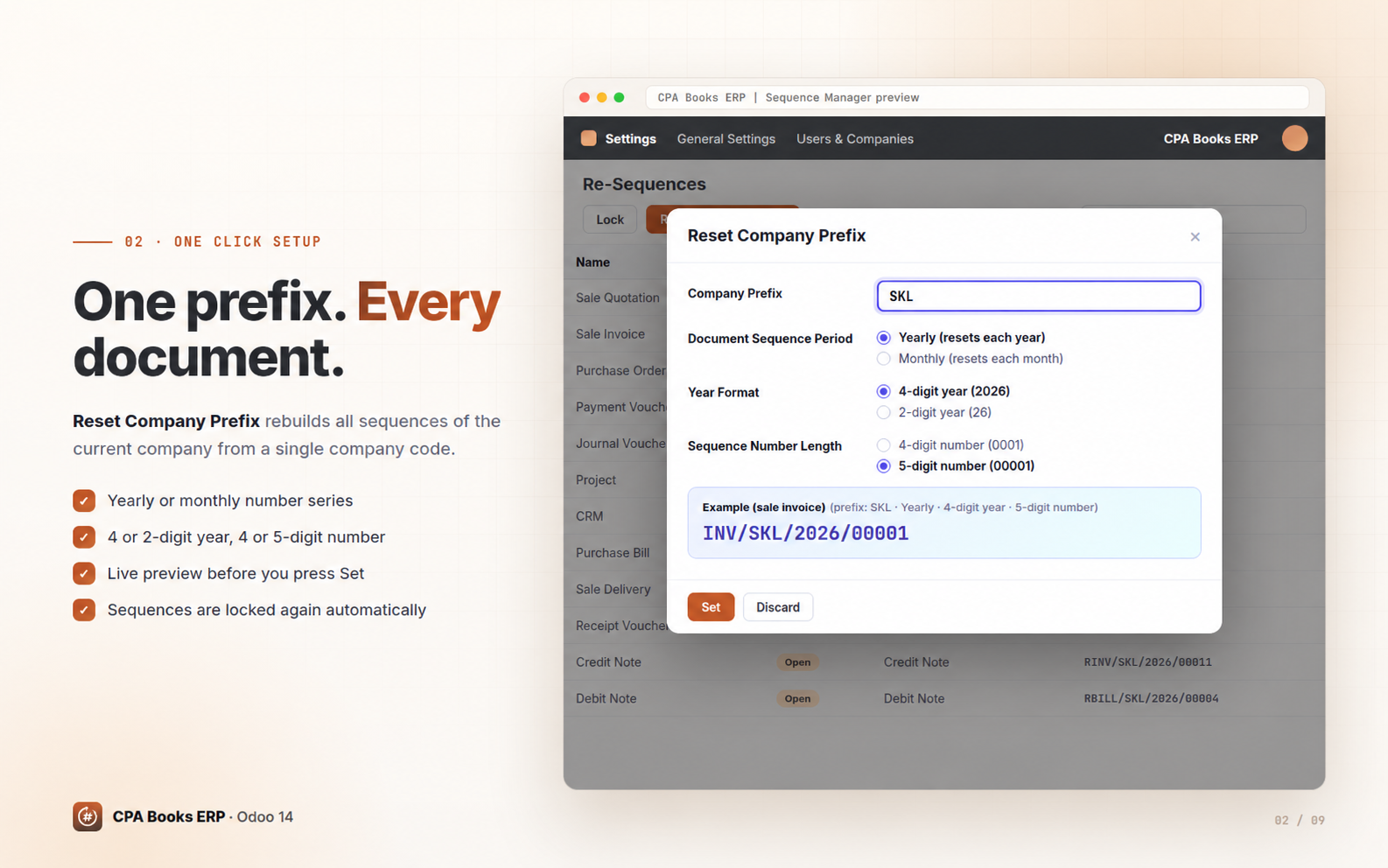
Type a prefix like SKL once. Every sequence for the company is rebuilt in one click.
Yearly or monthly series
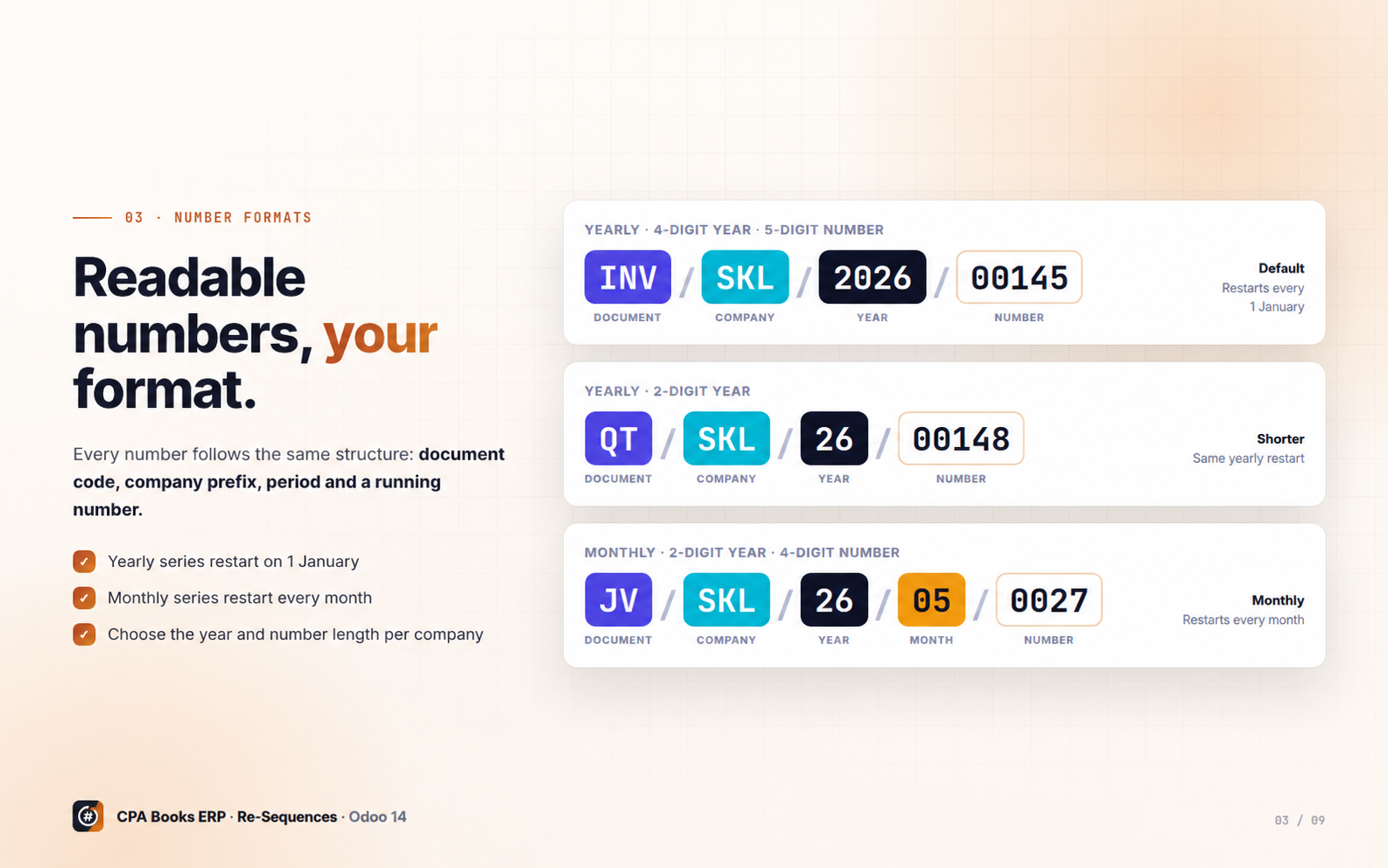
4 or 2-digit year, 4 or 5-digit number. Counters restart each year or each month.
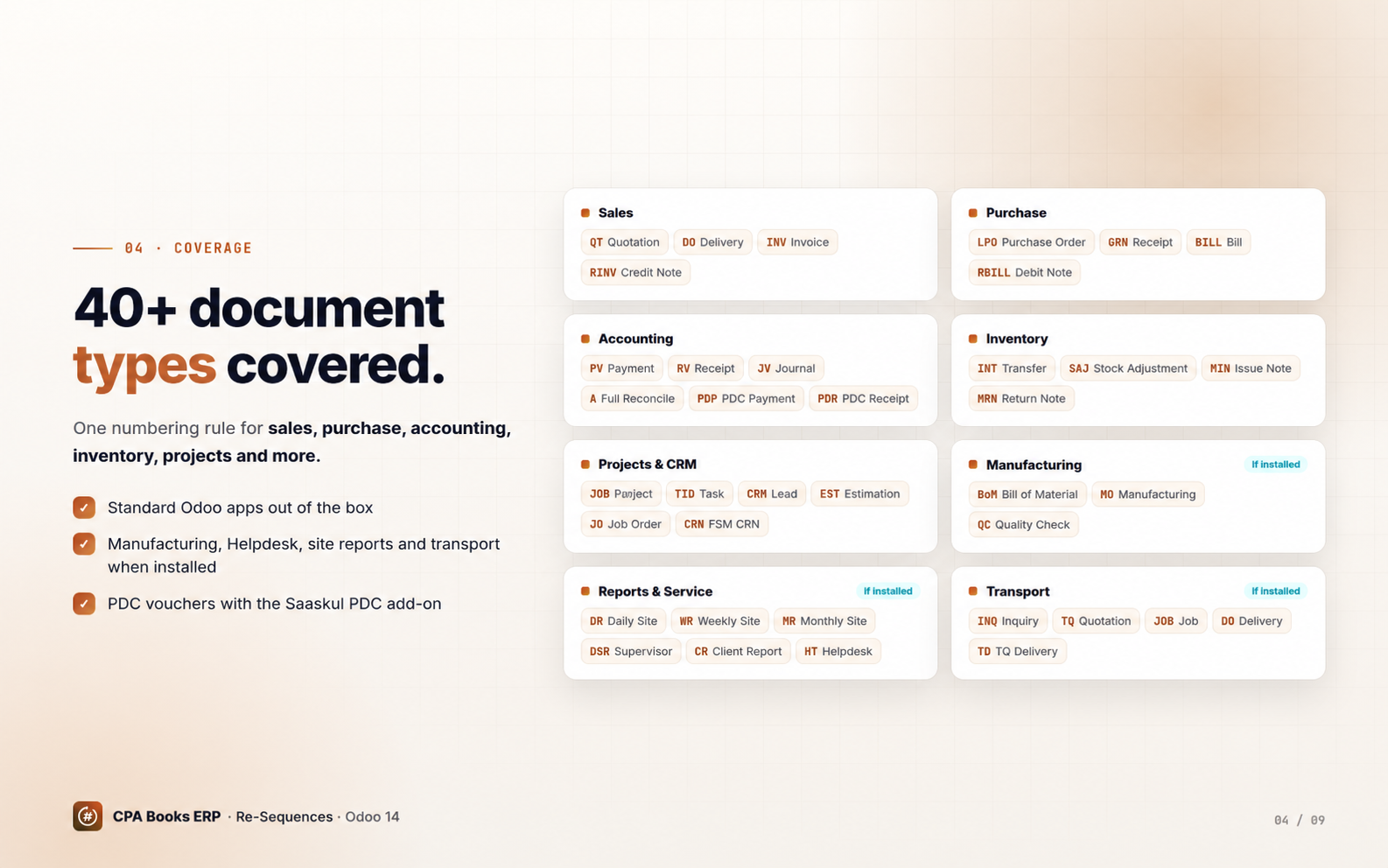
40+ document types
Sales, purchase, accounting, inventory, projects, CRM, manufacturing, helpdesk and more.
Lock protection
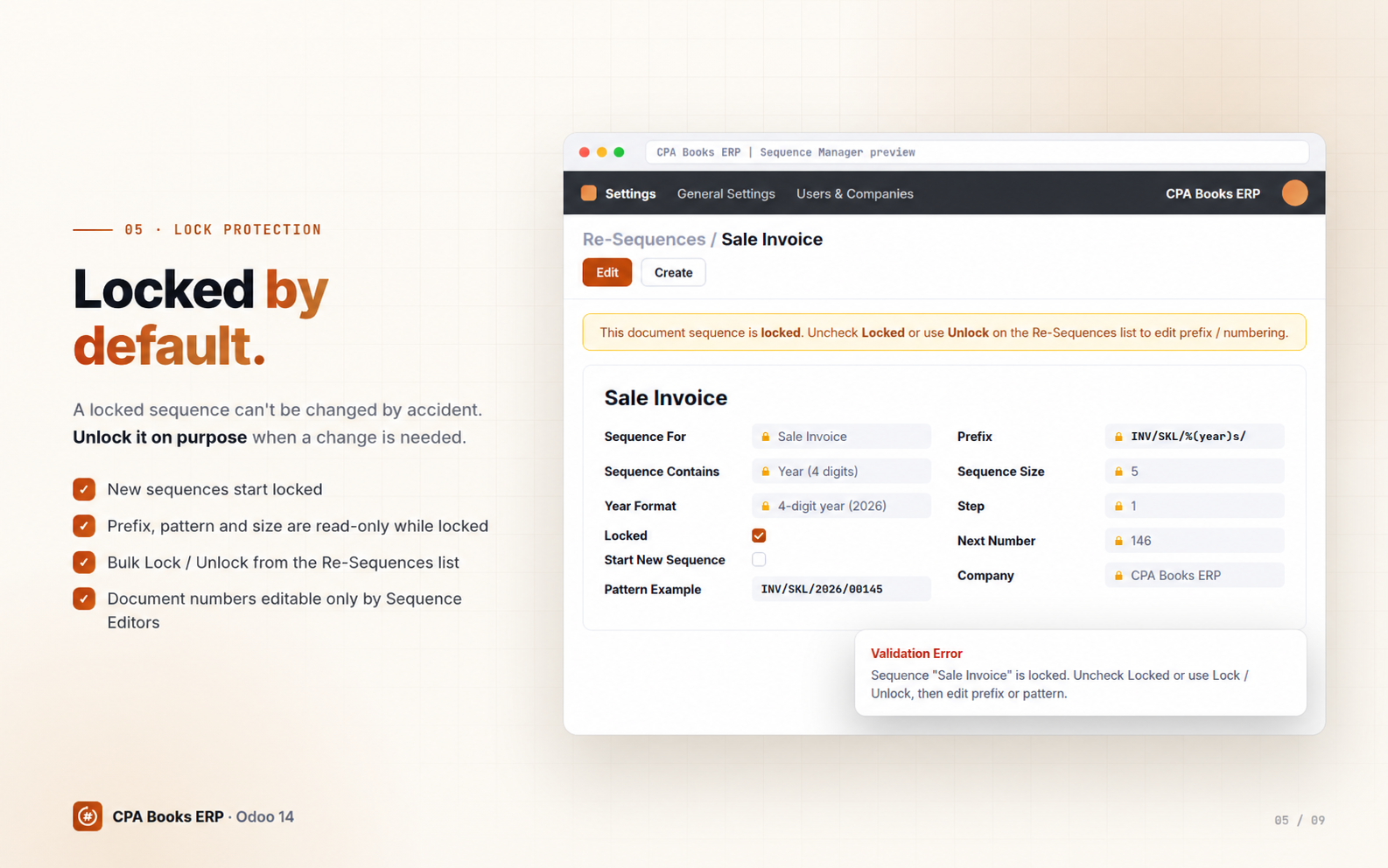
Locked sequences can't have their prefix or pattern changed until someone unlocks them.
Backdated documents
An invoice dated last year gets the next number in last year's series, not this year's.
Quotation revisions
Revise a quotation as -R1, -R2… without using up a new quotation number.
Smart next number
Continues after the highest number already used and skips any posted duplicate.
Multi-company & permissions
Each company gets its own prefix. Only Sequence Editors can change document numbers.
All your document numbers in one list
Open Settings → Users & Companies → Advanced Sequence Manager to see every CPA Books ERP sequence for the companies you're working in: name, lock state, document type, period format and a live Pattern Example of the next number.
Reset Company Prefix
Enter your company code, choose a yearly or monthly series, the year format and the number length. The Pattern Preview shows the result before you apply it. Every document type for the company is updated at once and locked automatically afterwards.
Pick the format that fits your books
Every option keeps the same readable structure: document code, company prefix, period and a padded running number.
40+ document types, one numbering rule
Types for optional apps (Manufacturing, Helpdesk, site reports, transport, PDC) apply when those apps are installed.
INV Invoice · RINV Credit Note
BILL Vendor Bill · RBILL Debit Note
PDP / PDR PDC Vouchers · A Reconcile
MIN Issue Note · MRN Return Note
EST Estimation · JO Job Order
DR / WR / MR Site Reports · Transport
Nobody breaks your numbering by accident
New sequences are locked by default. On a locked sequence the name, prefix, pattern and implementation can't be edited. Select rows and press Lock / Unlock when a change is really needed.
The document number on invoices, quotations, purchase orders and transfers can only be edited by users in the Sequence Editor group.
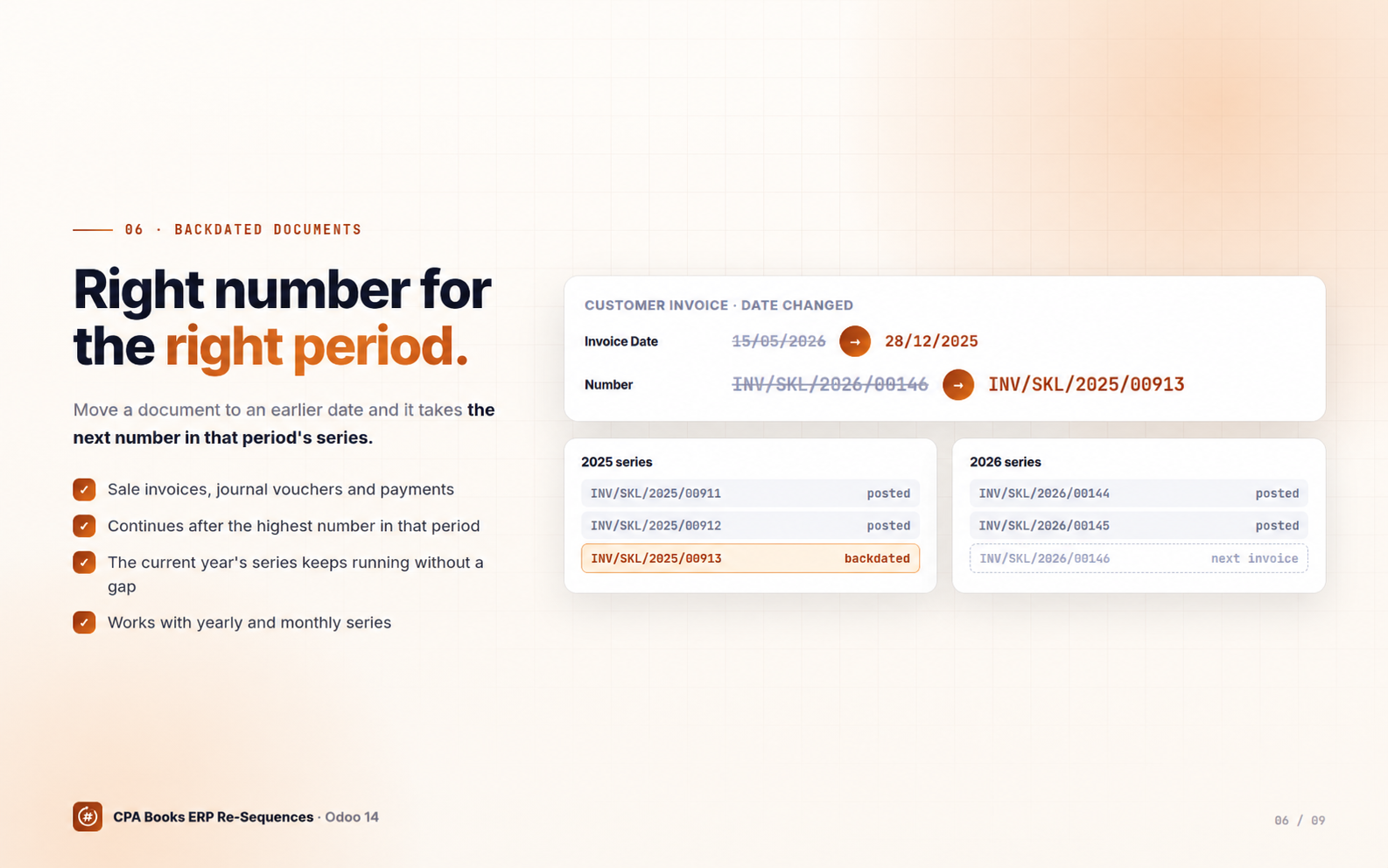
The right number for the right period
Change an invoice, journal voucher or payment date to an earlier year or month and its number moves to that period's series, continuing after the highest number already used there. For example INV/SKL/2026/00146 moved to December 2025 becomes INV/SKL/2025/00913.
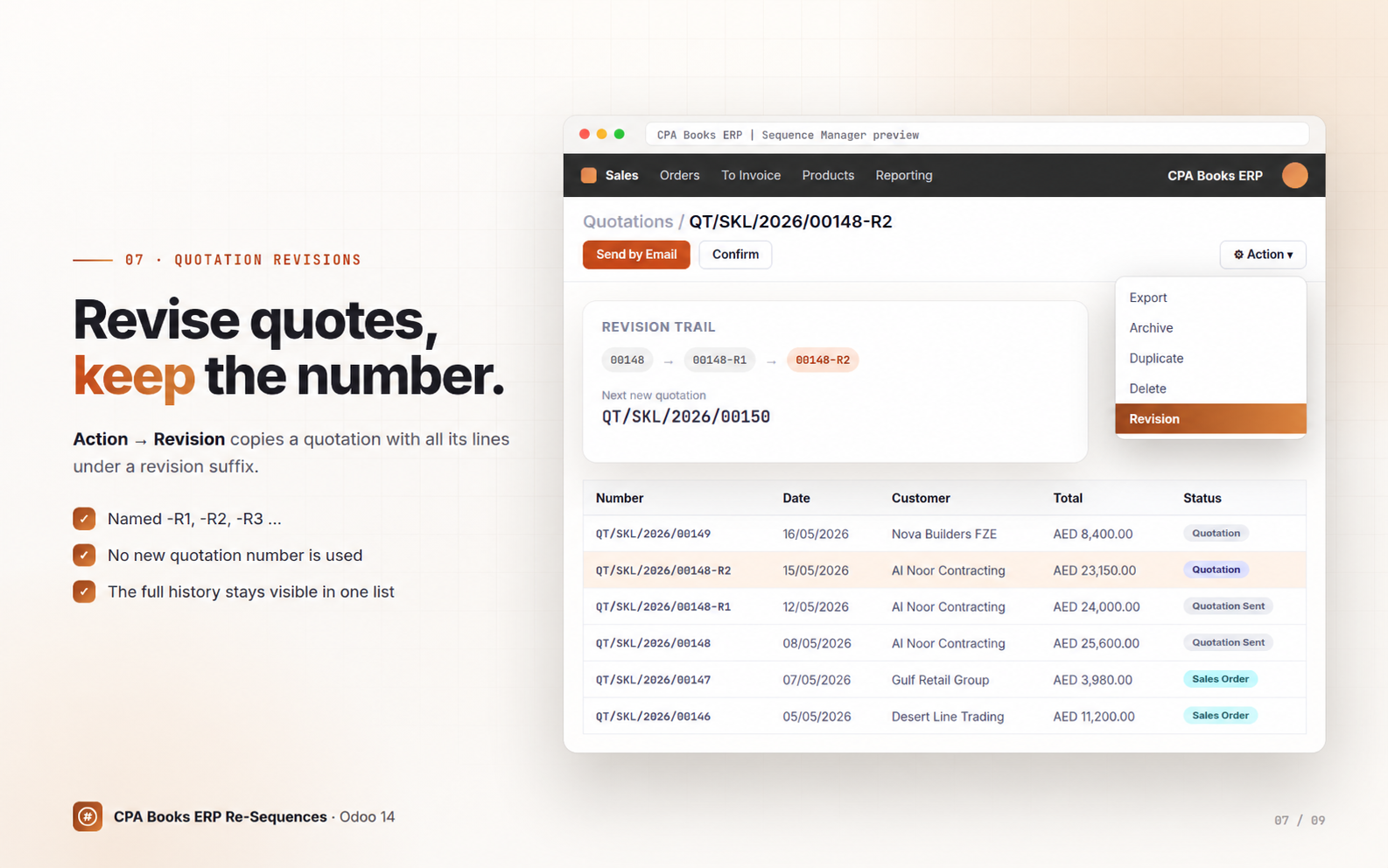
Revise without wasting numbers
Use Action → Revision on a quotation to copy it with all its lines as QT/SKL/2026/00148-R1, then -R2 and so on. The original keeps its number and new quotations simply continue the normal series.
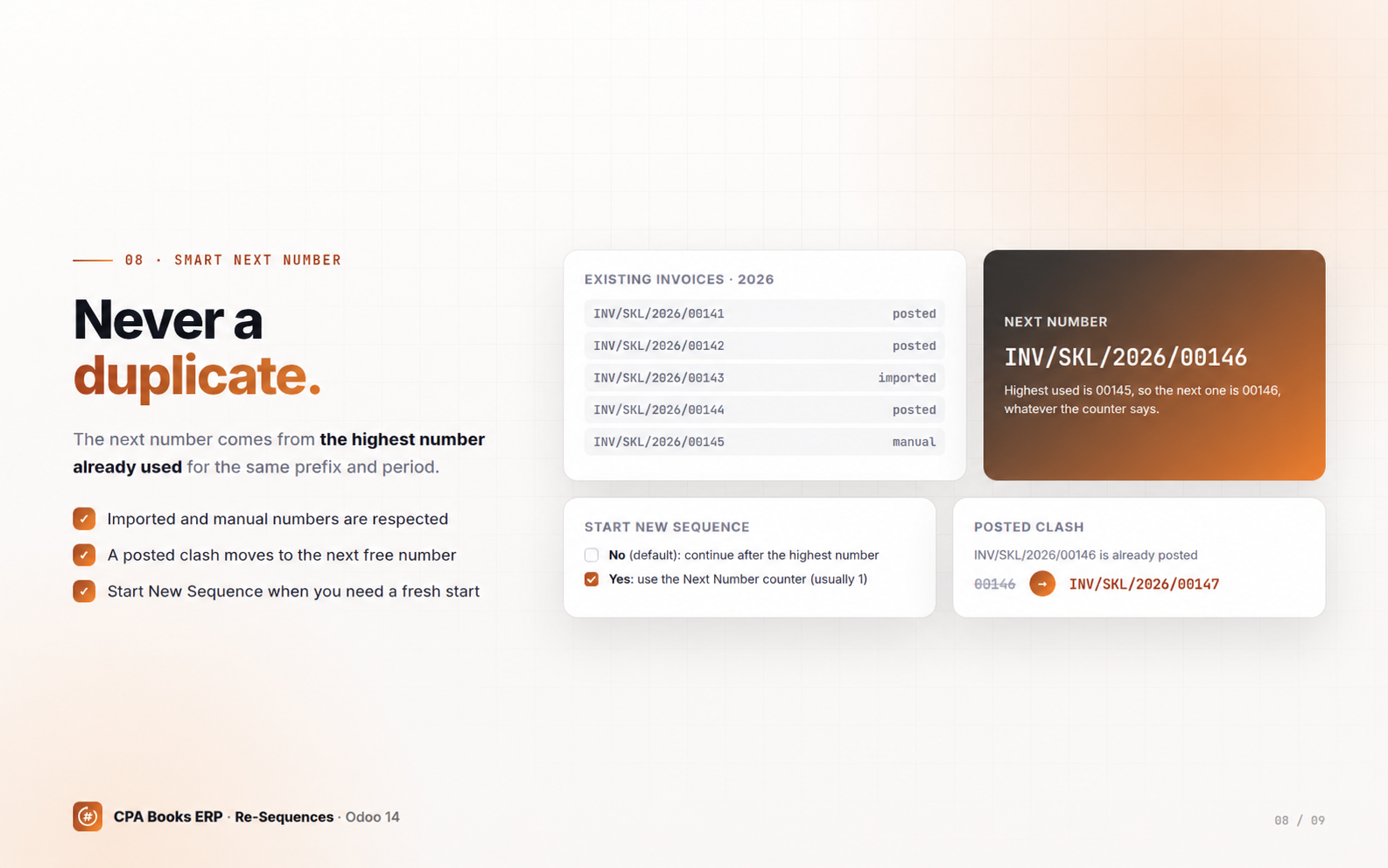
Respects imports, prevents duplicates
By default the next number continues after the highest number already used for the current prefix and period, even after imports or manual entries. If a posted entry already has the same number, the next free one is used. Turn on Start New Sequence when you really want to restart from the counter.
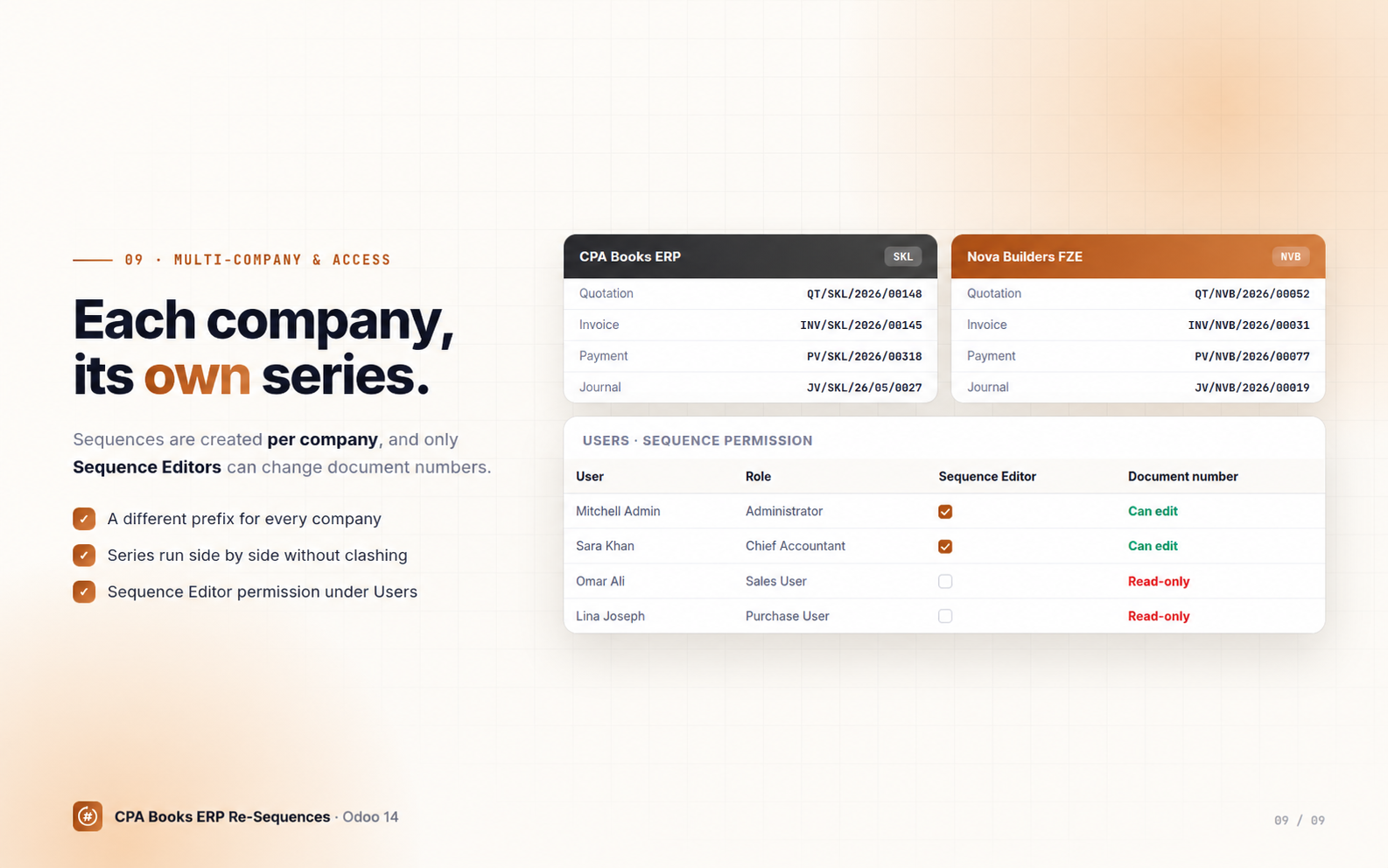
Every company keeps its own series
Sequences are created per company, so INV/SKL/… and INV/NVB/… run side by side without clashing. Give the Sequence Editor permission only to the people who may change document numbers.
Ready in three steps
Install
Install Advanced Sequence Manager. Missing sequences are created for your companies, locked by default.
Set your prefix
Unlock the rows, open Reset Company Prefix, type your code and choose the format.
Work as usual
Create documents normally. Numbers follow the rule, sequences relock and only editors can change them.
Frequently asked questions
Upgradeable to any Odoo version
Available for Odoo 14 now. Need the Advanced Sequence Manager on another Odoo version? We upgrade it for you. Contact us on WhatsApp or email.
Clean numbering, free forever
Need help setting up prefixes or migrating existing numbers? The CPA Books ERP team is happy to help.
info.cpabooks@gmail.com## -*- coding: utf-8 -*-
{
'name': 'Advanced Sequence Manager',
'summary': 'Manage and re-sequence document numbers across Odoo applications',
'description': """
Advanced Sequence Manager
======================
Manage and re-sequence document numbers across Accounting, Sales,
Purchase, Inventory, Project and CRM in Odoo 14.
""",
'author': 'CPA Books ERP',
'website': 'https://cpabookserp.com',
'live_test_url': 'https://cpabookserp.com/contactus',
'support': 'info.cpabooks@gmail.com',
'category': 'Productivity',
'version': '14.0.1.63',
'license': 'OPL-1',
'images': [
'static/description/banner.png',
],
'depends': [
'base',
'account',
'sale',
'purchase',
'stock',
'project',
'crm',
],
'data': [
'views/views.xml',
'views/templates.xml',
'views/sequence_menu.xml',
'views/account_move.xml',
'views/sale_order.xml',
'views/purchase_order.xml',
'views/stock_picking.xml',
'views/set_company_prefix_vew.xml',
'views/assets.xml',
'security/security.xml',
'security/ir.model.access.csv',
'data/create_sequences.xml',
],
'demo': [
'demo/demo.xml',
],
'installable': True,
'application': True,
'auto_install': False,
}
Copyright (c) 2026 Saaskul (https://saaskul.com)

Odoo Proprietary License v1.0

This software and associated files (the "Software") may only be used (executed,
modified, executed after modifications) if you have purchased a valid license
from the authors, typically via Odoo Apps, or if you have received a written
agreement from the authors of the Software (see the COPYRIGHT file).

You may develop Odoo modules that use the Software as a library (typically
by depending on it, importing it and using its resources), but without copying
any source code or material from the Software. You may distribute those
modules under the license of your choice, provided that this license is
compatible with the terms of the Odoo Proprietary License (For example:
LGPL, MIT, or proprietary licenses similar to this one).

It is forbidden to publish, distribute, sublicense, or sell copies of the Software
or modified copies of the Software.

The above copyright notice and this permission notice must be included in all
copies or substantial portions of the Software.

THE SOFTWARE IS PROVIDED "AS IS", WITHOUT WARRANTY OF ANY KIND, EXPRESS OR
IMPLIED, INCLUDING BUT NOT LIMITED TO THE WARRANTIES OF MERCHANTABILITY,
FITNESS FOR A PARTICULAR PURPOSE AND NONINFRINGEMENT. IN NO EVENT SHALL THE
AUTHORS OR COPYRIGHT HOLDERS BE LIABLE FOR ANY CLAIM, DAMAGES OR OTHER
LIABILITY, WHETHER IN AN ACTION OF CONTRACT, TORT OR OTHERWISE, ARISING FROM,
OUT OF OR IN CONNECTION WITH THE SOFTWARE OR THE USE OR OTHER DEALINGS IN THE
SOFTWARE.