

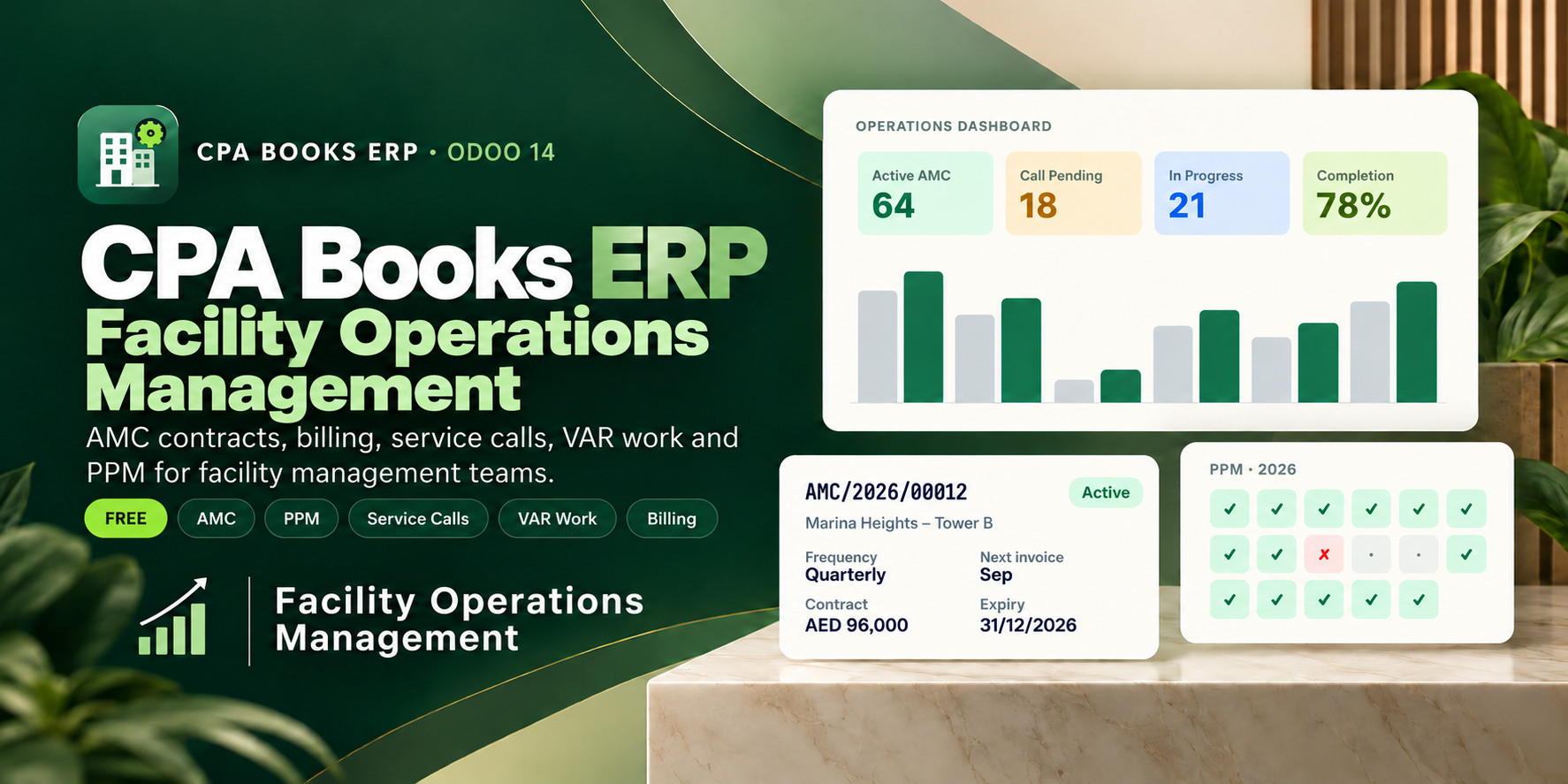
Facility Operations Management
You bought this module and need support? Click here
Facility Operations Management
One place for facility management: AMC contracts, monthly billing, contract orders, service calls, VAR work, PPM visits and invoice follow-up, built for UAE FM teams.

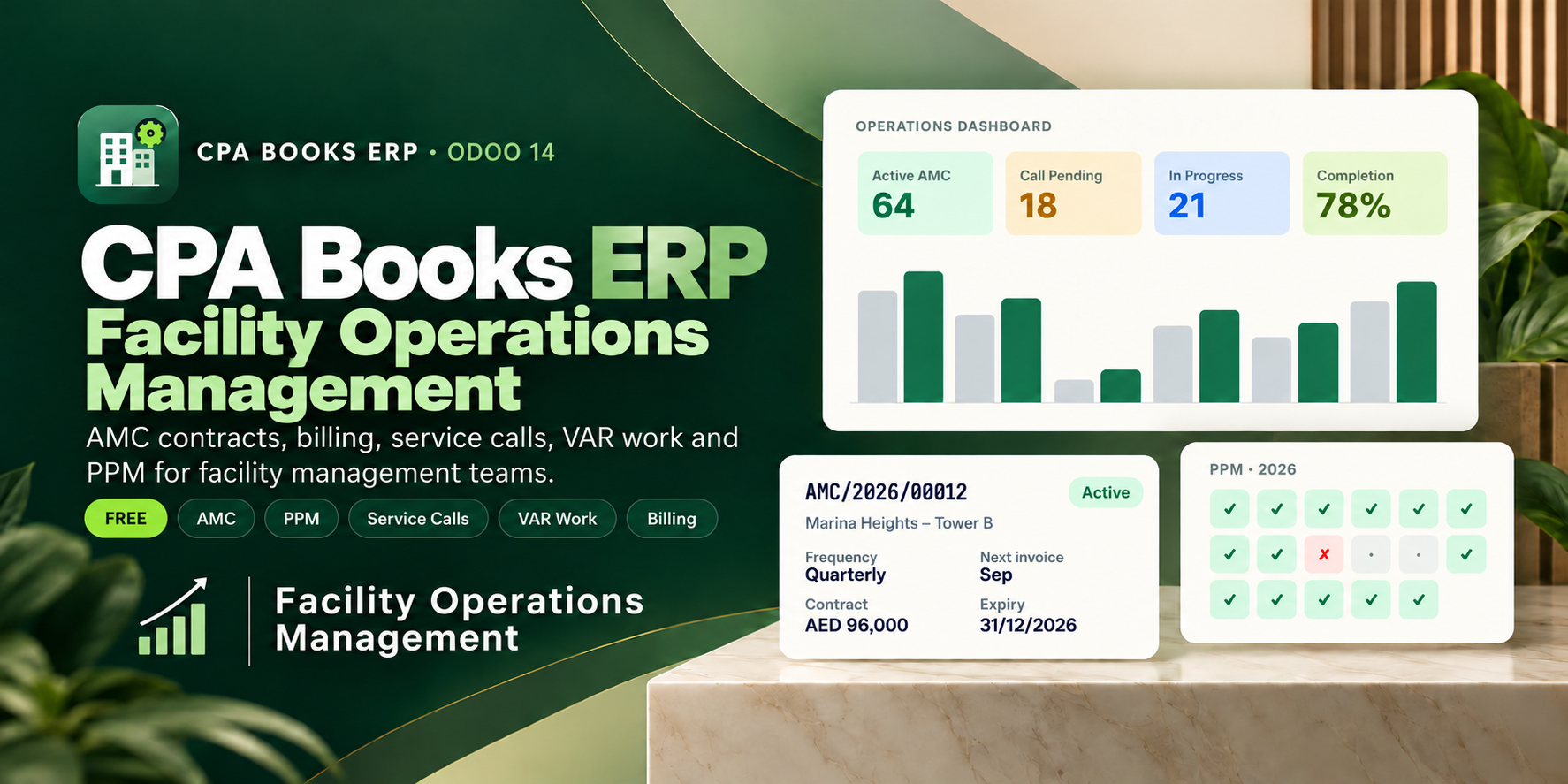
Everything an FM office runs on
No more separate sheets for contracts, calls, quotations and invoices. Each area below is a real menu in the app.
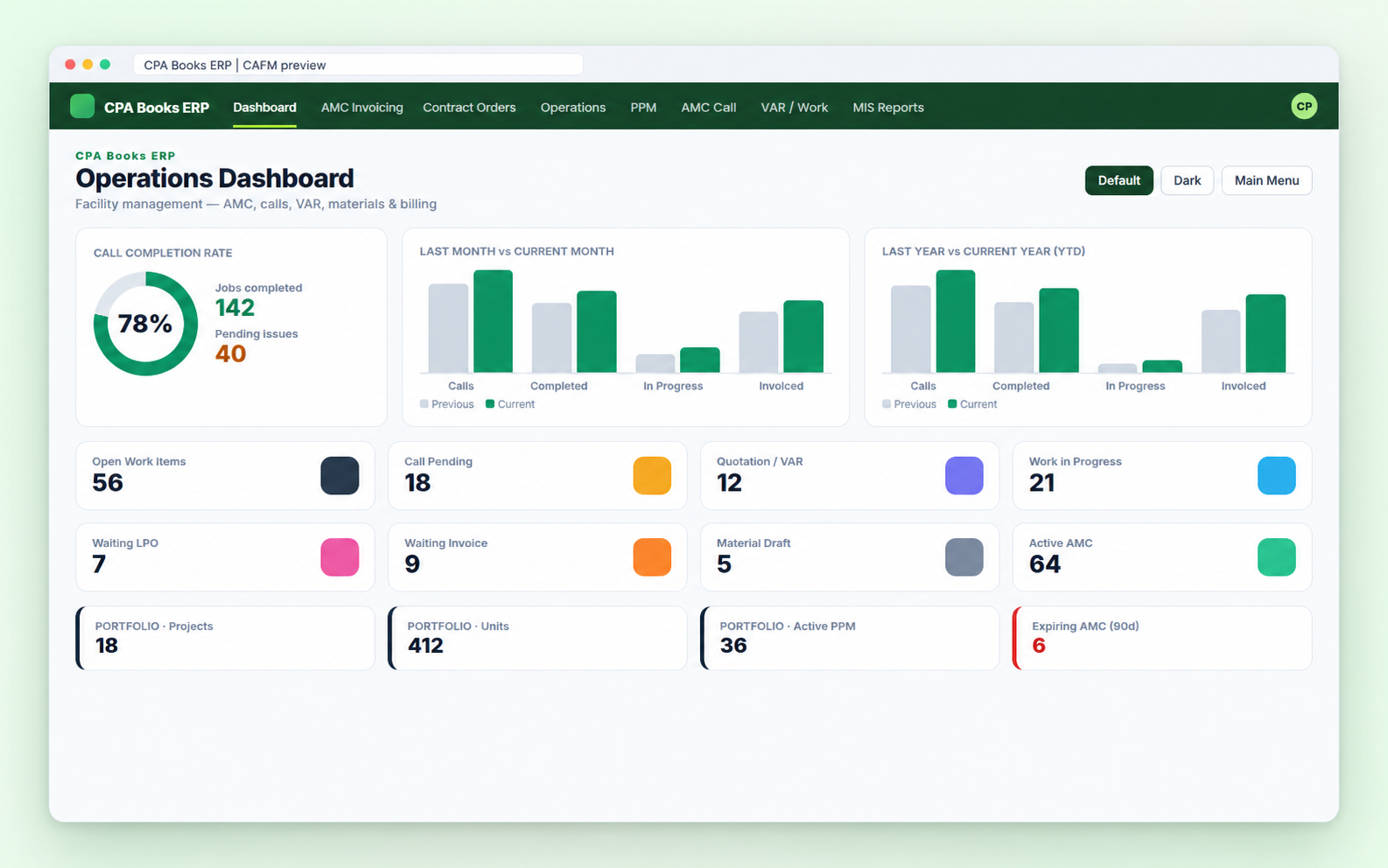
See the whole operation the moment you open CAFM
Call completion rate, this month against last month, this year against last year, and eight live counters. Click any number to open the matching list.
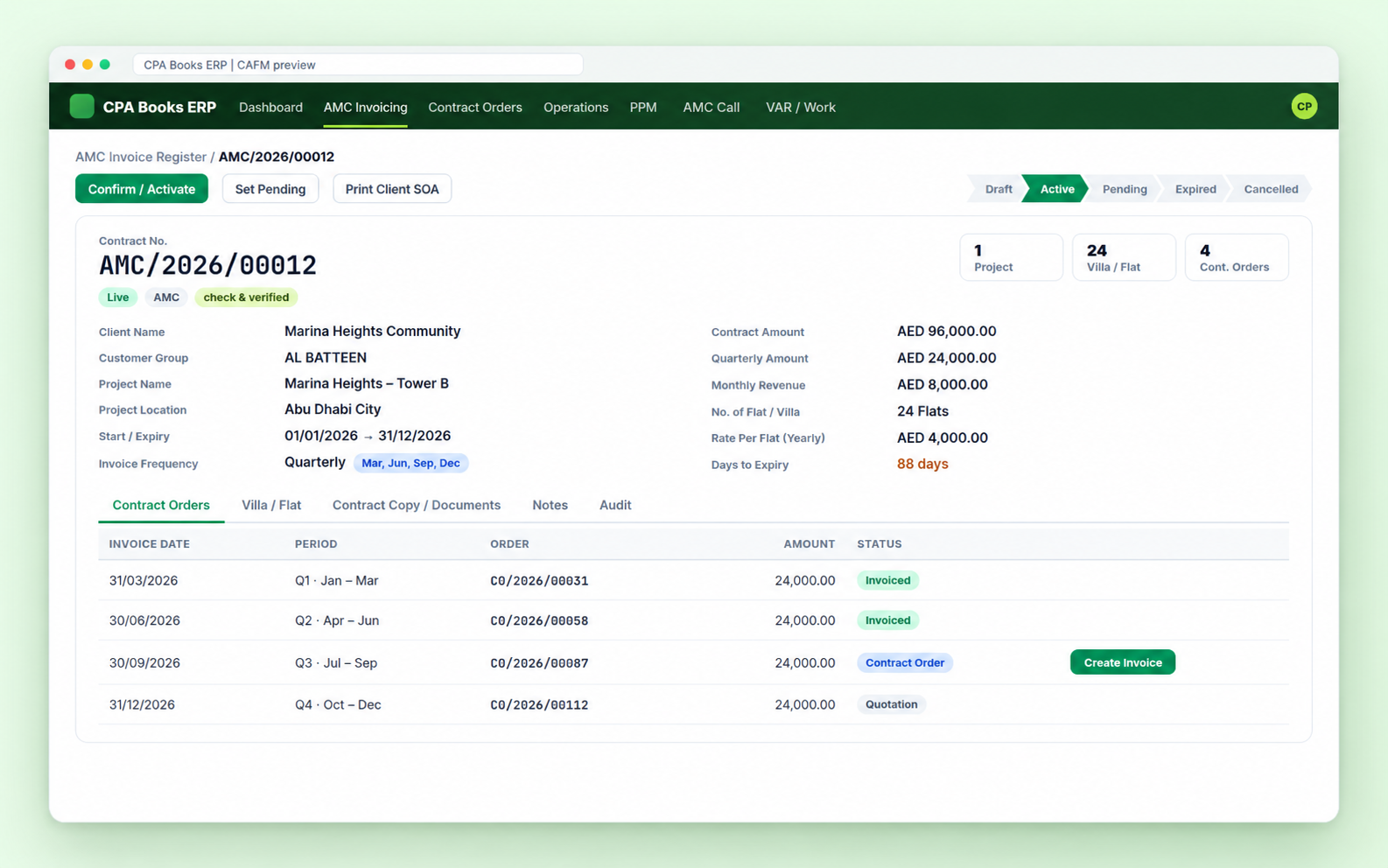
Every contract, every number, one form
Contract numbers like AMC/2026/00012, start and expiry dates, client, project, villas or flats, and the invoicing plan. The amounts work themselves out.
| Invoice frequency | Monthly, Quarterly, Half Yearly, Annually |
| Calculated for you | Yearly, quarterly, monthly value, rate per flat, SQFT rate |
| Expiry | Start + contract years, with days to expiry |
| Villa / Flat | One click creates Flat-1001, Flat-1002… |
| Status | Draft, Active, Pending, Expired, Cancelled |
| Documents | Contract copy, notes and audit tabs |
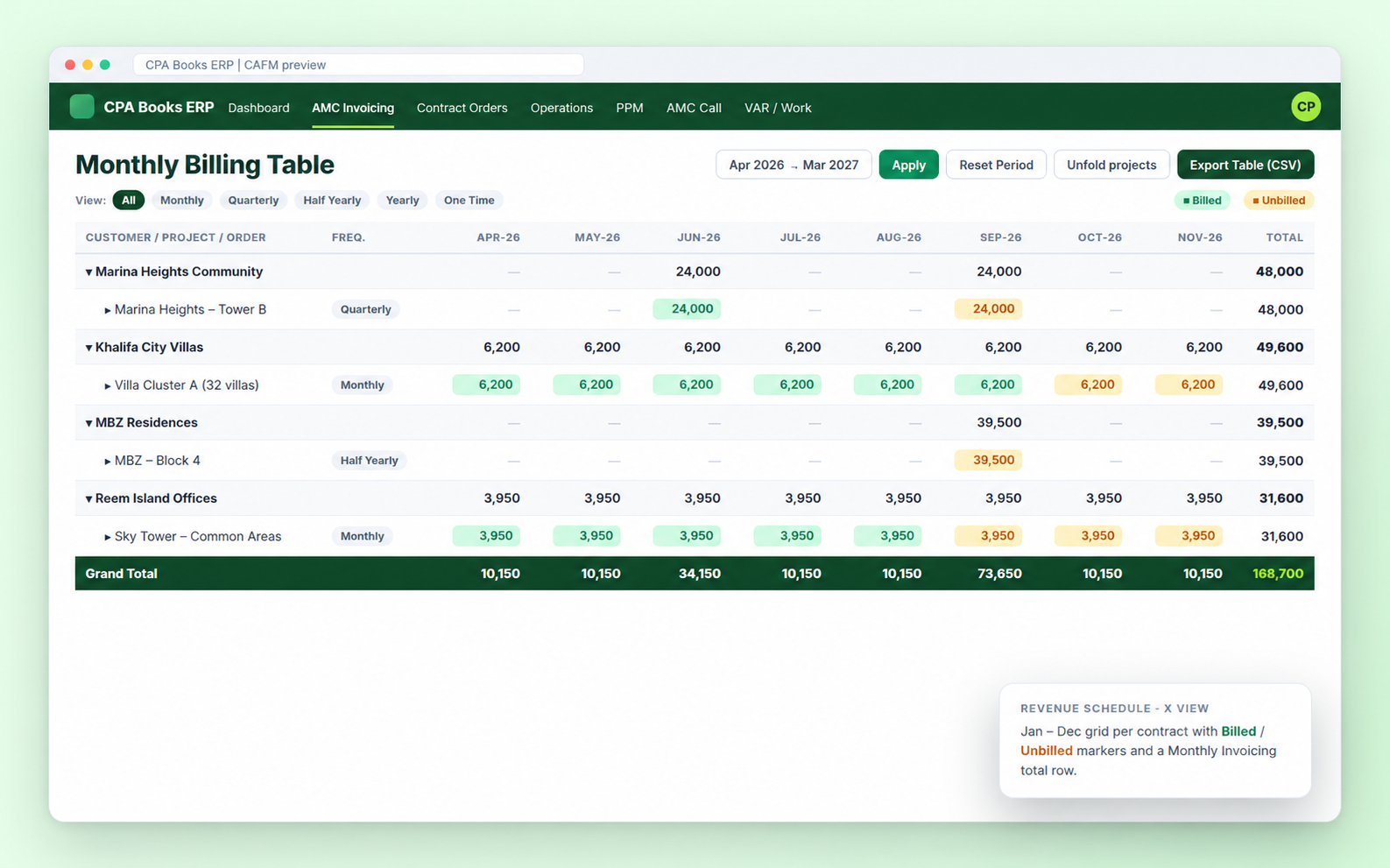
Know what is billed and what is not, month by month
The Monthly Billing Table lists customer → project → order with every month split into Billed and Unbilled. Filter by frequency and export to CSV.
The AMC Invoice Register adds an X View revenue schedule (Jan–Dec) and a print of “AMC Contracts To be Invoiced” for any month.
| Jan | Feb | Mar | Apr | May | Jun | Jul | Aug | Sep | Oct | Nov | Dec | |
| Monthly | ● | ● | ● | ● | ● | ● | ● | ● | ● | ● | ● | ● |
| Quarterly | ● | ● | ● | ● | ||||||||
| Half Yearly | ● | ● | ||||||||||
| Annually | ● |
From contract to invoice without missing a period
Each billing period becomes a contract order (CO/2026/00087). Overdue orders and orders due this month are flagged automatically.
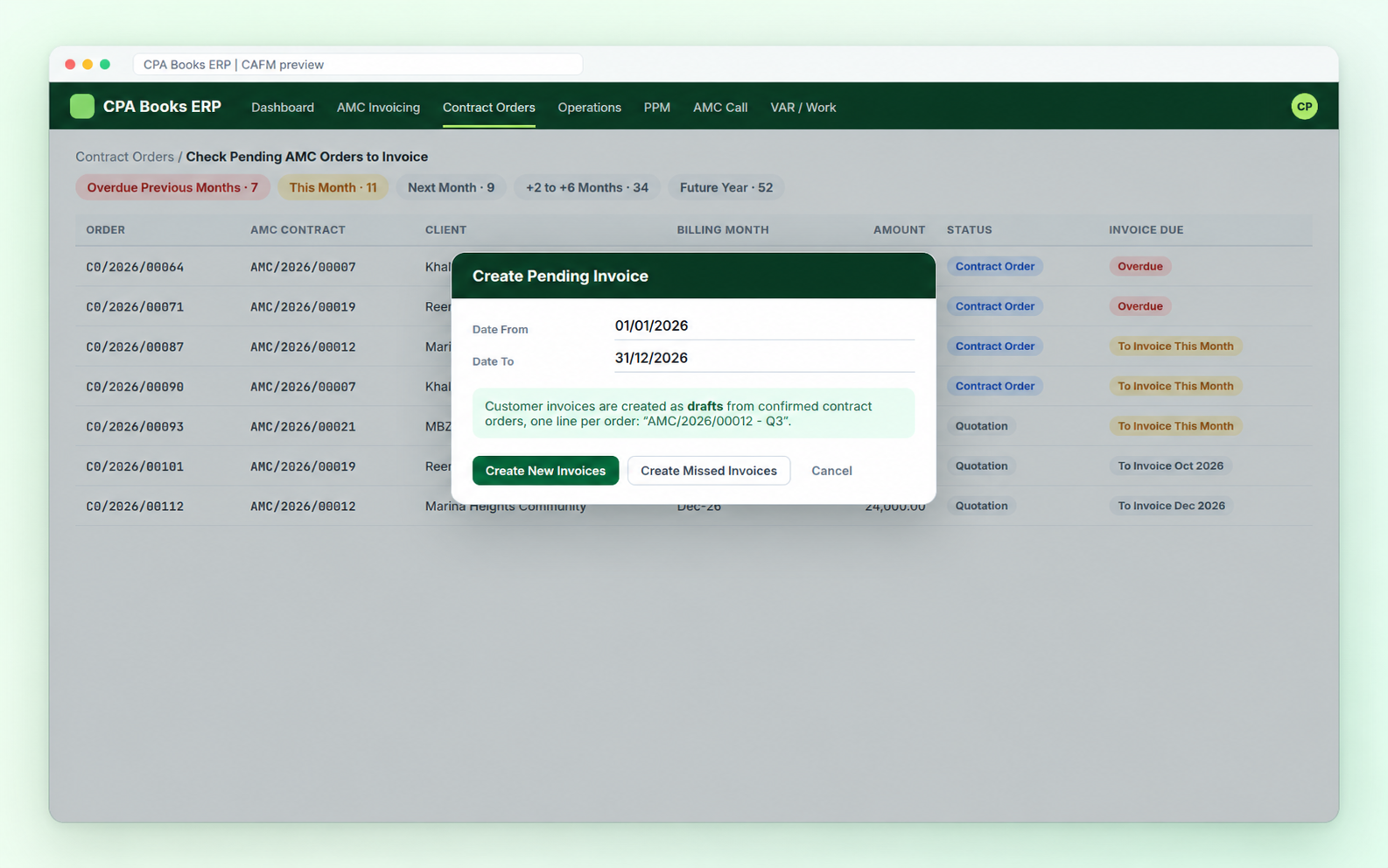
Plus Monitoring Cont. Order to Invoice: a 12-month financial-year view of orders, invoiced and pending.
Log a call in seconds, follow it to closure
AMC, VAR and PPM calls get numbers like 26G00041A. Choose the contract and the client, project, flat and manager fill in.
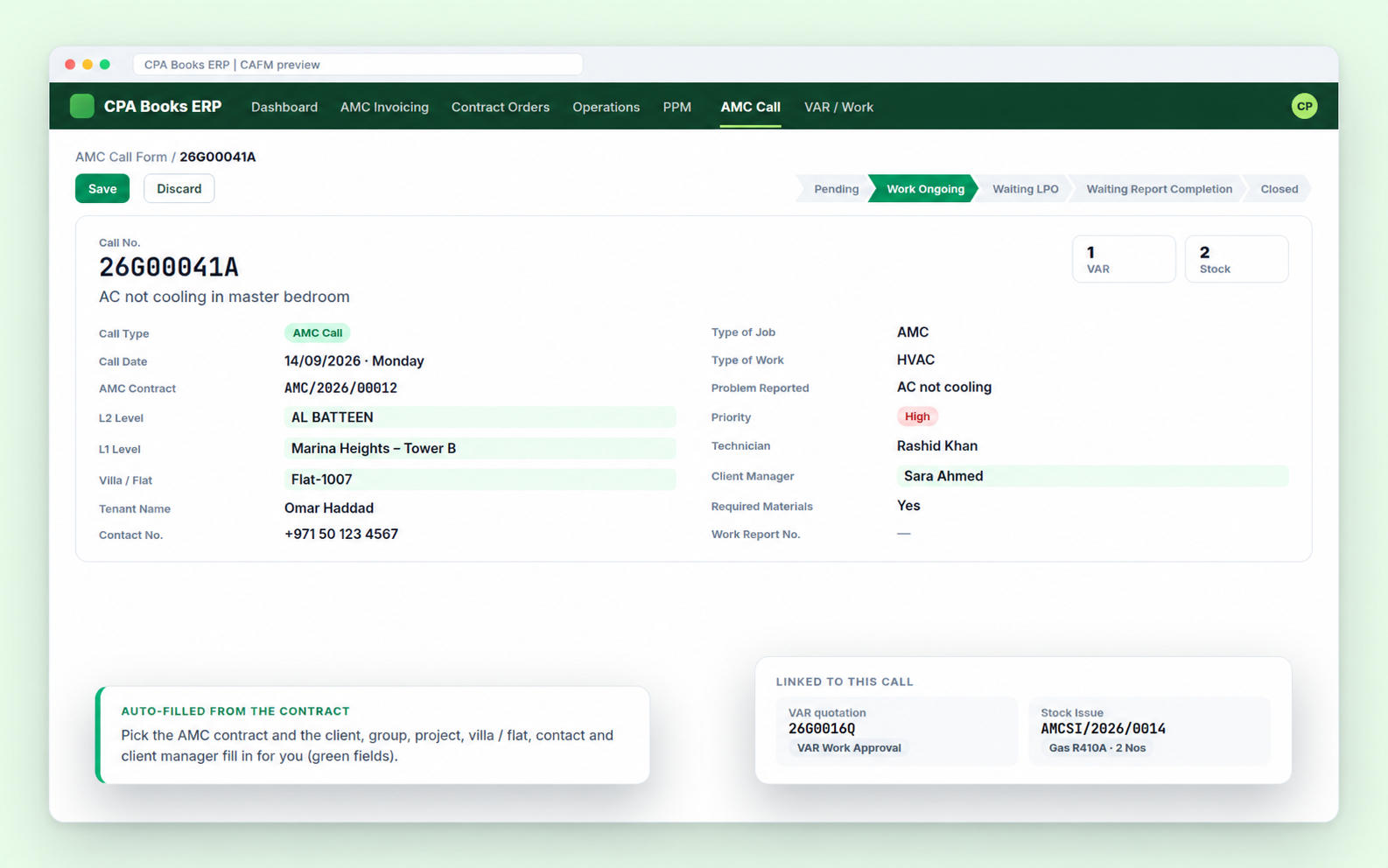
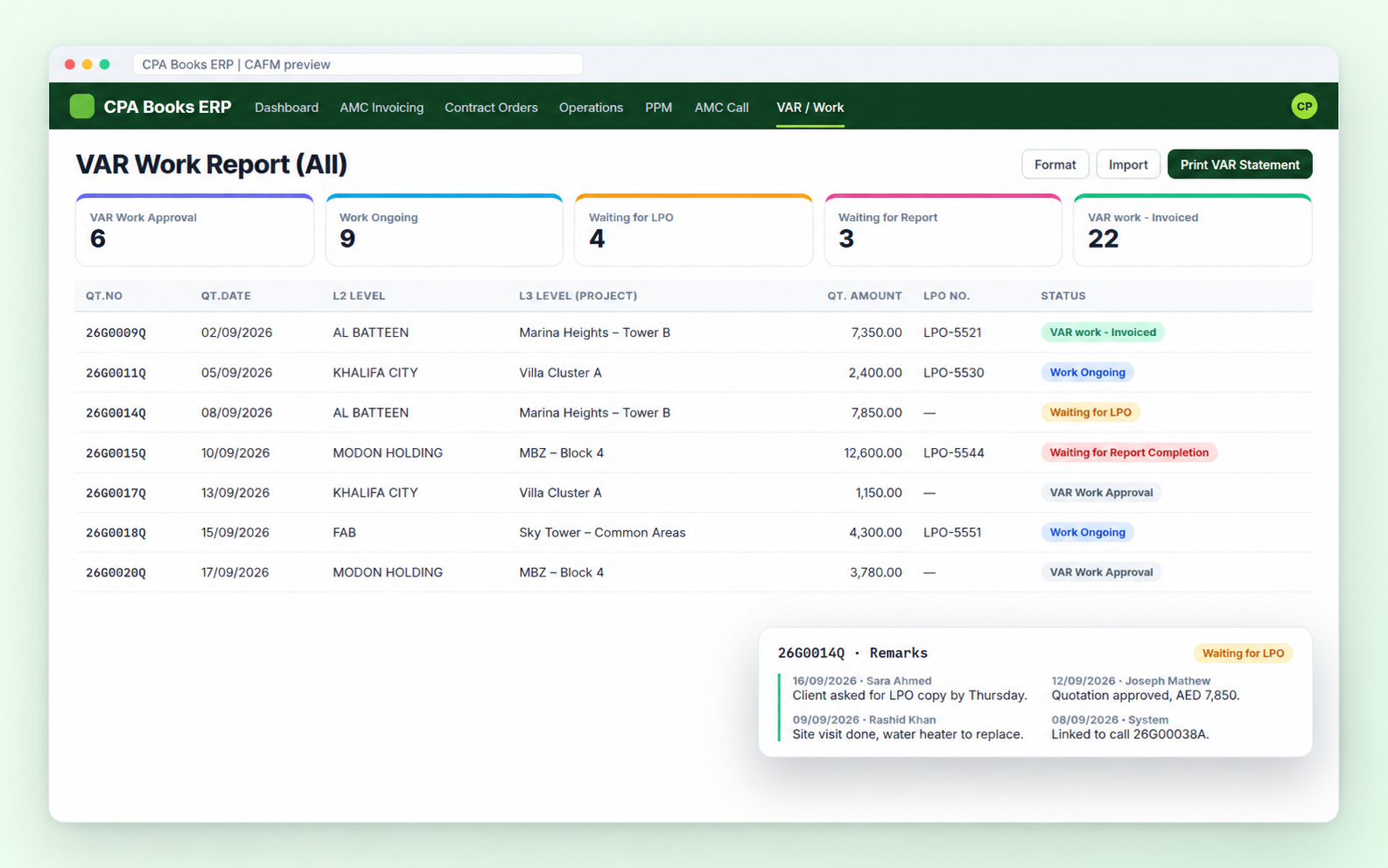
Extra work, tracked from quotation to invoice
Quotation, approval, LPO, completion report and invoice numbers on one line, with a remarks history so everyone sees the latest note.
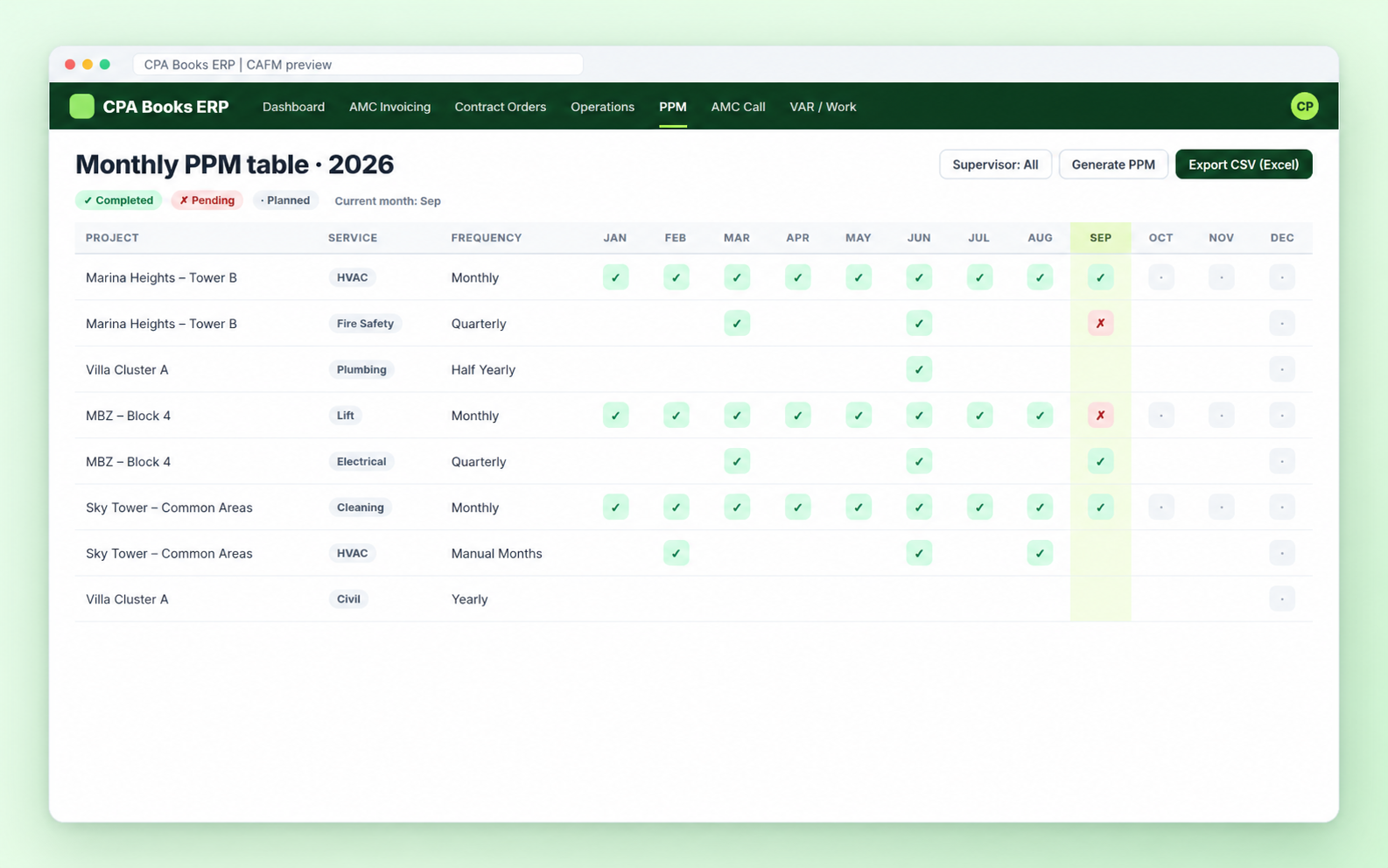
A year of visits, planned in one go
Set the frequency or tick the exact months, generate the year, then turn any month slot into a service call. The monthly table shows done and pending at a glance.
| Frequency | Visits a year |
| Monthly | 12 |
| Quarterly | 4 |
| Half Yearly | 2 |
| Yearly | 1 |
| Manual months | your pick |
Get AMC invoices accepted, not just sent
Many clients need KPI and CSR papers before they pay. Track every invoice by stage, with due days and who is following up.
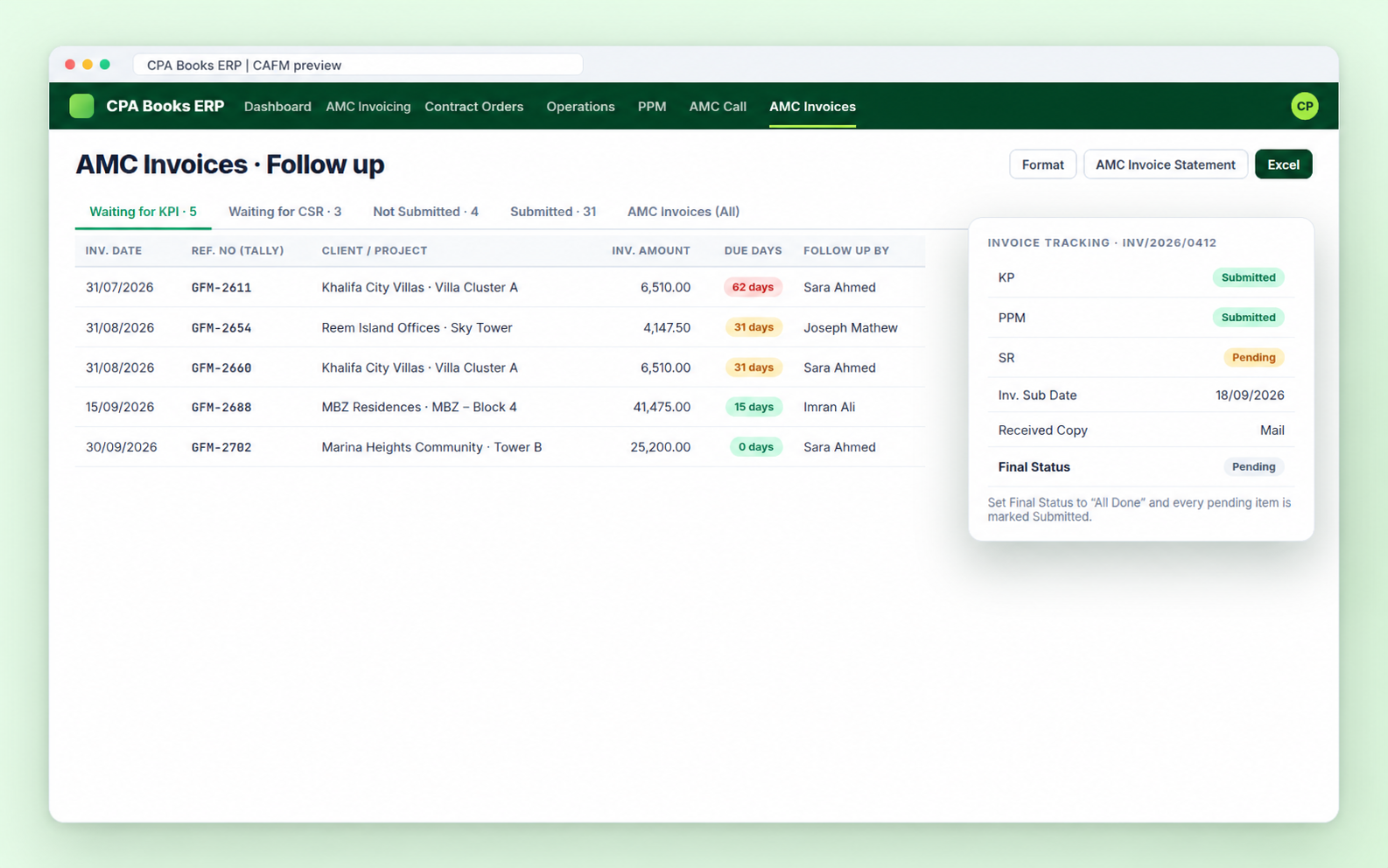
On the invoice itself: KP, PPM and SR status, submission date, who submitted, copy received by Mail or WhatsApp, and a Final Status.
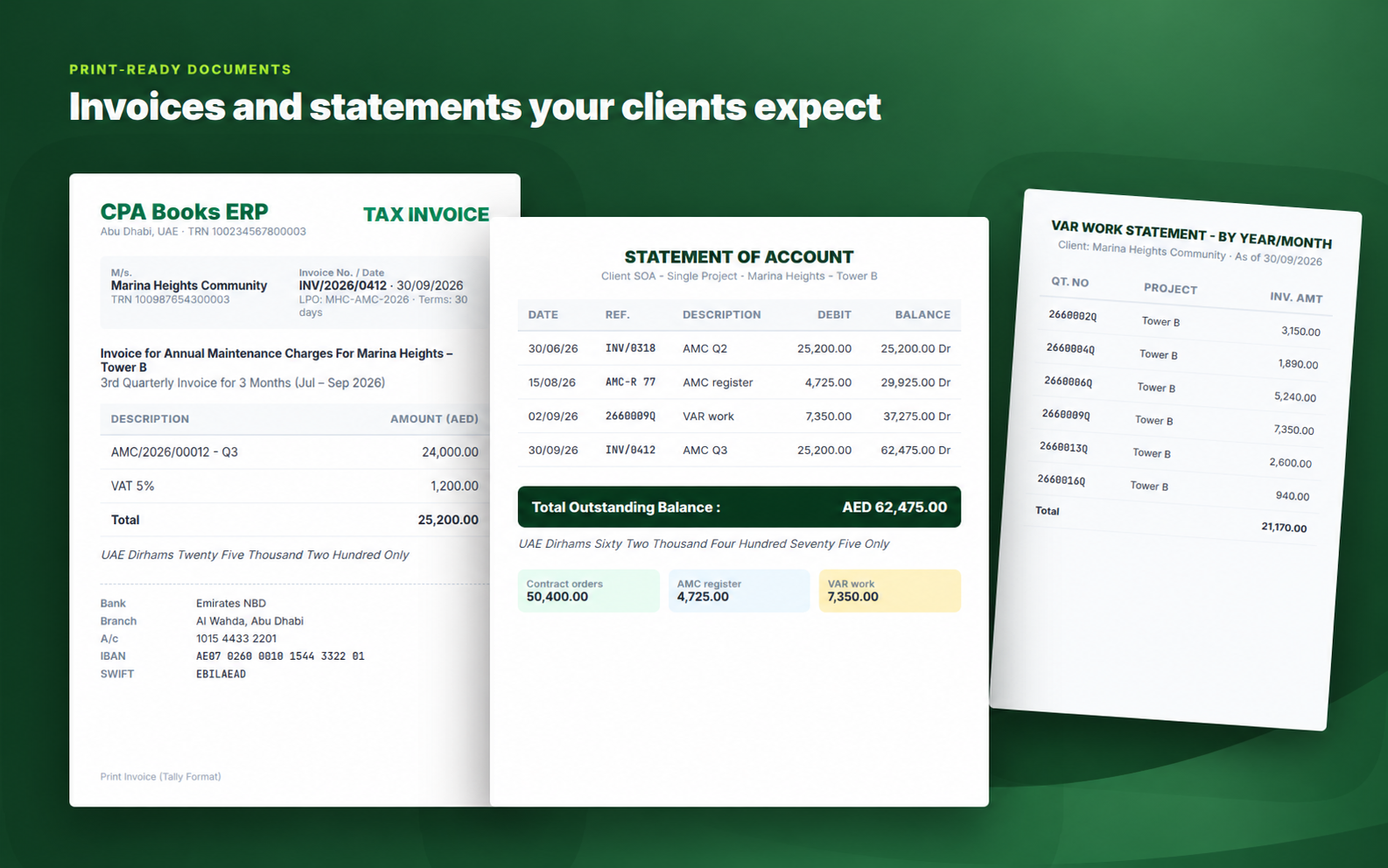
8 PDF reports, 5 Excel / CSV exports
Tax invoices with VAT 5% and amount in words in UAE Dirhams, plus a client statement that combines AMC invoices, the AMC register and VAR work.
The AMC process, step by step
CAFM ships with flow charts, process cycles and an AMC / VAR wizard that opens the right screen for each step.
Spreadsheets and WhatsApp vs CAFM
| Sheets & chats | CAFM | |
| Which AMC periods are not billed yet | Manual check | ✓ Billing table & overdue list |
| Contracts expiring soon | Found too late | ✓ Expiring AMC (90d) card |
| Status of every service call | Ask the technician | ✓ Work status on each call |
| VAR jobs waiting for LPO | Lost in email | ✓ Own menu with remarks |
| PPM visits done this month | Paper checklist | ✓ Monthly PPM table |
| Client statement | Built by hand | ✓ One-click SOA PDF |
Frequently asked questions
On Odoo 14 today, upgradeable to yours
CAFM is available for Odoo 14 now. We upgrade it to any Odoo version you run. Send us your version on WhatsApp or by email.
Run your FM office on CAFM
Questions, setup help or a custom report? Write to us and we will get back to you.
info.cpabooks@gmail.com# -*- coding: utf-8 -*-
# Apps screen module icon: Odoo only loads static/description/icon.png (not cafm_icon.png).
# After adding or replacing that file: Apps > Update Apps List (developer mode).
{
'name': 'Facility Operations Management',
'version': '14.0.1.1.165',
'summary': 'CAFM, AMC, PPM, projects, units, and facility service calls',
'sequence': -100,
'description': """Facility Operations Management for UAE facilities management operations.""",
'category': 'Services/Facility Operations Management',
'author': 'CPA Books ERP',
'website': 'https://cpabookserp.com',
'live_test_url': 'https://cpabookserp.com/contactus',
'support': 'info.cpabooks@gmail.com',
'license': 'OPL-1',
'images': ['static/description/banner.png'],
'depends': [
'maintenance',
'project',
'mail',
'account',
'sale',
'base_setup',
'smart_sequence_engine',
],
'data': [
'security/cafm_security.xml',
'security/ir.model.access.csv',
'data/menu.xml',
'data/sequence.xml',
'data/cafm_master_data.xml',
'data/maintenance_request_sequence.xml',
'data/cafm_amc_followup_users.xml',
'data/cafm_invoice_track_status_data.xml',
'views/cafm_backend_assets.xml',
'views/cafm_dashboard_views.xml',
'views/cafm_guide_views.xml',
'views/cafm_project_views.xml',
'views/cafm_unit_views.xml',
'views/amc_register_views.xml',
'views/cafm_monthly_billing_views.xml',
'views/cafm_contract_order_views.xml',
'views/contract_order_monitor_views.xml',
'views/cafm_pending_cont_order_wizard_views.xml',
'views/cafm_pending_invoice_wizard_views.xml',
'views/cafm_amc_invoice_views.xml',
'views/amc_register_import_views.xml',
'views/cafm_var_work_import_views.xml',
'views/cafm_master_views.xml',
'views/ppm_schedule_views.xml',
'views/ppm_slot_views.xml',
'views/ppm_extended_views.xml',
'views/ppm_wizards_views.xml',
'views/ppm_menus.xml',
'views/cafm_sample_loader_views.xml',
'views/maintenance_request.xml',
'views/cafm_call_master_views.xml',
'views/res_users_views.xml',
'views/cafm_amc_call_views.xml',
'views/cafm_var_work_views.xml',
'views/cafm_amc_invoice_reg_views.xml',
'views/cafm_amc_invoice_import_views.xml',
'views/cafm_stock_issue_views.xml',
'views/cafm_mis_report_views.xml',
'views/cafm_var_print_wizard_views.xml',
'views/cafm_amc_invoice_print_wizard_views.xml',
'views/cafm_client_soa_views.xml',
'views/cafm_amc_next_invoice_print_wizard_views.xml',
'views/cafm_settings_views.xml',
'views/cafm_tally_menus.xml',
'views/maintenance_tenant_views.xml',
'data/cafm_call_sequences.xml',
'data/cafm_call_master_data.xml',
'report/cafm_contract_templates.xml',
'report/cafm_contract_report.xml',
'report/cafm_next_invoice_list_report.xml',
'report/cafm_contract_order_templates.xml',
'report/cafm_contract_order_report.xml',
'report/cafm_ppm_daily_report.xml',
'report/cafm_invoice_tally_report.xml',
],
'demo': [],
'qweb': [
'static/src/xml/cafm_dashboard_main.xml',
'static/src/xml/cafm_guide.xml',
'static/src/xml/cafm_amc_x_view.xml',
'static/src/xml/cafm_amc_invoice_status_view.xml',
],
'external_dependencies': {
'python': ['openpyxl'],
},
'installable': True,
'application': True,
'auto_install': False,
'post_init_hook': 'post_init_hook',
}
Copyright (c) 2026 Saaskul (https://saaskul.com)

Odoo Proprietary License v1.0

This software and associated files (the "Software") may only be used (executed,
modified, executed after modifications) if you have purchased a valid license
from the authors, typically via Odoo Apps, or if you have received a written
agreement from the authors of the Software (see the COPYRIGHT file).

You may develop Odoo modules that use the Software as a library (typically
by depending on it, importing it and using its resources), but without copying
any source code or material from the Software. You may distribute those
modules under the license of your choice, provided that this license is
compatible with the terms of the Odoo Proprietary License (For example:
LGPL, MIT, or proprietary licenses similar to this one).

It is forbidden to publish, distribute, sublicense, or sell copies of the Software
or modified copies of the Software.

The above copyright notice and this permission notice must be included in all
copies or substantial portions of the Software.

THE SOFTWARE IS PROVIDED "AS IS", WITHOUT WARRANTY OF ANY KIND, EXPRESS OR
IMPLIED, INCLUDING BUT NOT LIMITED TO THE WARRANTIES OF MERCHANTABILITY,
FITNESS FOR A PARTICULAR PURPOSE AND NONINFRINGEMENT. IN NO EVENT SHALL THE
AUTHORS OR COPYRIGHT HOLDERS BE LIABLE FOR ANY CLAIM, DAMAGES OR OTHER
LIABILITY, WHETHER IN AN ACTION OF CONTRACT, TORT OR OTHERWISE, ARISING FROM,
OUT OF OR IN CONNECTION WITH THE SOFTWARE OR THE USE OR OTHER DEALINGS IN THE
SOFTWARE.