

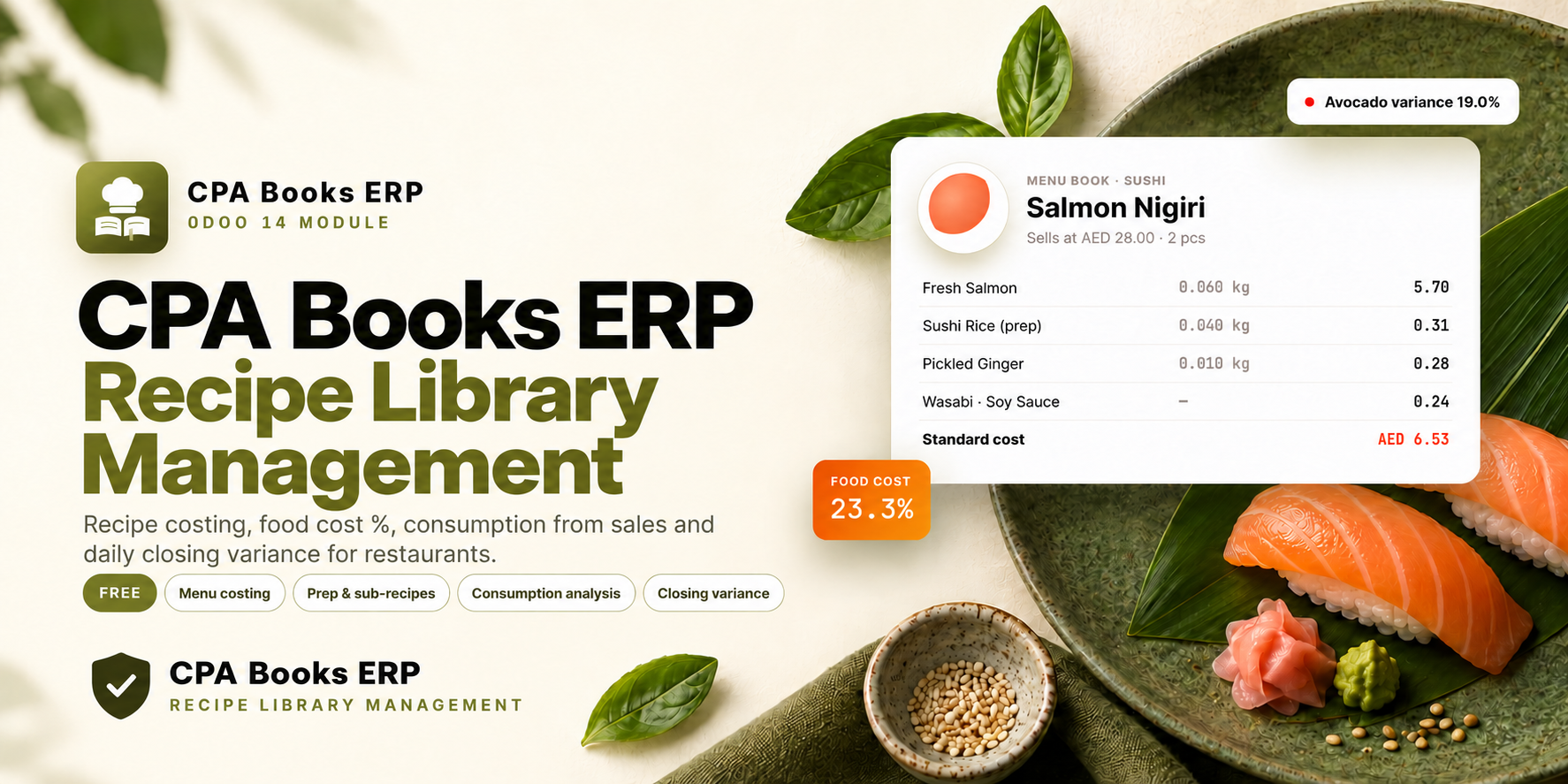
Recipe Library Management
You bought this module and need support? Click here

Recipe Library Management
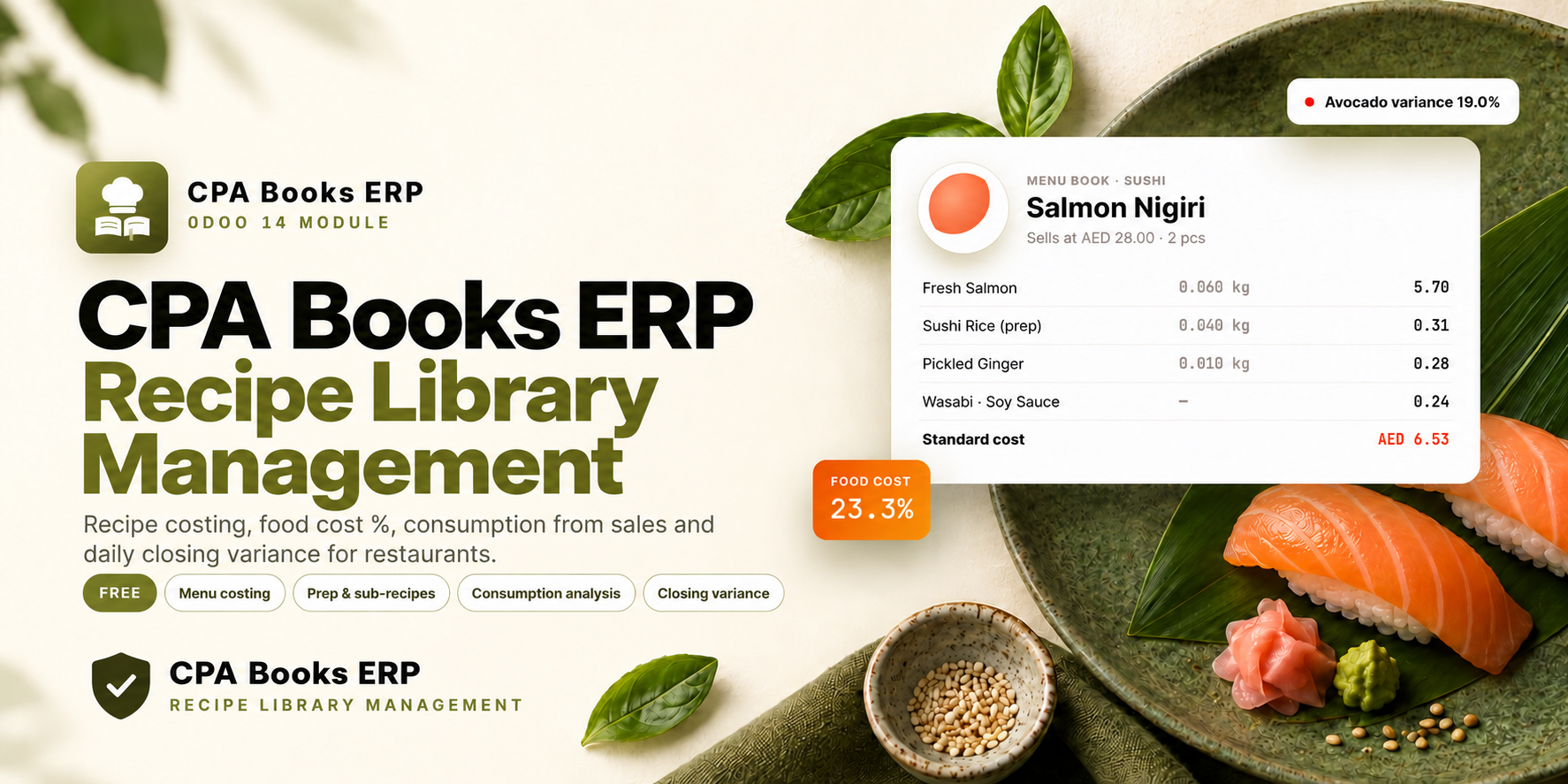
Know what every dish costs, what your sales should have used, and where your kitchen stock is going. Recipe costing, food cost %, consumption from sales and daily closing variance for restaurants.
Stop guessing your food cost
Most kitchens only find out about lost stock at month end. Recipe Library Management links your menu, your sales and your chef's daily count, so the gap shows up the same day.
✗ Dish costs live in old spreadsheets
✗ Nobody knows the real food cost % per item
✗ Sales and kitchen stock are never compared
✗ Waste and over-portioning stay hidden
✓ Every dish costed from its ingredients
✓ Food cost % and margin on every menu item
✓ Theoretical usage calculated from confirmed sales
✓ Daily variance flagged as OK, Check or Variance
From recipe to closing stock
Menu Book
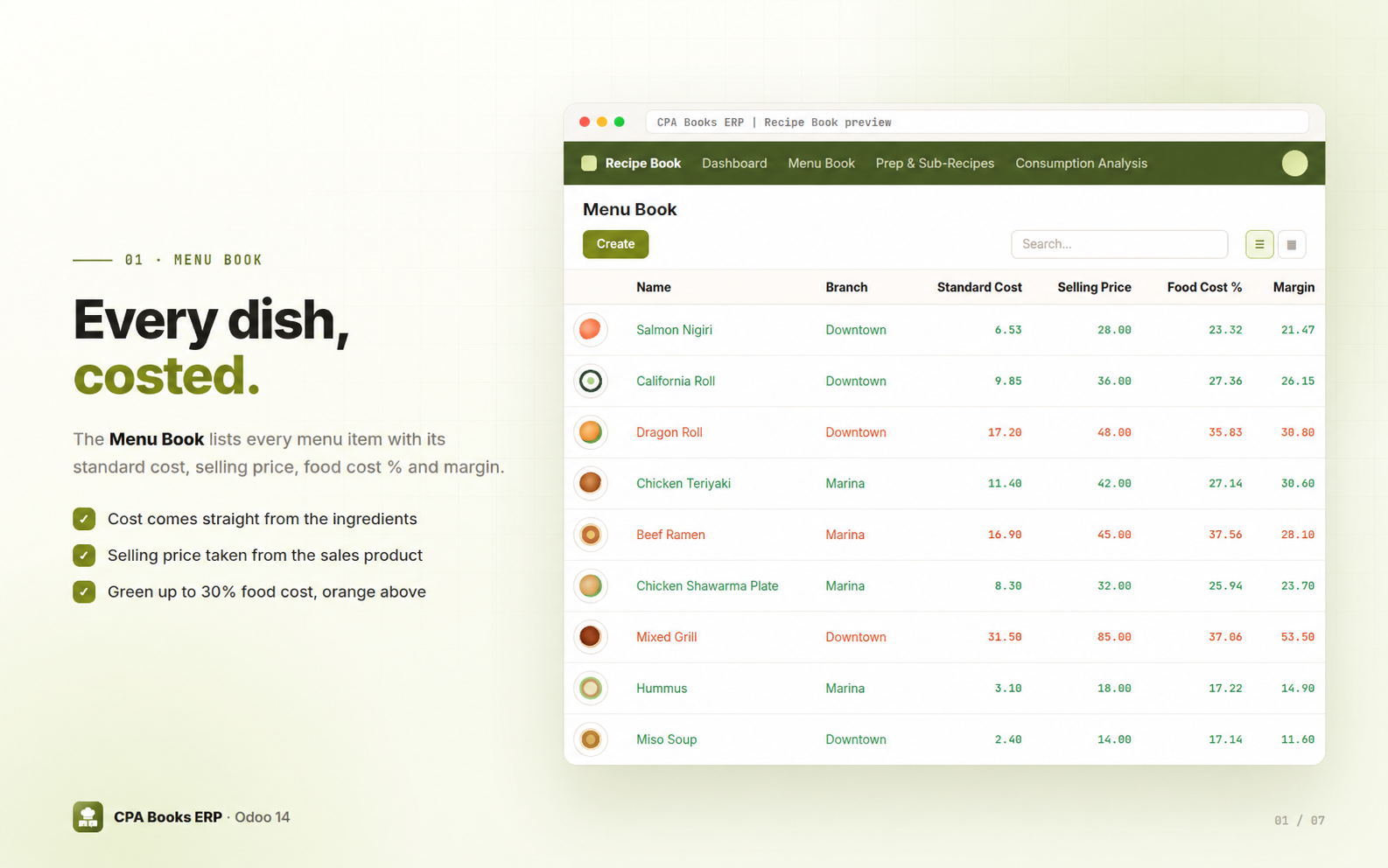
One recipe per menu item with standard cost, selling price, food cost % and margin.
Recipe card
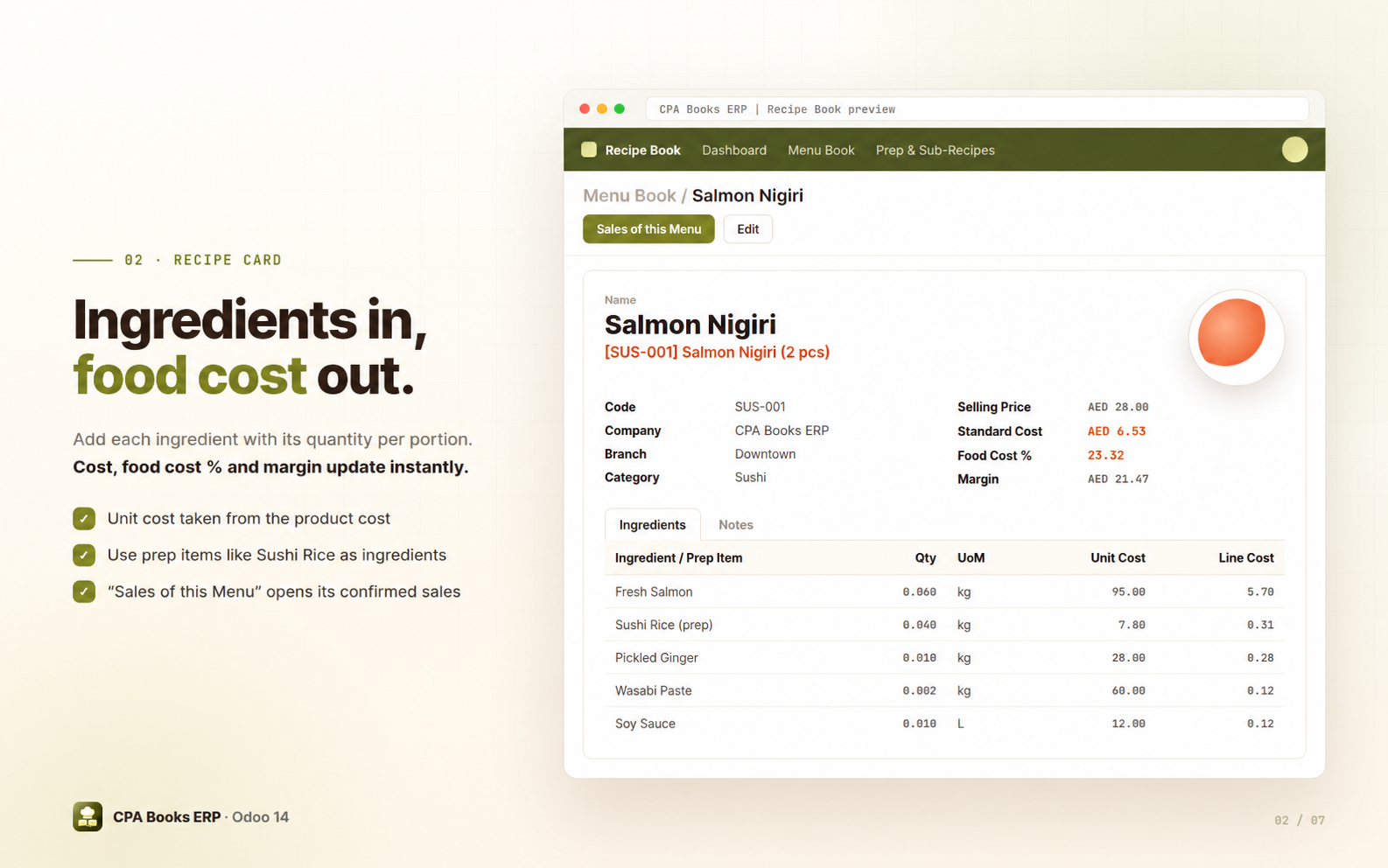
Ingredients per portion with quantity, unit and cost. Totals update as you type.
Visual dashboard
Menu cards with photo, selling price, standard cost and food cost %.
Prep & sub-recipes
Batch recipes for rice, sauces and bases with batch cost and cost per unit of yield.
Consumption analysis
Theoretical ingredient usage and cost from confirmed sales, in list, pivot and graph.
Daily closing & variance
Chef enters the closing count. Variance is calculated and colour-coded per ingredient.
Every dish, costed
Each recipe is linked to the sales product you sell. The list shows standard cost, selling price, food cost % and margin for every dish, with branch and menu photo. Dishes up to 30% food cost show in green, dishes above 30% in orange.
Ingredients in, food cost out
Add each ingredient or prep item with its quantity per portion. The unit cost comes from the product cost, so the standard cost, food cost % and margin are always current. Set the code, branch and category (Sushi, Japanese, Arabic or Other), add a menu photo and notes, and press Sales of this Menu to see its confirmed sales lines.
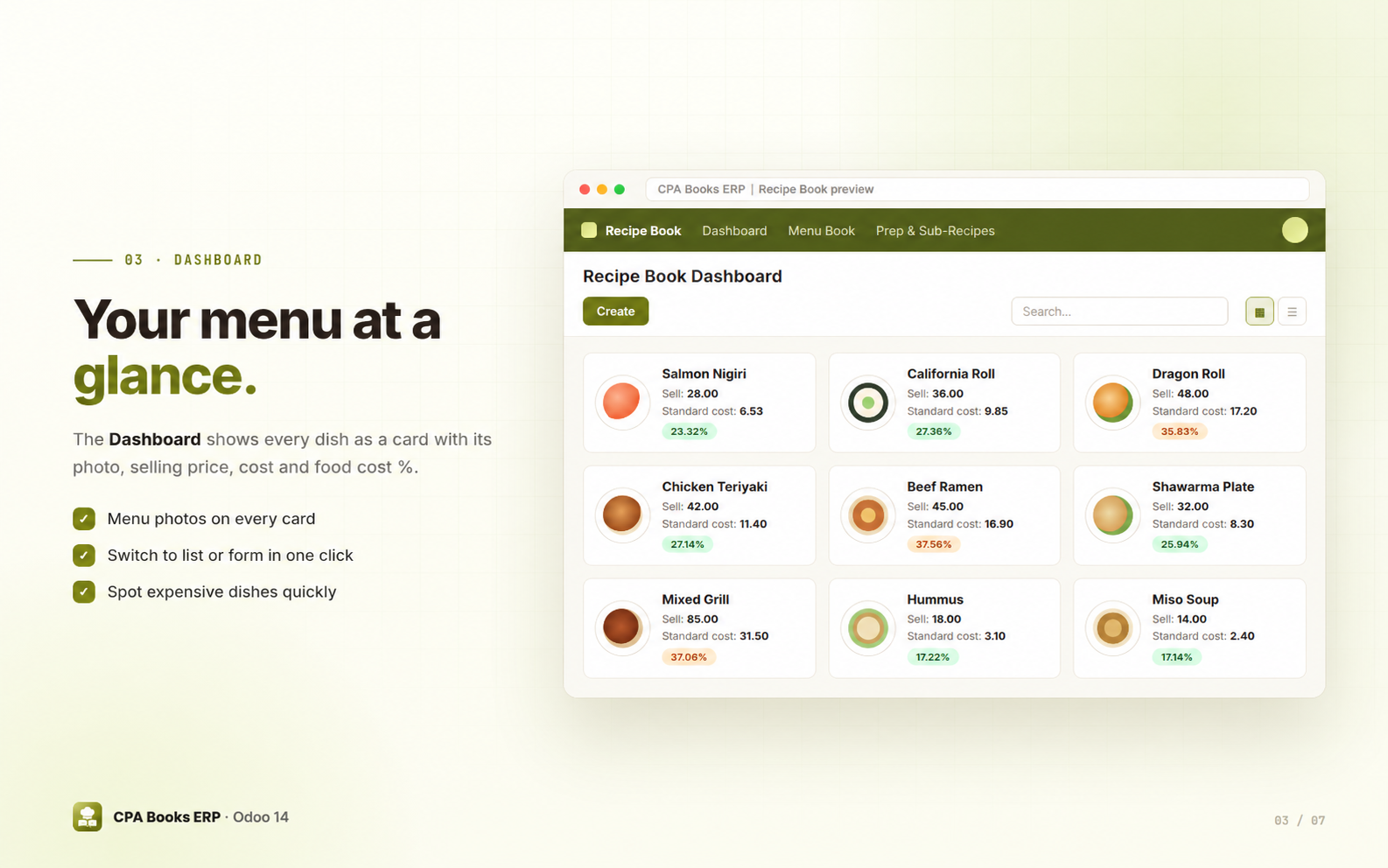
Your menu at a glance
The Recipe Library Management Dashboard shows every dish as a card with its photo, selling price, standard cost and food cost %. Switch to the list or open a recipe in one click.
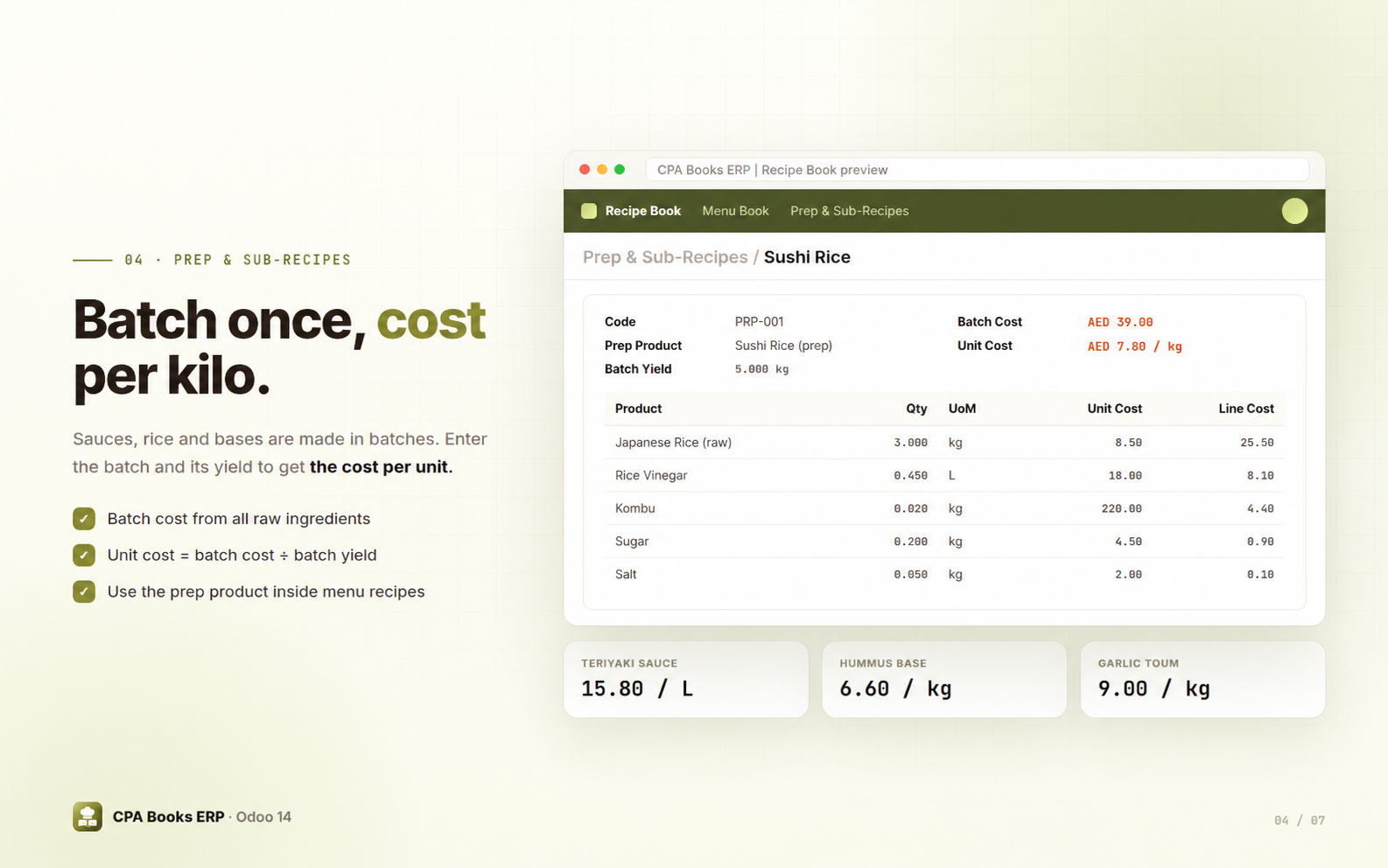
Batch once, cost per kilo
Sushi rice, sauces and bases are cooked in batches. Enter the raw ingredients and the batch yield: Recipe Library Management calculates the batch cost and the cost per unit, for example AED 39.00 ÷ 5 kg = AED 7.80 per kg. Use the prep product inside your menu recipes.
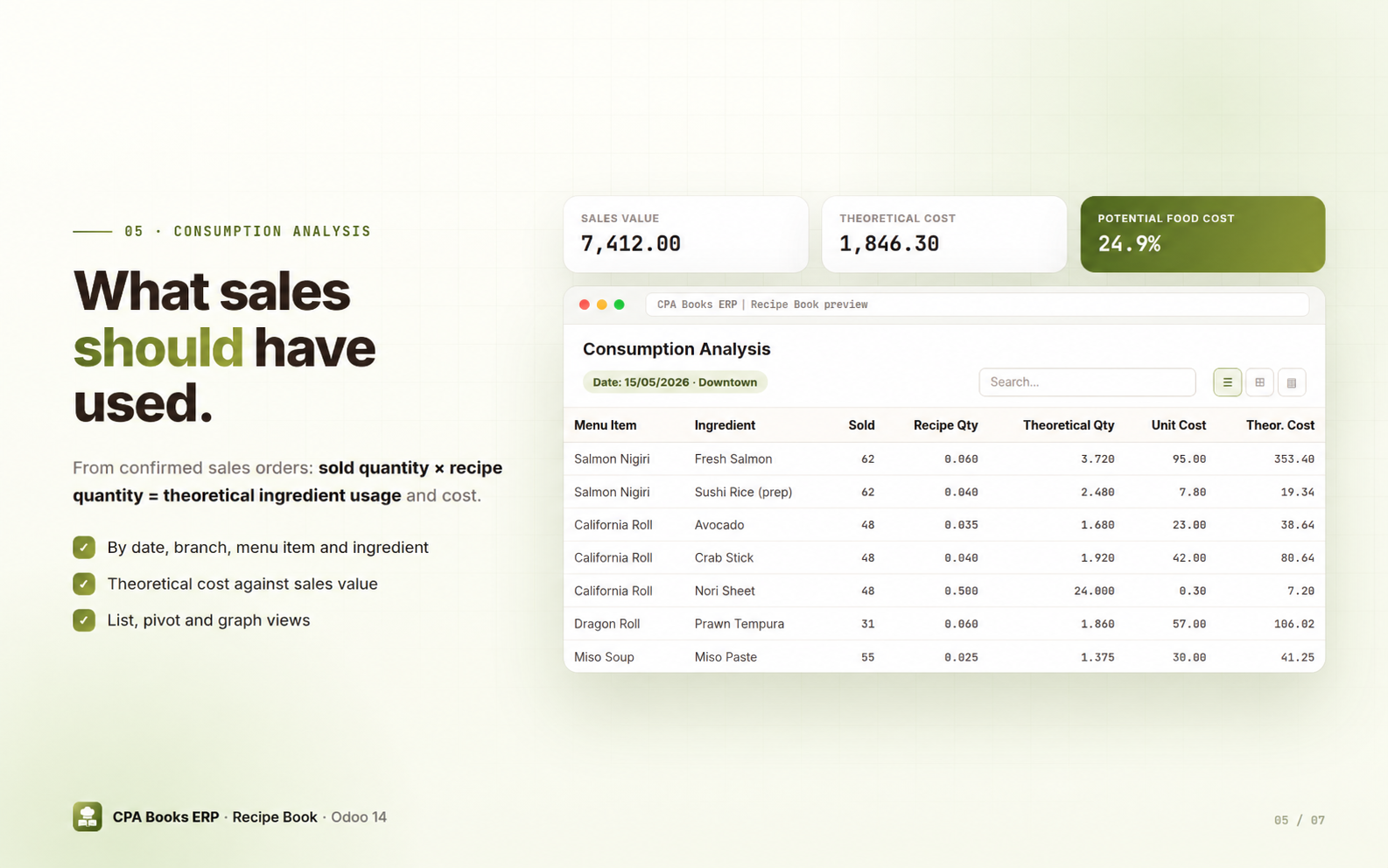
What your sales should have used
For every confirmed sales order, Recipe Library Management multiplies the sold quantity by the recipe quantity to get the theoretical ingredient usage and its cost, next to the sales value and potential food cost %.
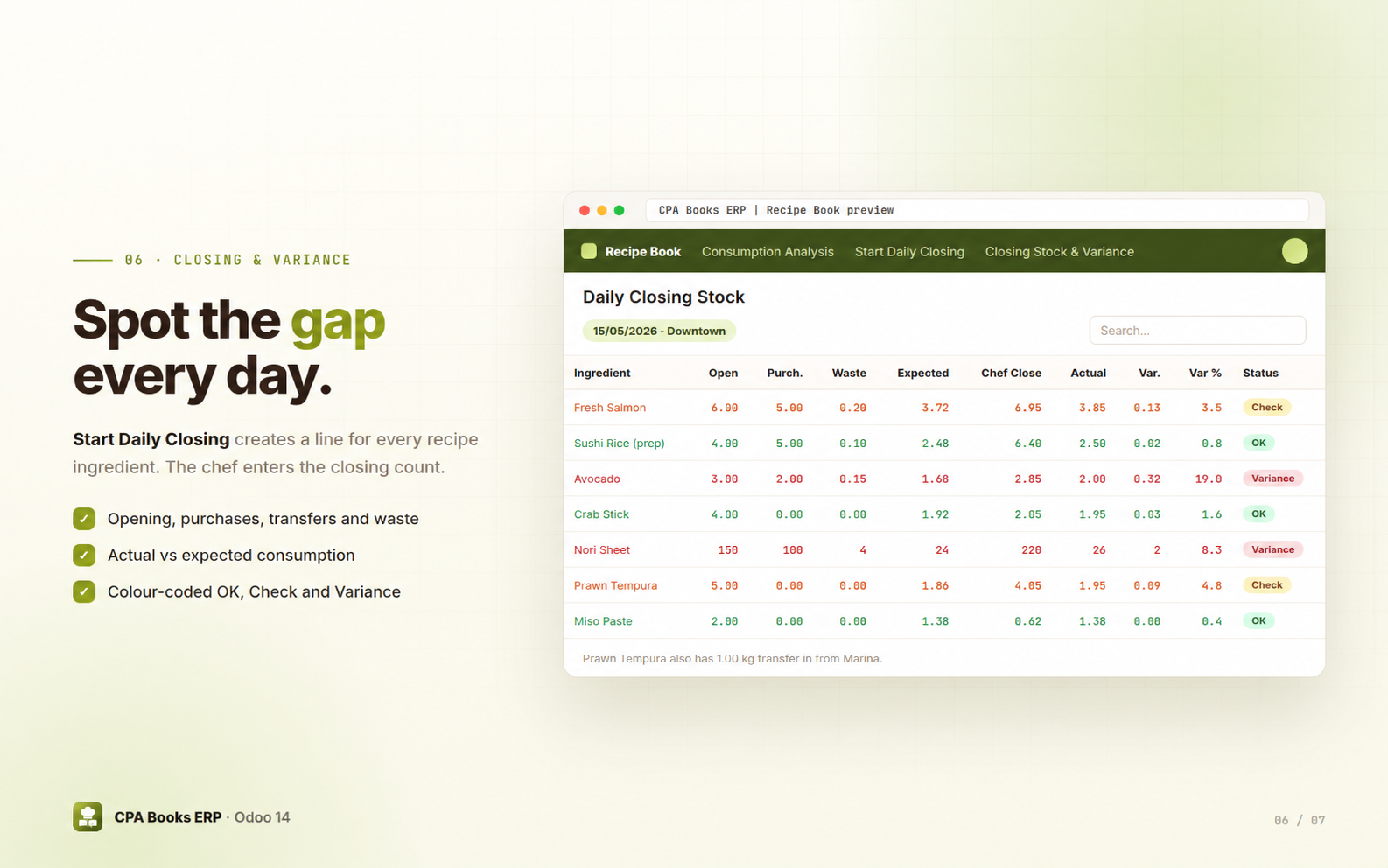
Spot the gap every day
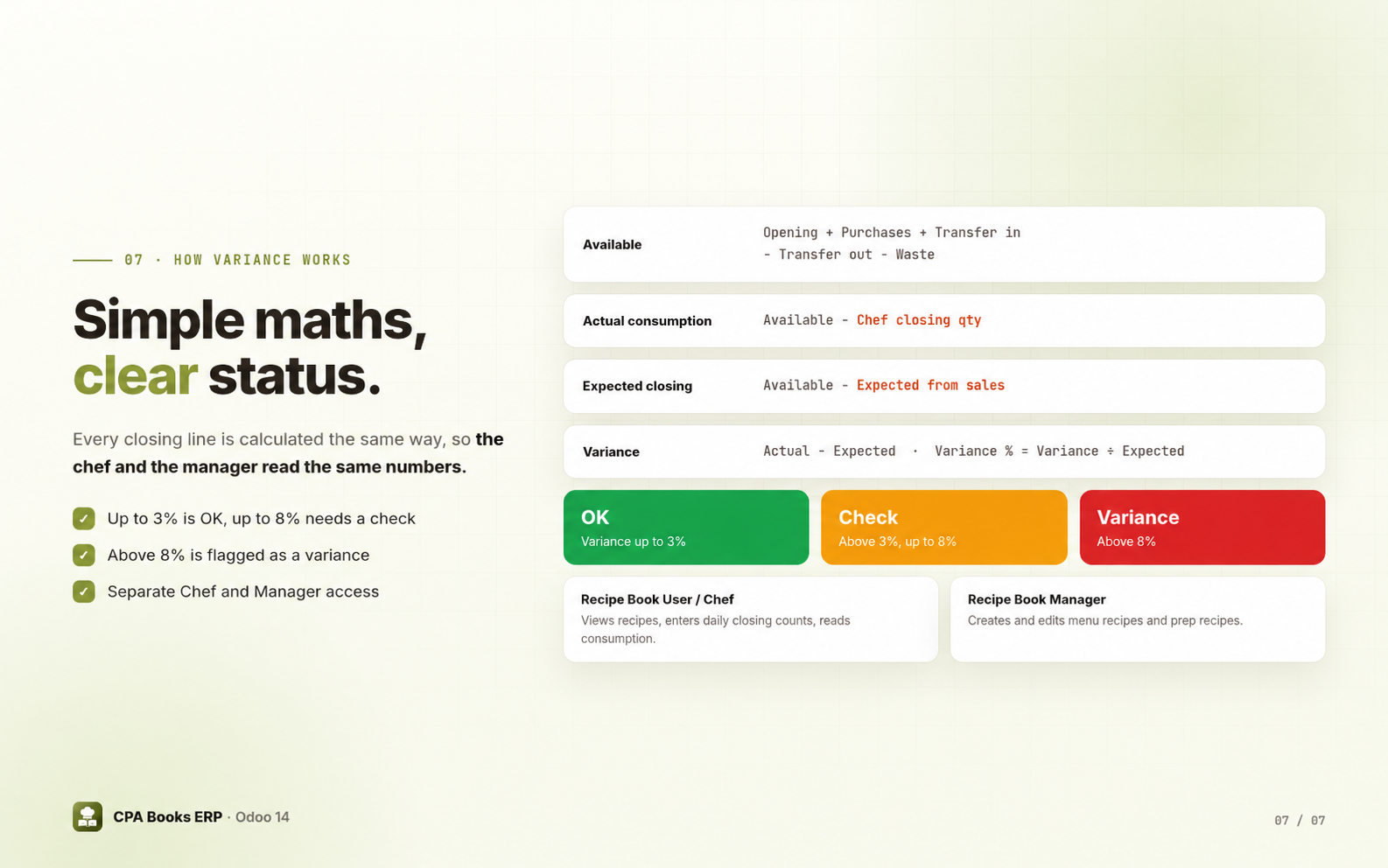
Start Daily Closing asks for the date and branch and creates a closing line for every ingredient used in your recipes. Fill in opening stock, purchases, transfers in and out, waste and the expected usage from sales, then the chef enters the closing count. Actual consumption, expected closing and variance are calculated on each line.
Simple maths, clear status
Up and running in four steps
Prep recipes
Create batch recipes for rice, sauces and bases.
Menu recipes
Link each menu item to its sales product and add ingredients.
Sell as usual
Confirmed sales feed the Consumption Analysis automatically.
Close the day
Start Daily Closing, enter the chef's count and review the variance.
Frequently asked questions
Upgradeable to any Odoo version
Recipe Library Management is on the menu for Odoo 14 today. Running a different Odoo version? We prepare it for yours. Just message us on WhatsApp or email.
WhatsApp +971 56 256 8128 info.cpabooks@gmail.com
Control your food cost, free
Need help setting up recipes or daily closings for your kitchen? The CPA Books ERP team is happy to help.
info.cpabooks@gmail.com# -*- coding: utf-8 -*-
{
'name': 'Recipe Library Management',
'summary': 'Restaurant recipe, theoretical food cost, consumption and closing stock control',
'version': '14.0.1.0.3',
'category': 'Operations/Restaurant',
'author': 'CPA Books ERP', 'website': 'https://cpabookserp.com', 'support': 'info.cpabooks@gmail.com',
'live_test_url': 'https://cpabookserp.com/contactus',
'license': 'OPL-1',
'depends': ['base','product','sale_management','stock','purchase'],
'data': [
'security/recipe_security.xml','security/ir.model.access.csv',
'views/recipe_views.xml','views/consumption_views.xml','views/dashboard_views.xml','views/menu.xml',
'wizard/closing_stock_wizard_views.xml'
],
'images': ['static/description/banner.png'],
'application': True, 'installable': True,
}
Copyright (c) 2026 Saaskul (https://saaskul.com)

Odoo Proprietary License v1.0

This software and associated files (the "Software") may only be used (executed,
modified, executed after modifications) if you have purchased a valid license
from the authors, typically via Odoo Apps, or if you have received a written
agreement from the authors of the Software (see the COPYRIGHT file).

You may develop Odoo modules that use the Software as a library (typically
by depending on it, importing it and using its resources), but without copying
any source code or material from the Software. You may distribute those
modules under the license of your choice, provided that this license is
compatible with the terms of the Odoo Proprietary License (For example:
LGPL, MIT, or proprietary licenses similar to this one).

It is forbidden to publish, distribute, sublicense, or sell copies of the Software
or modified copies of the Software.

The above copyright notice and this permission notice must be included in all
copies or substantial portions of the Software.

THE SOFTWARE IS PROVIDED "AS IS", WITHOUT WARRANTY OF ANY KIND, EXPRESS OR
IMPLIED, INCLUDING BUT NOT LIMITED TO THE WARRANTIES OF MERCHANTABILITY,
FITNESS FOR A PARTICULAR PURPOSE AND NONINFRINGEMENT. IN NO EVENT SHALL THE
AUTHORS OR COPYRIGHT HOLDERS BE LIABLE FOR ANY CLAIM, DAMAGES OR OTHER
LIABILITY, WHETHER IN AN ACTION OF CONTRACT, TORT OR OTHERWISE, ARISING FROM,
OUT OF OR IN CONNECTION WITH THE SOFTWARE OR THE USE OR OTHER DEALINGS IN THE
SOFTWARE.