

Switchgear Manufacturing
You bought this module and need support? Click here
Saaskul
Switchgear
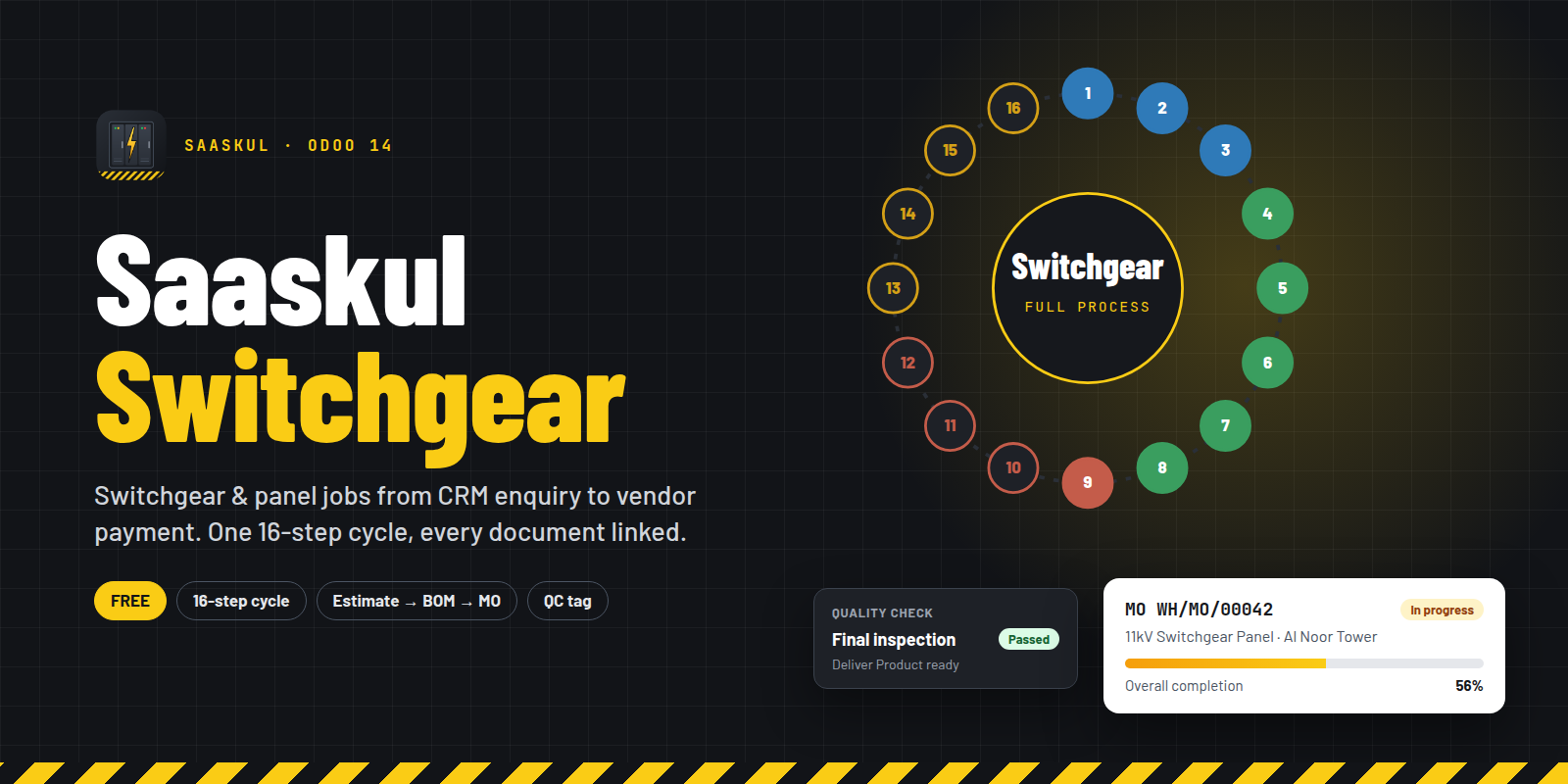
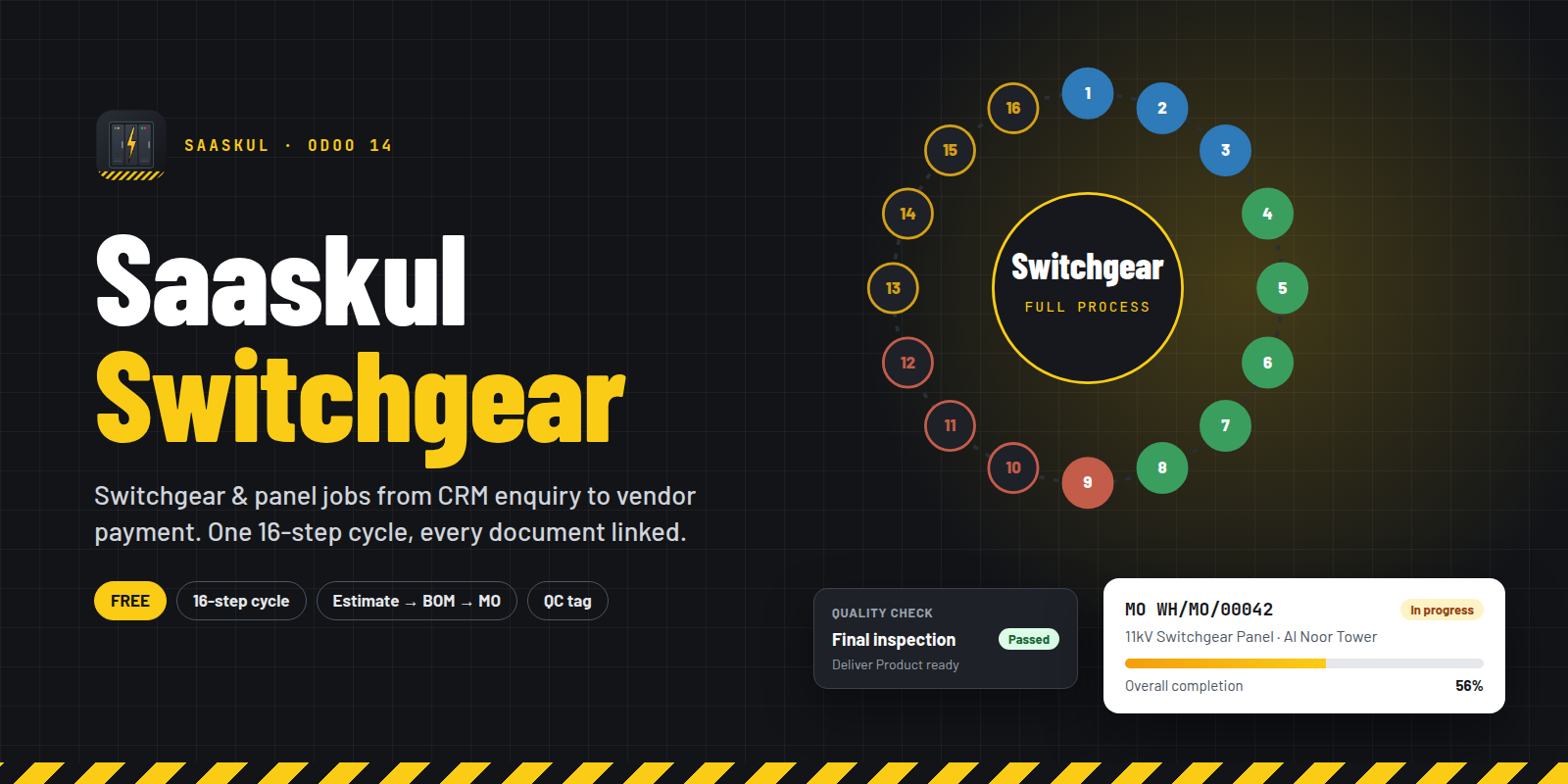
Switchgear & electrical panel jobs, from CRM enquiry to vendor payment
One 16-step processing cycle links enquiry, estimate, quotation, design documents, BOM, manufacturing order, purchase, quality check, GRN, delivery, invoice and payment. Every screen is one click away from a dedicated Switchgear workspace.
See the 16 steps Ask for a demo
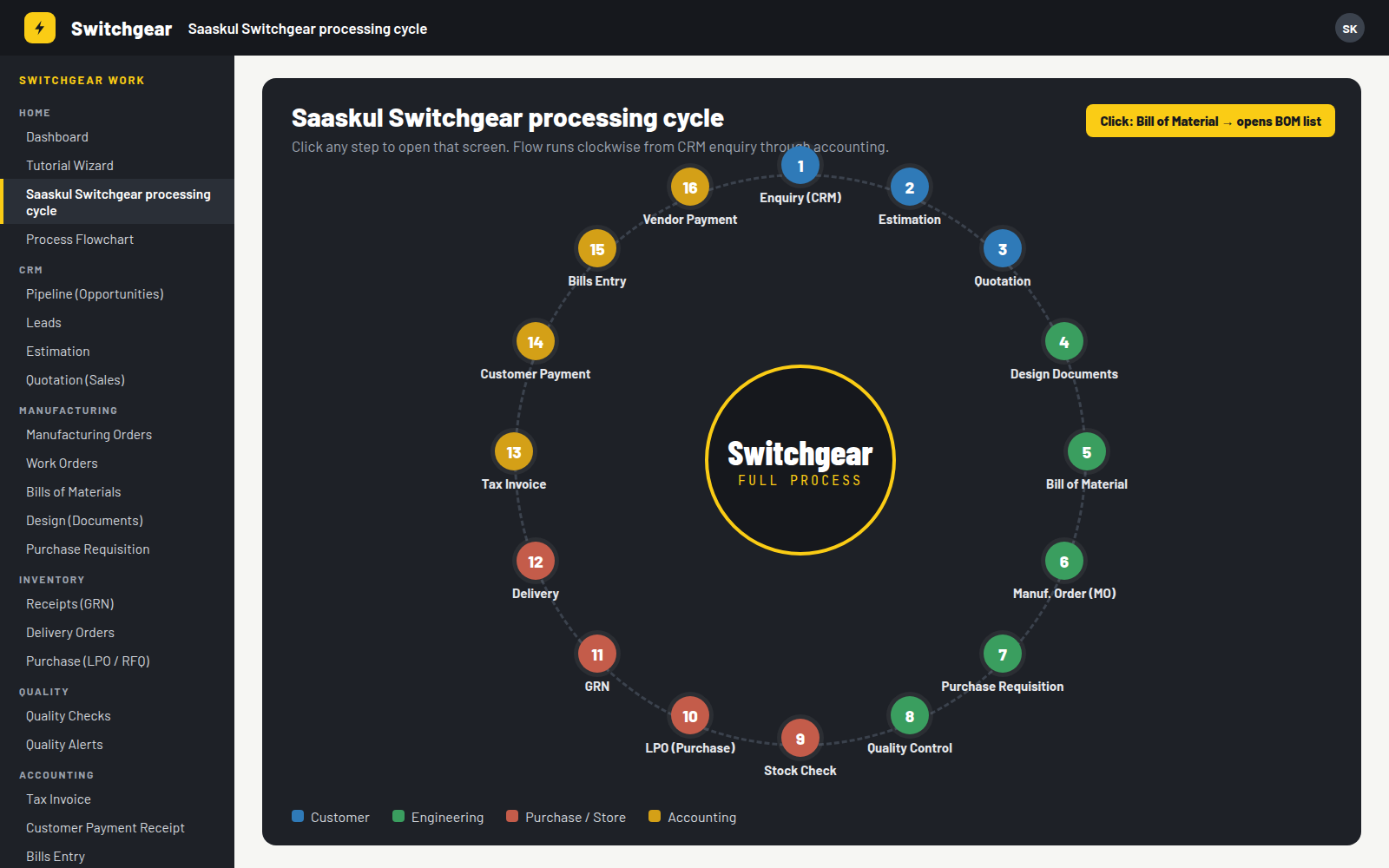
Sixteen steps, clockwise, one click each
The cycle screen puts the whole job on one wheel. Click any step and Odoo opens that list: pipeline, estimates, BOMs, MOs, receipts, deliveries, invoices or payments.
2 · Estimation
3 · Quotation
5 · Bill of Material
6 · Manuf. Order (MO)
7 · Purchase Requisition
8 · Quality Control
10 · LPO (Purchase)
11 · GRN
12 · Delivery
14 · Customer Payment
15 · Bills Entry
16 · Vendor Payment
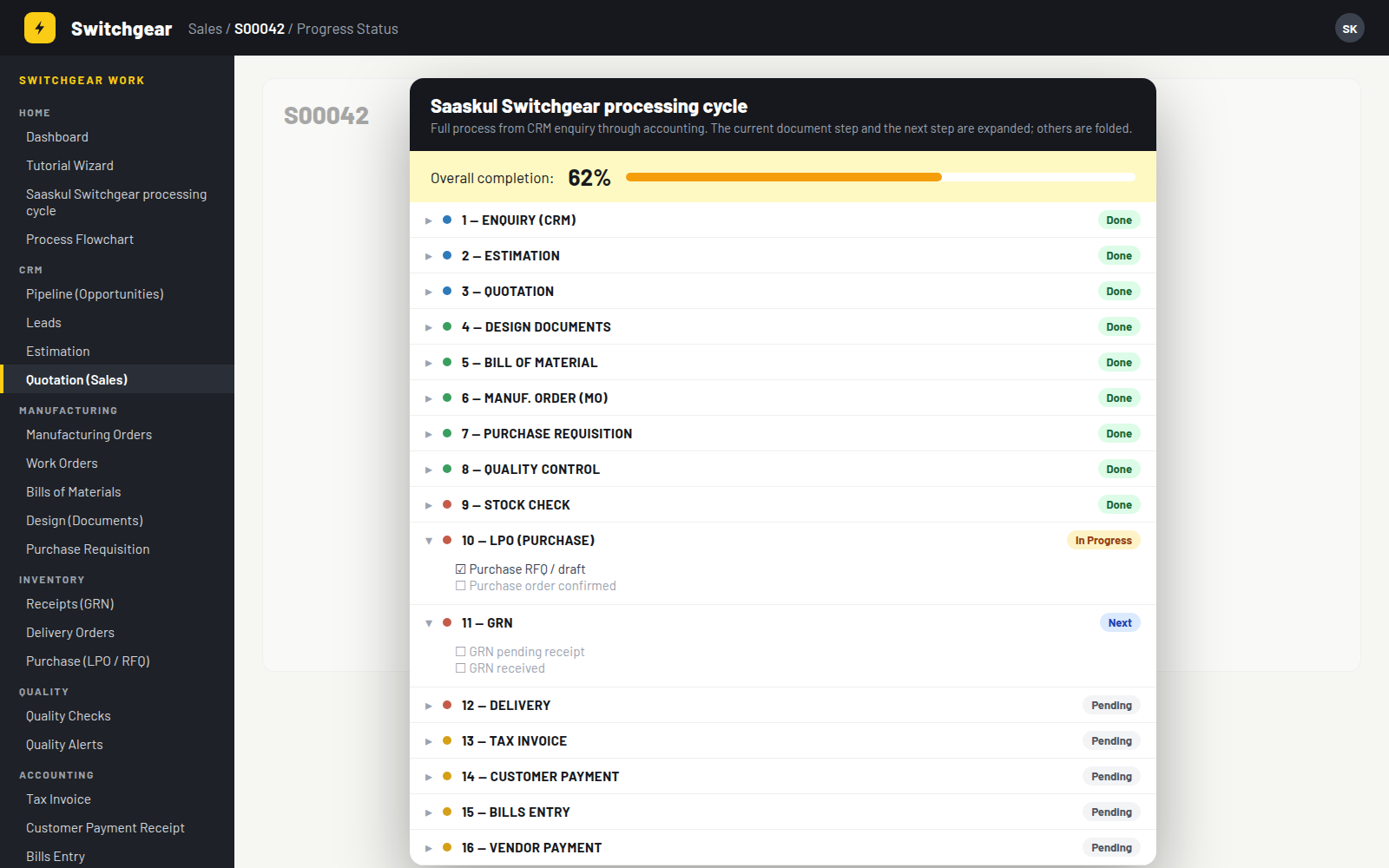
Where is this job? One button tells you.
Press Progress Status on an opportunity, estimate, sales order, MO, purchase order, transfer or quality check. A popup shows the overall completion and all 16 steps. The current step and the next one open with their checklist; the rest stay folded.
Checklist items include: estimate approved, quotation sent, sales order confirmed, documents sent and received, MO released, quality passed, GRN received, delivery completed, invoice posted and payment voucher.
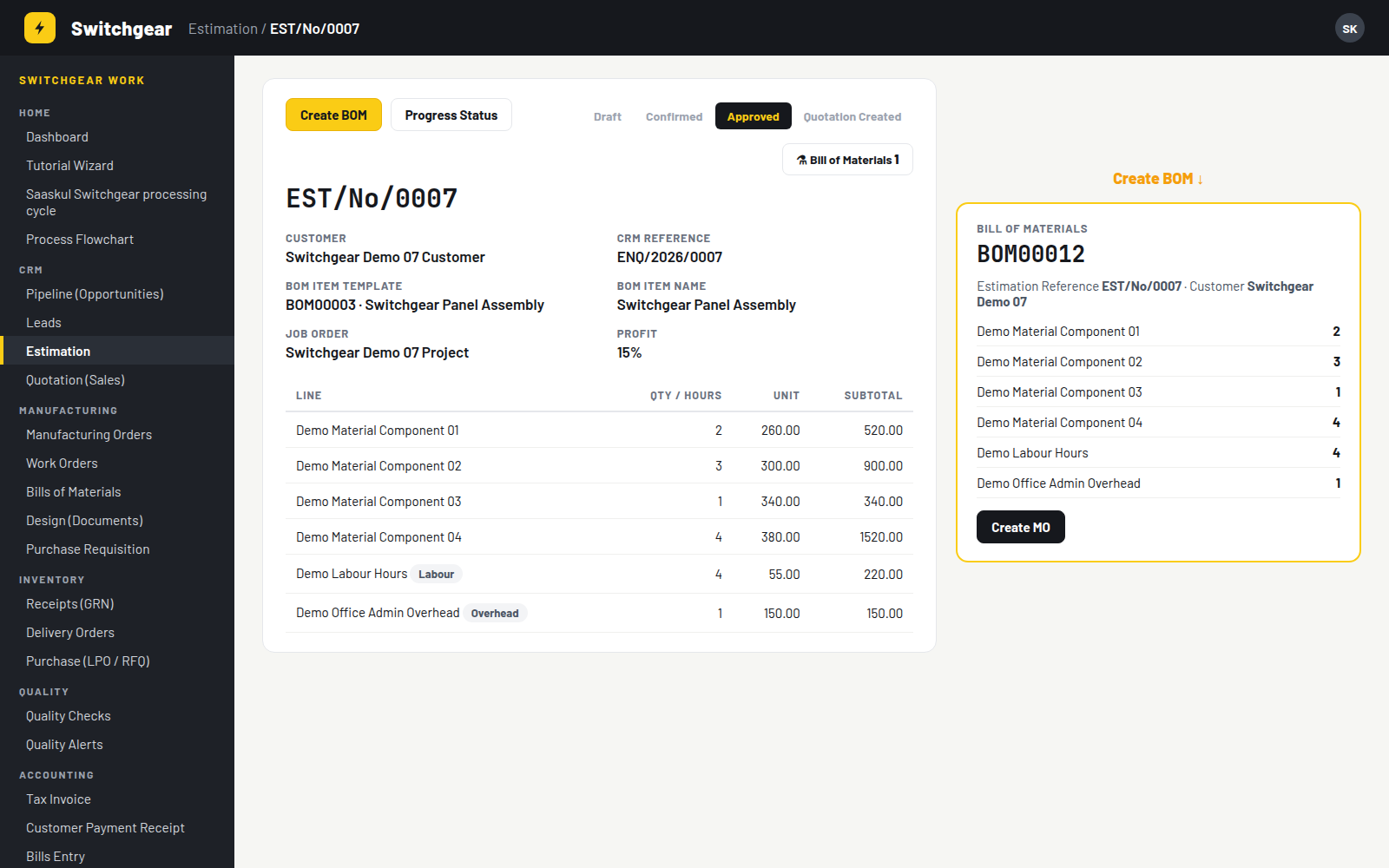
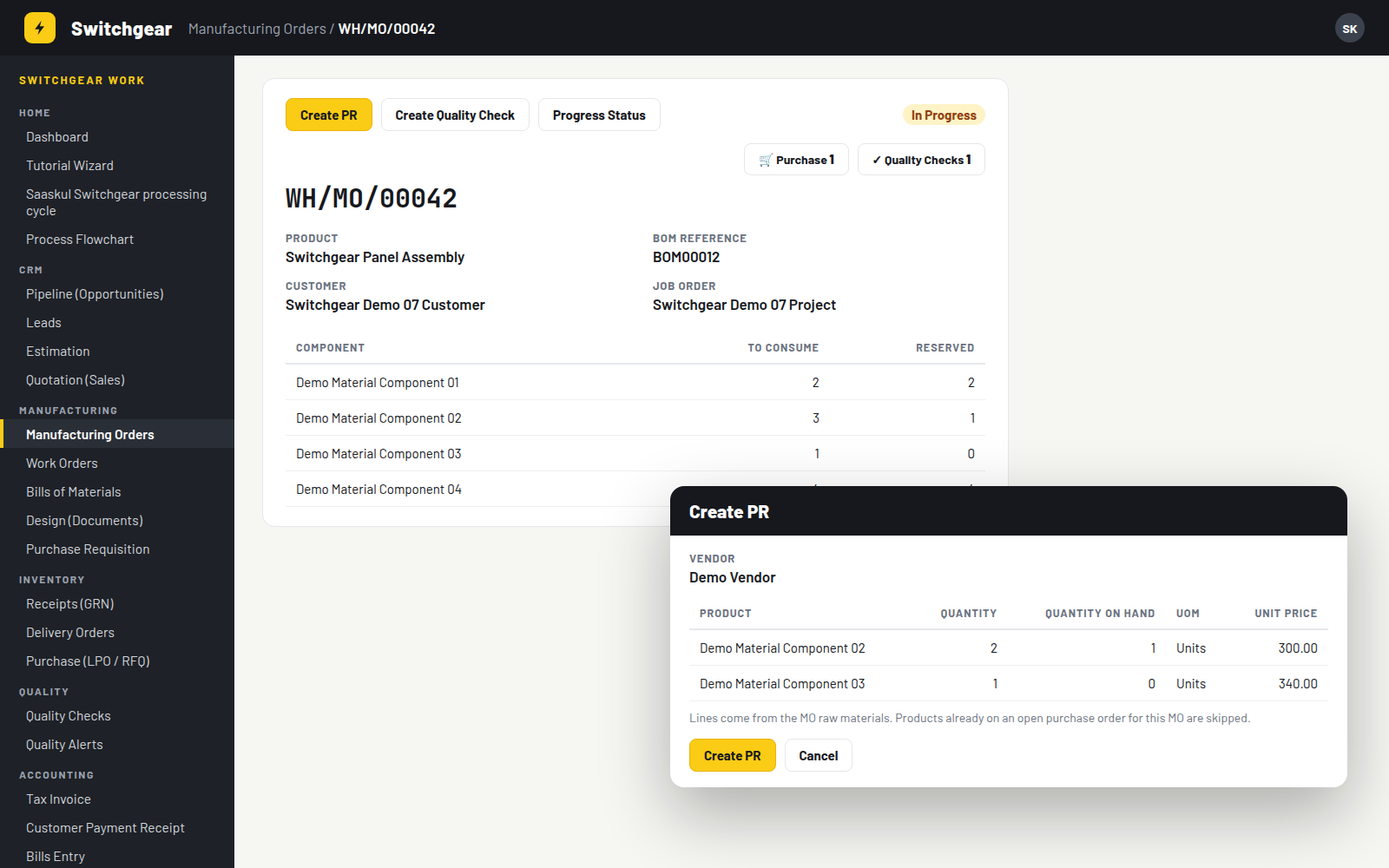
Buttons carry the job forward
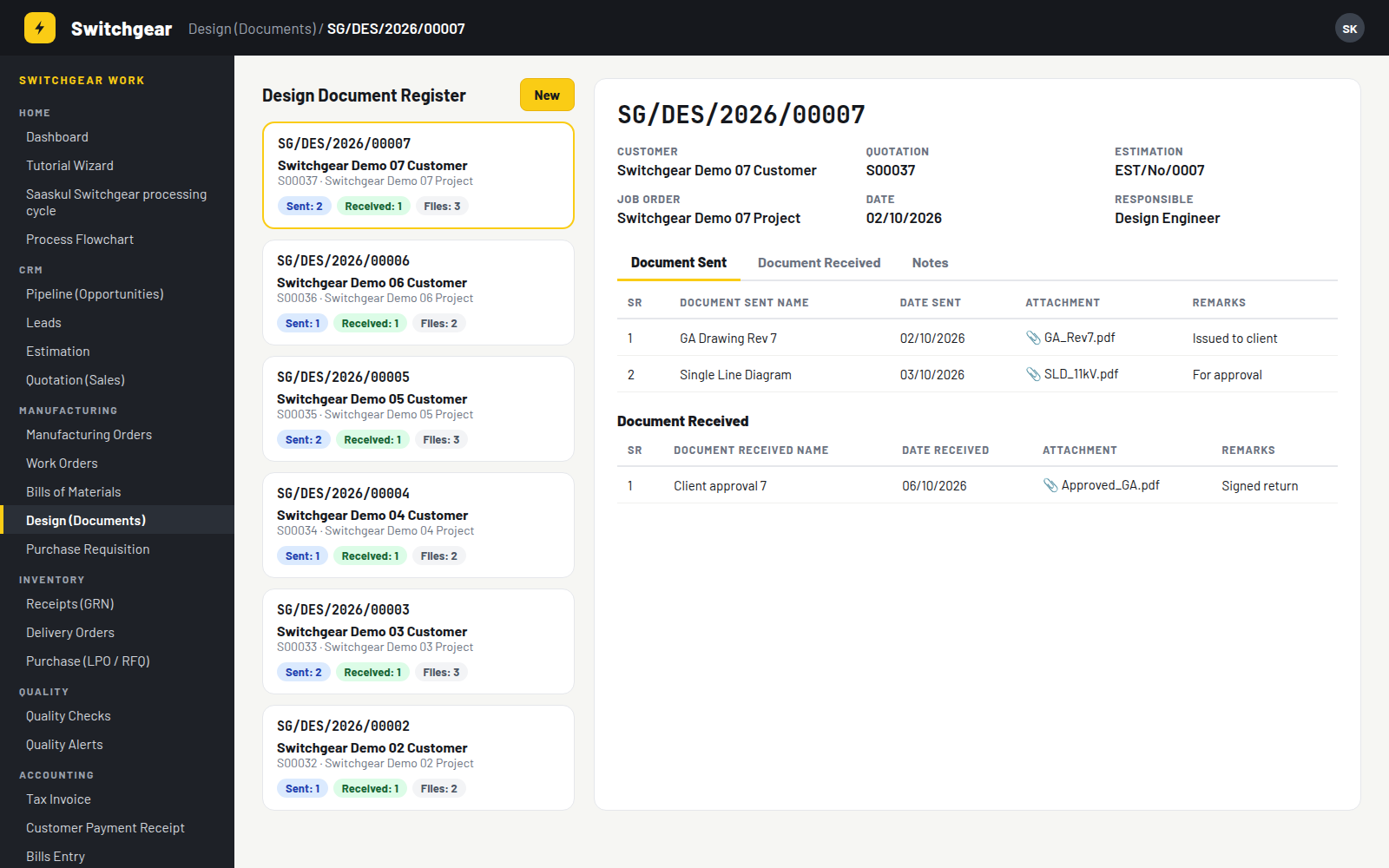
Drawings out, approvals back, all on the job
Each register gets a number like SG/DES/2026/00007 and links the customer, quotation, estimate and job order.
| Document Sent | SR, name, date, file, remarks |
| Document Received | SR, name, date, file, remarks |
| Kanban cards | Sent, Received and Files counts |
| Chatter | Messages and scheduled activities |
Sales orders also get Document and Document Received tabs.
Pass the check, ship the panel
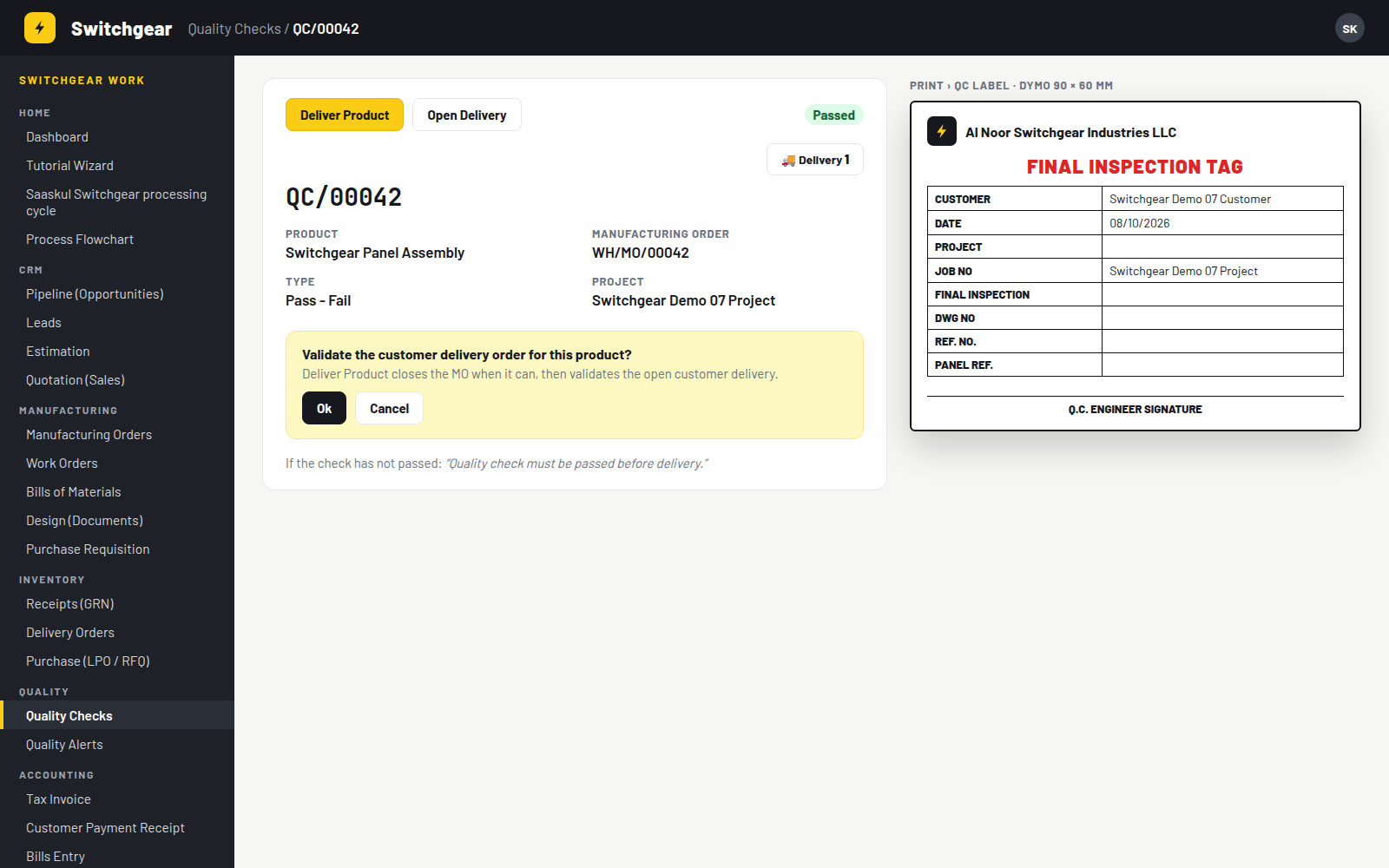
A passed quality check shows Deliver Product and Open Delivery. The app finds the right customer delivery from the check, the sales order, the MO origin or the procurement group. Until the check passes, delivery is blocked.
FINAL INSPECTION · DWG NO · REF. NO. · PANEL REF.
Q.C. ENGINEER SIGNATURE
The whole factory floor, in counts you can click
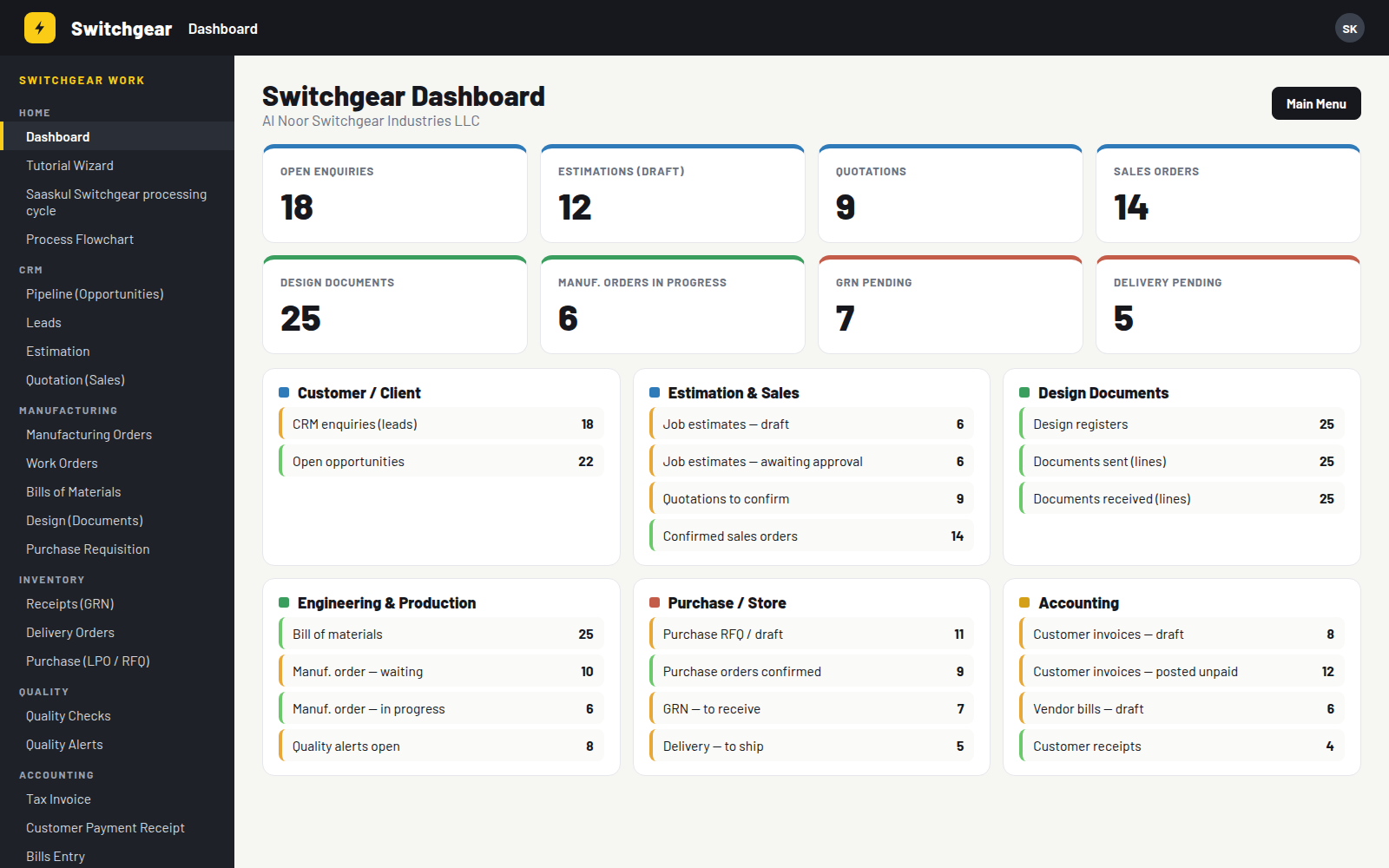
| Open Enquiries | Active CRM leads |
| Estimations · Quotations · Sales Orders | Open estimates, quotations to confirm, confirmed orders |
| Design Documents · MOs In Progress | Registers, and manufacturing orders confirmed or in progress |
| GRN Pending · Delivery Pending | Receipts and deliveries not yet done |
Below the tiles, six workflow panels (Customer, Estimation & Sales, Design, Engineering & Production, Purchase / Store, Accounting) list what is waiting and what is moving.
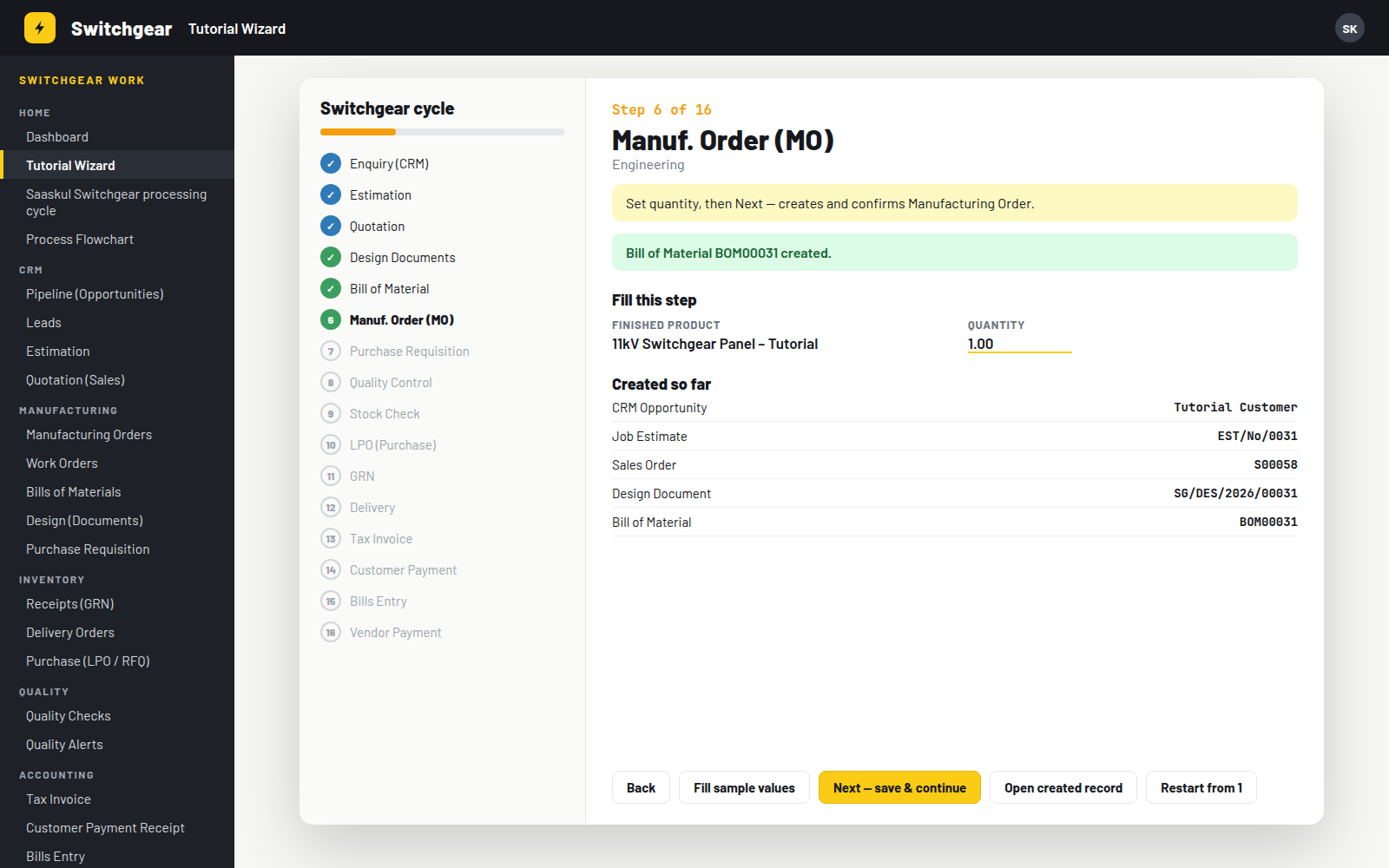
Learn it in one sitting
Each step shows a hint and a short form. Press Fill sample values, then Next: the wizard creates the opportunity, estimate, sales order, design document, BOM, MO, PR, quality check, PO, GRN, delivery, invoice and payments, and lists everything created so far.
Administrators open Switchgear demo data, choose the Switchgear or Furniture profile and how many stacks to load (1 to 100, default 25).
| Customers, leads and opportunities |
| Estimates in draft, awaiting approval and approved |
| Design registers, BOMs, MOs at every stage |
| Purchase requisitions, quality alerts, timesheets |
| Invoices, vendor bills and payments |
| 13 follow-up activities per stack |
Clean Demo Data removes the demo customers, stacks and DEMO-SG / DEMO-FN products.
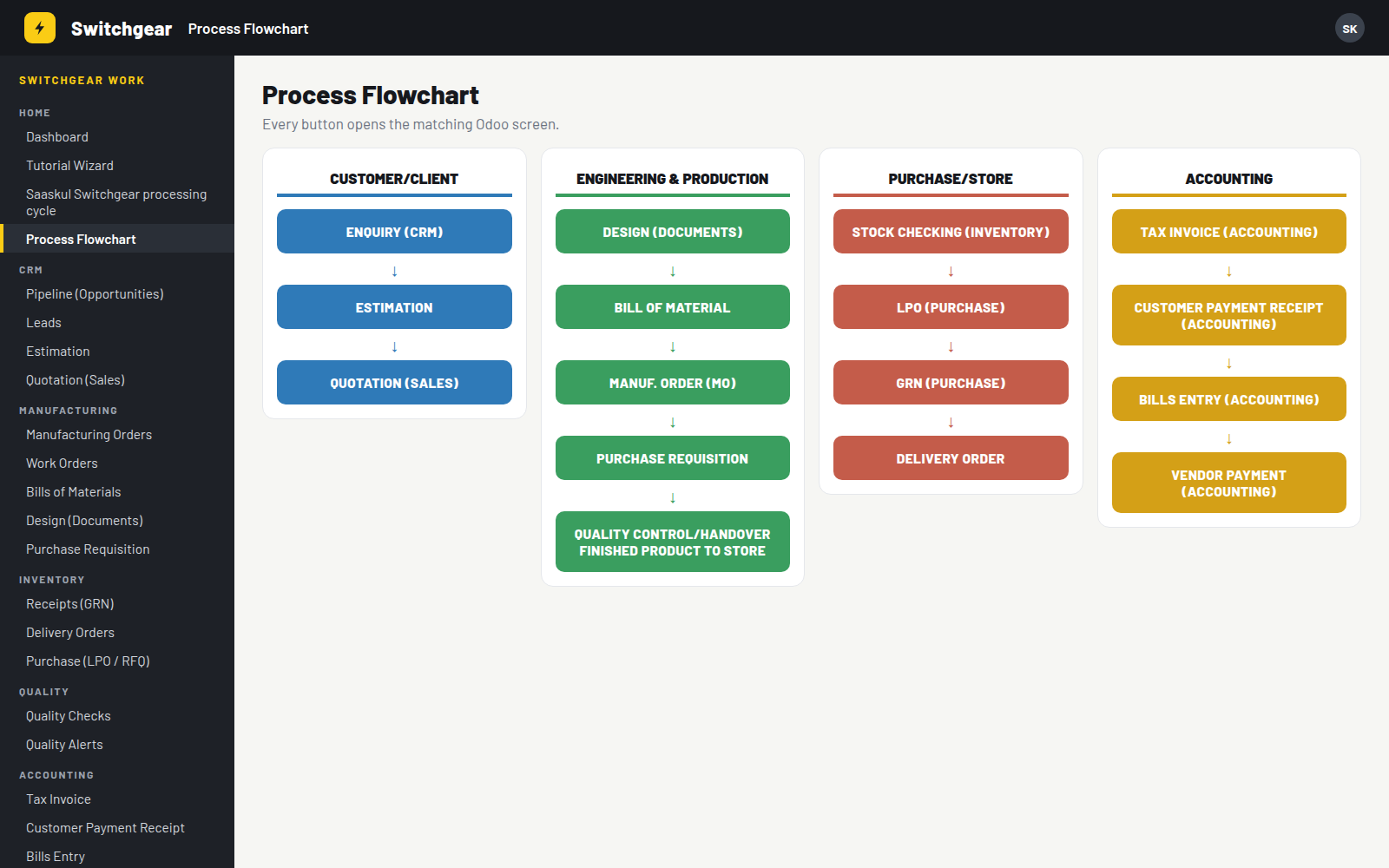
One app, one sidebar, every screen
The Switchgear app opens with a left sidebar called Switchgear Work. The Process Flowchart gives the same flow as four columns of buttons.
Projects get smart buttons for Estimations, BoMs, Manufacturing Orders and Quality Checks, plus a Tasks by Customer view.
Requirements
| Odoo | 14.0 Community or Enterprise |
| Odoo apps | CRM, Sales, Manufacturing, Inventory, Purchase, Invoicing, Project, Employees, Timesheets |
| Third-party apps | None. Only standard Odoo modules are needed. |
| Built in | Job estimates, quality checks and alerts, purchase requisitions, activity lists |
| Works with | Enterprise Quality and Purchase Agreements can stay installed; Switchgear uses its own records |
Good to know
Installing switches the web UI to Switchgear mode: the Switchgear sidebar replaces the top submenus on its screens.
The CRM pipeline opens in list view, and Mark Won is hidden on opportunities so jobs move through the cycle.
Configuration and the demo data loader are for administrators only. All internal users get the Switchgear app.
Questions
Power up your panel shop
Setup help, a demo or a custom report? Email or WhatsApp us on +971 56 256 8128.
name: Switchgear Manufacturing
technical name: switchgear_saaskul
author: Saaskul
category: Manufacturing
version: Odoo 14
price: Free
summary: Switchgear and electrical panel jobs from CRM enquiry to vendor payment: estimate, BOM, MO, purchase, quality check, GRN, delivery and invoicing on one 16-step cycle.
depends: web, mail, utm, crm, sale_management, sale_stock, sale_crm, sale_project, mrp, stock_account, purchase_stock, account, project, hr, hr_timesheet
website: https://saaskul.com
support: info.cpabooks@gmail.com
license: OPL-1
Saaskul Switchgear is published by Saaskul under the Odoo Proprietary License v1.0 (OPL-1) and is free on this app store.
You may use the app on your own Odoo databases. Redistribution or resale is not included.
Requires the modules listed under Requirements in the description.
Support: info.cpabooks@gmail.com · WhatsApp +971 56 256 8128.
Copyright © Saaskul.