

Complaint Registration Services
You bought this module and need support? Click here
Every complaint,
tracked to done.
Complaint Registration Services turns project tasks into Complaint Registration Numbers (CRNs). Register the call, visit the site, quote, issue material, finish the job, invoice it and close it, all on one guided form.
Built for facility management, MEP, HVAC and maintenance companies that run AMC and call-out service jobs.
Follow the 9 stages Ask for a demo
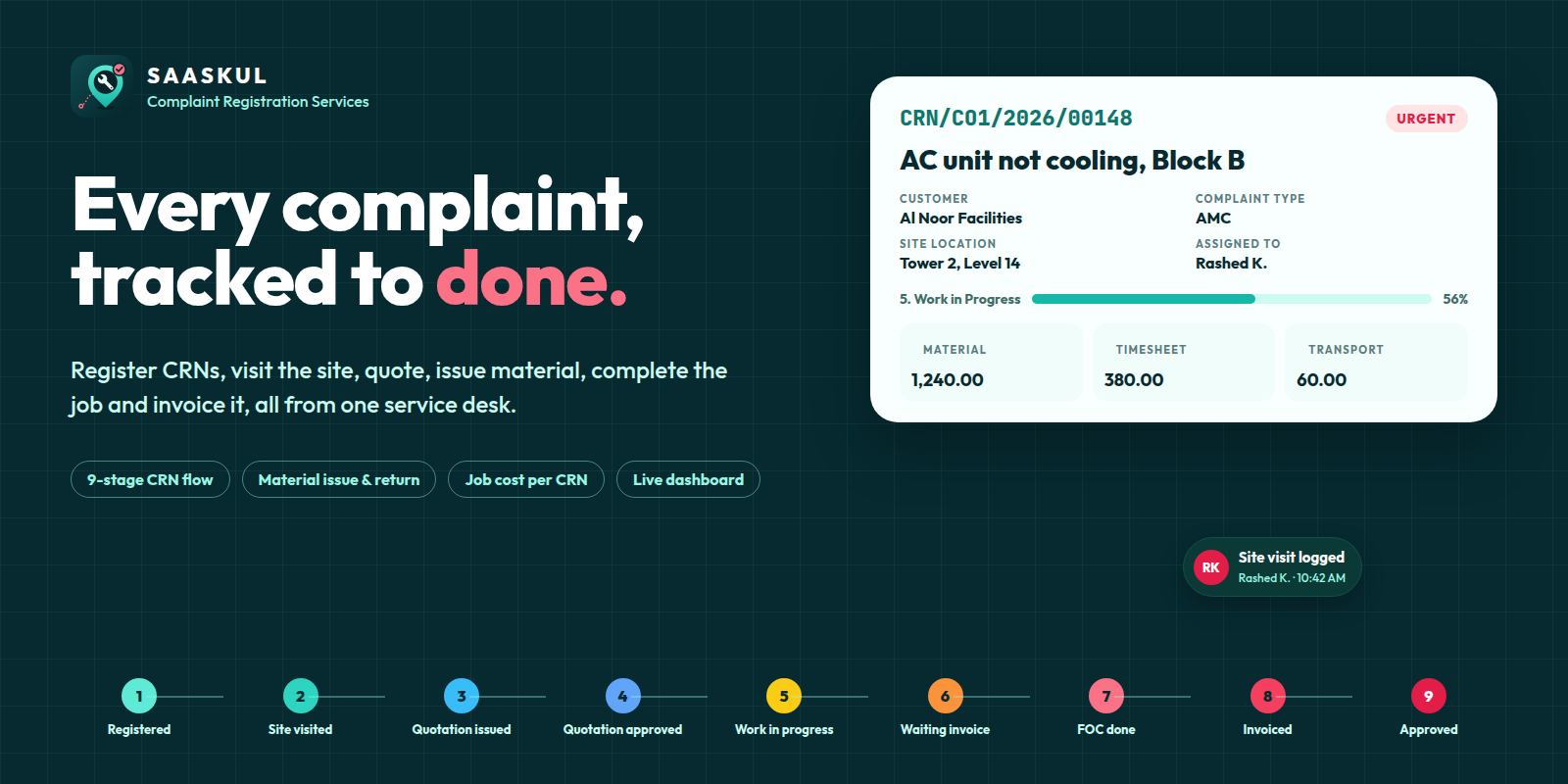
Nine stops from the first call to approval
The stage moves on by itself as the site visit is logged, the quotation is sent and confirmed, the work dates are filled and the invoice is posted.
One service desk, opened in one click
The Complaint Registration app opens on the Complaint Registration Management dashboard, with a sidebar for CRNs, reporting, store and timesheets.
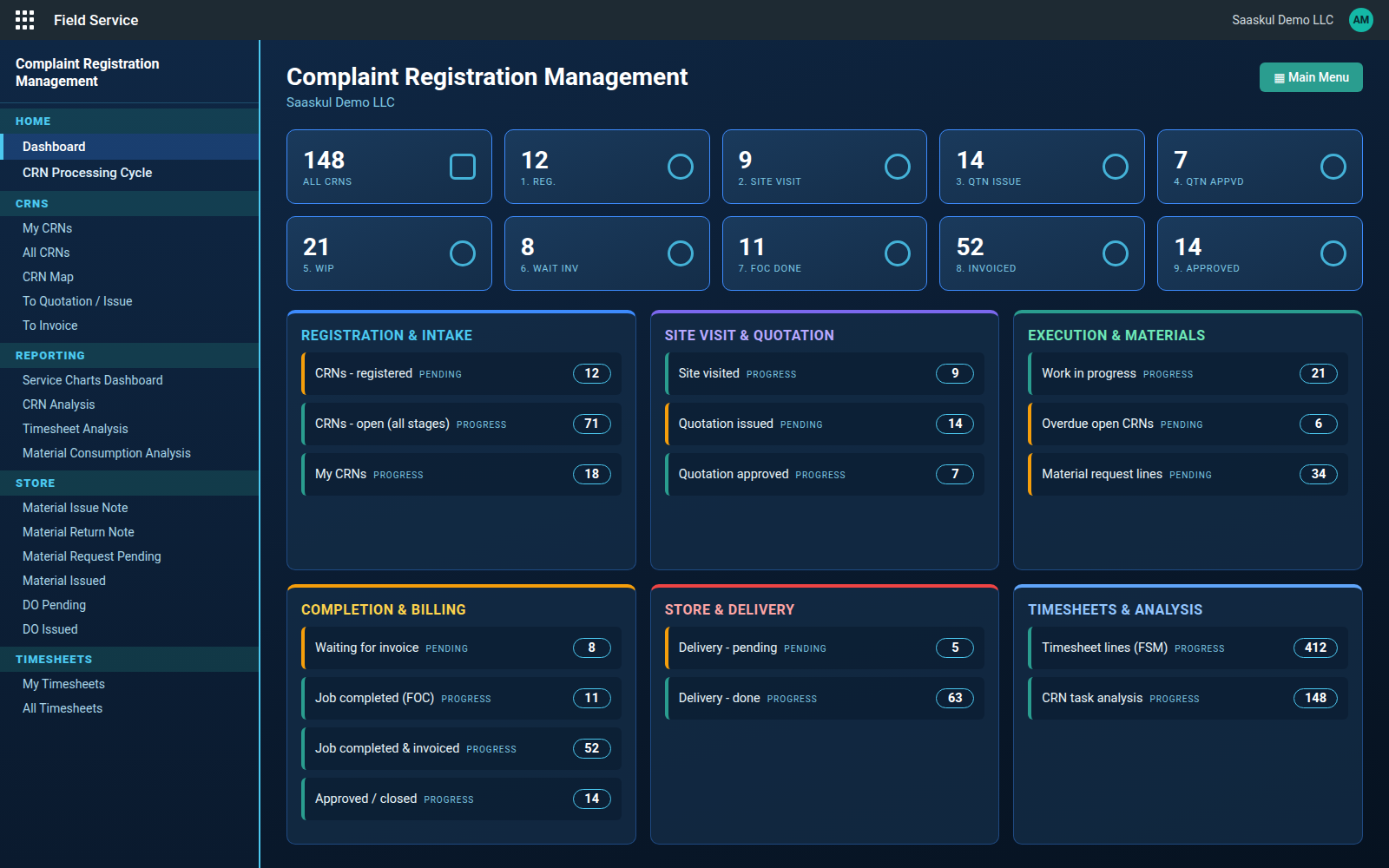
Dashboard. A count for every stage, plus panels for intake, quotation, execution, billing, store and timesheets. Click any number to open that list.
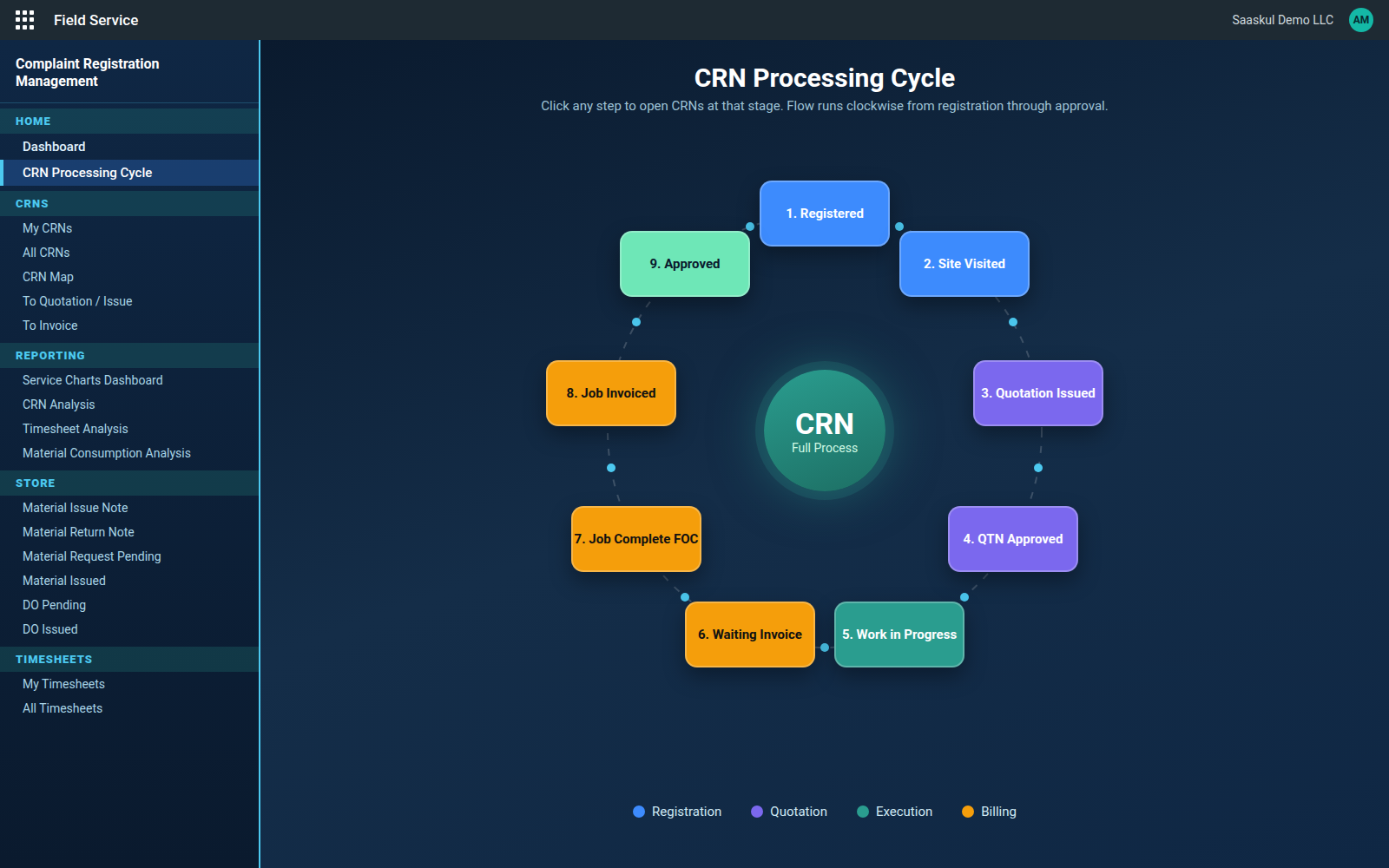
CRN Processing Cycle. The nine stages on a clockwise ring, coloured by phase. Click a stage to open its CRNs.
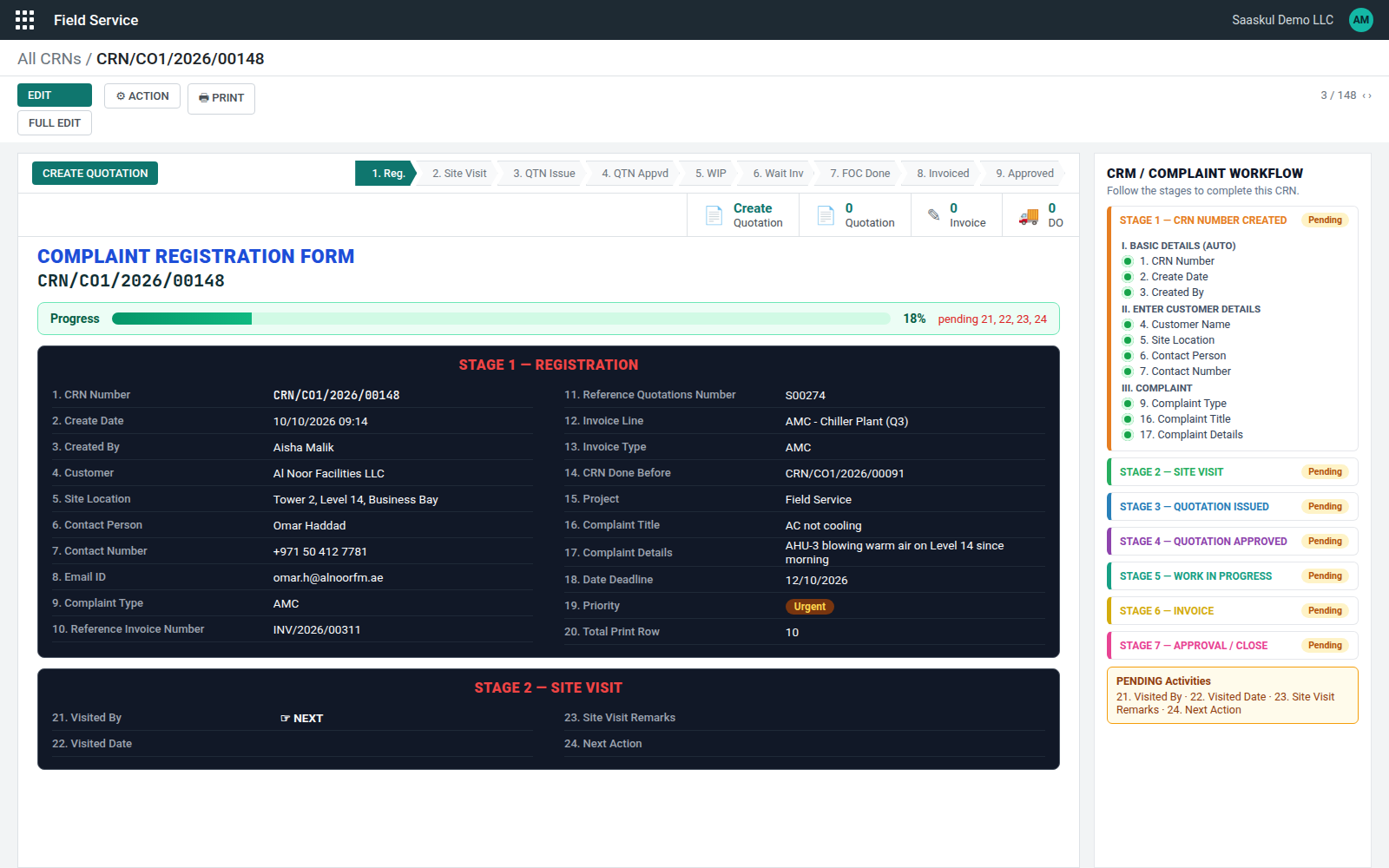
A form that tells you what comes next
After the site visit, pick the next action
Field 24 decides where the CRN goes.
1. Closed 2. Issue QT 3. FOC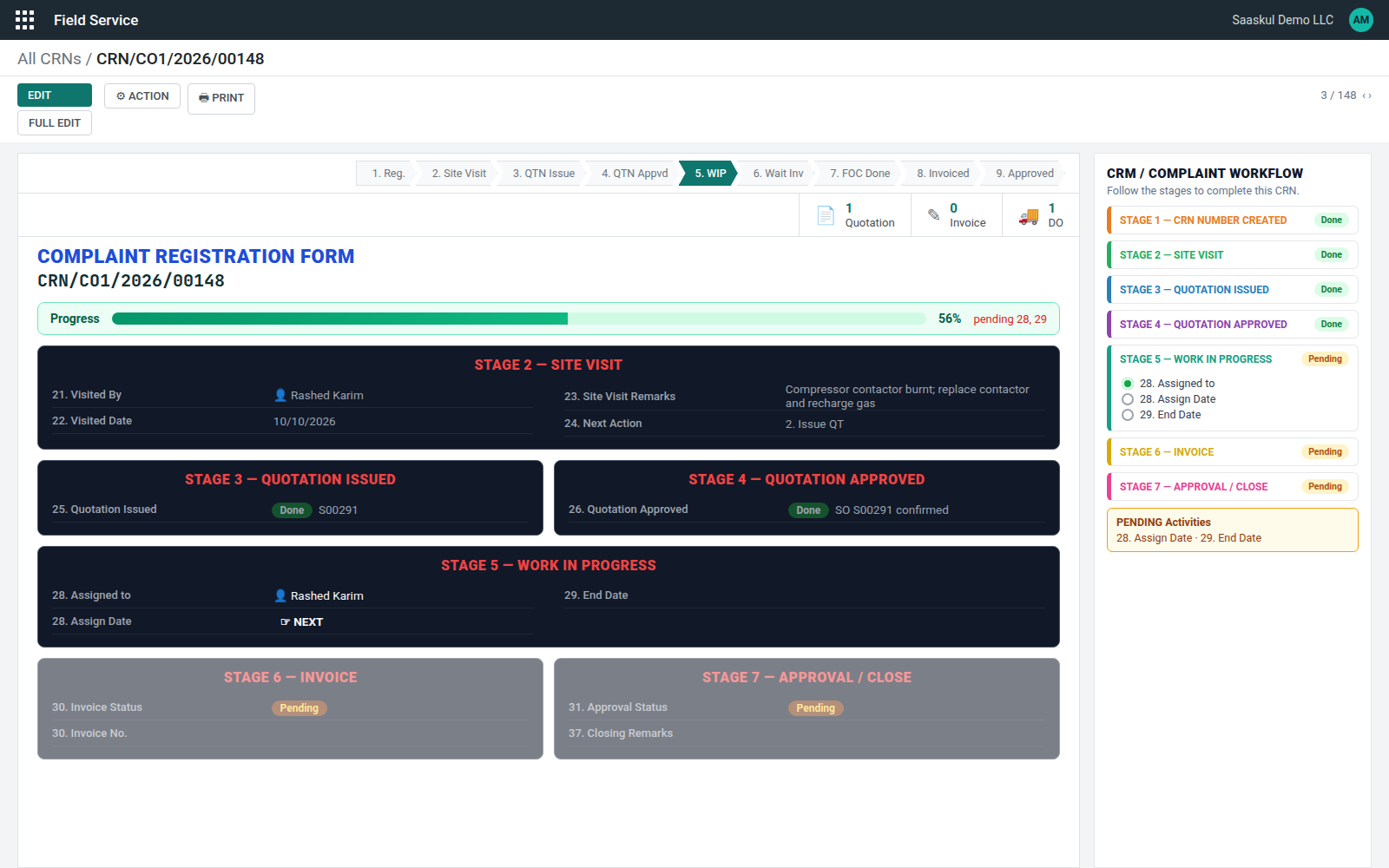
The Quotation, Invoice and DO buttons on top of the form open the documents linked to the CRN.
Know what each CRN really cost
Material + Timesheet (In / Out × rate) + Transport + Other = Total Actual + Estimated Cost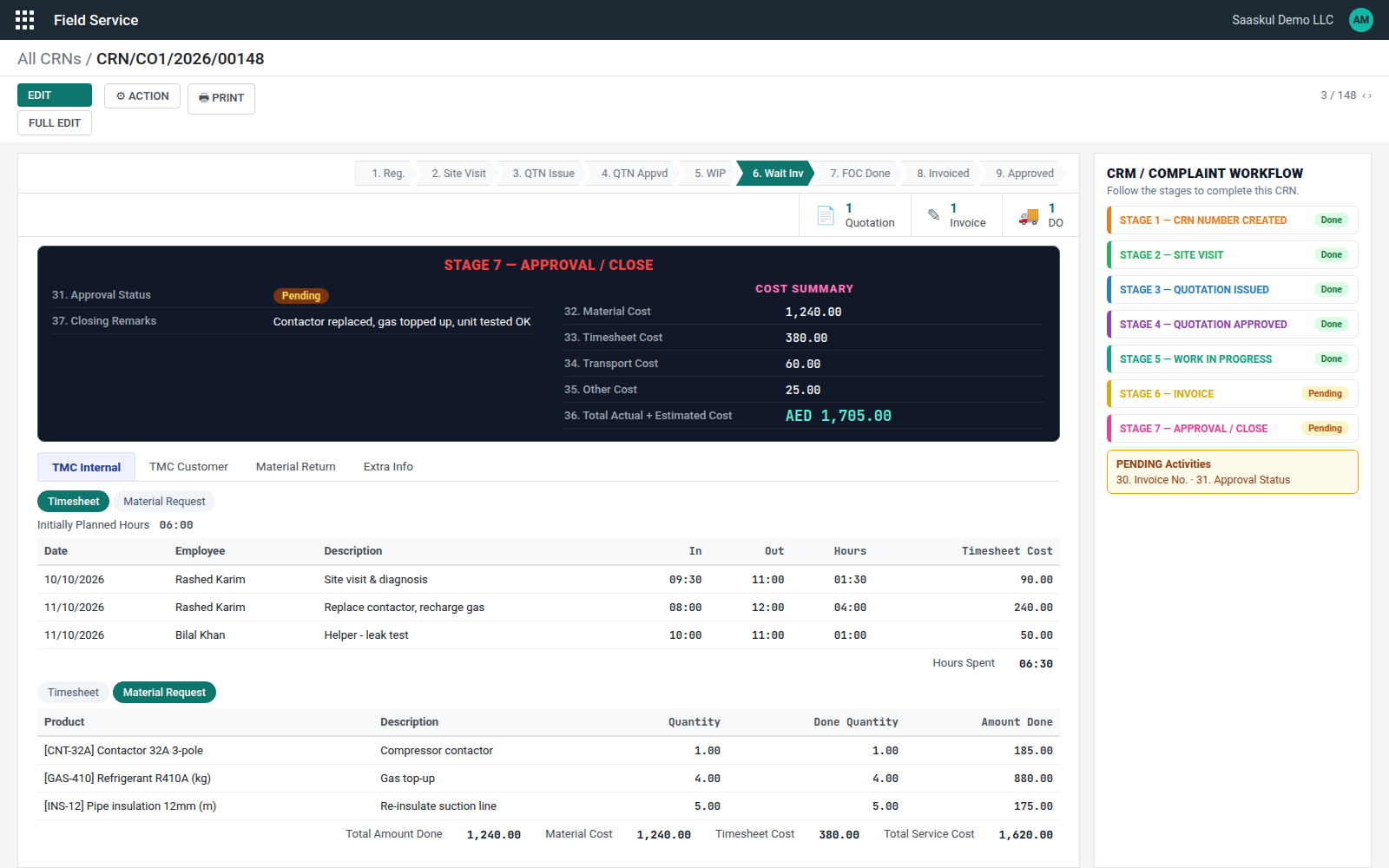
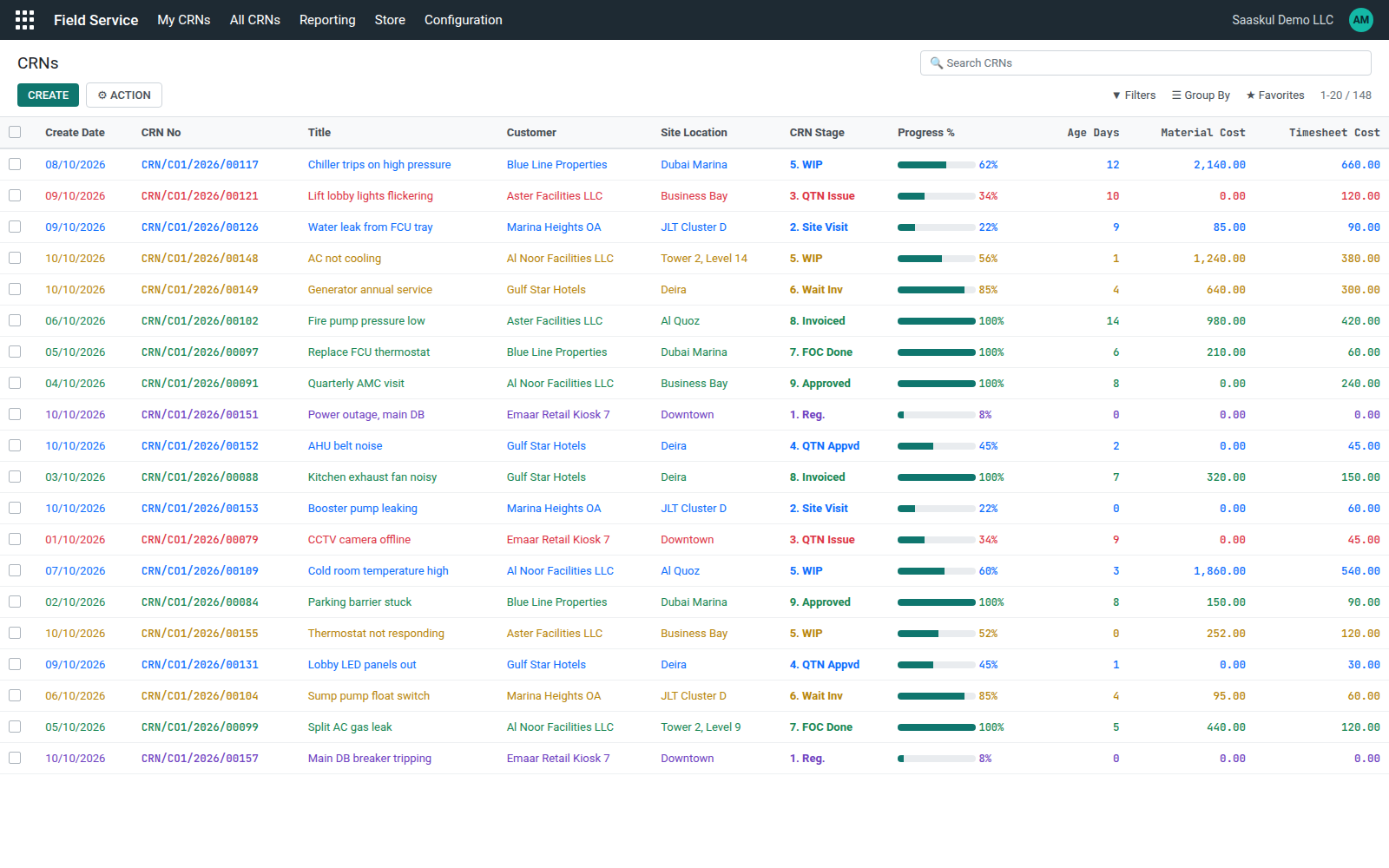
Material issued and returned against the CRN
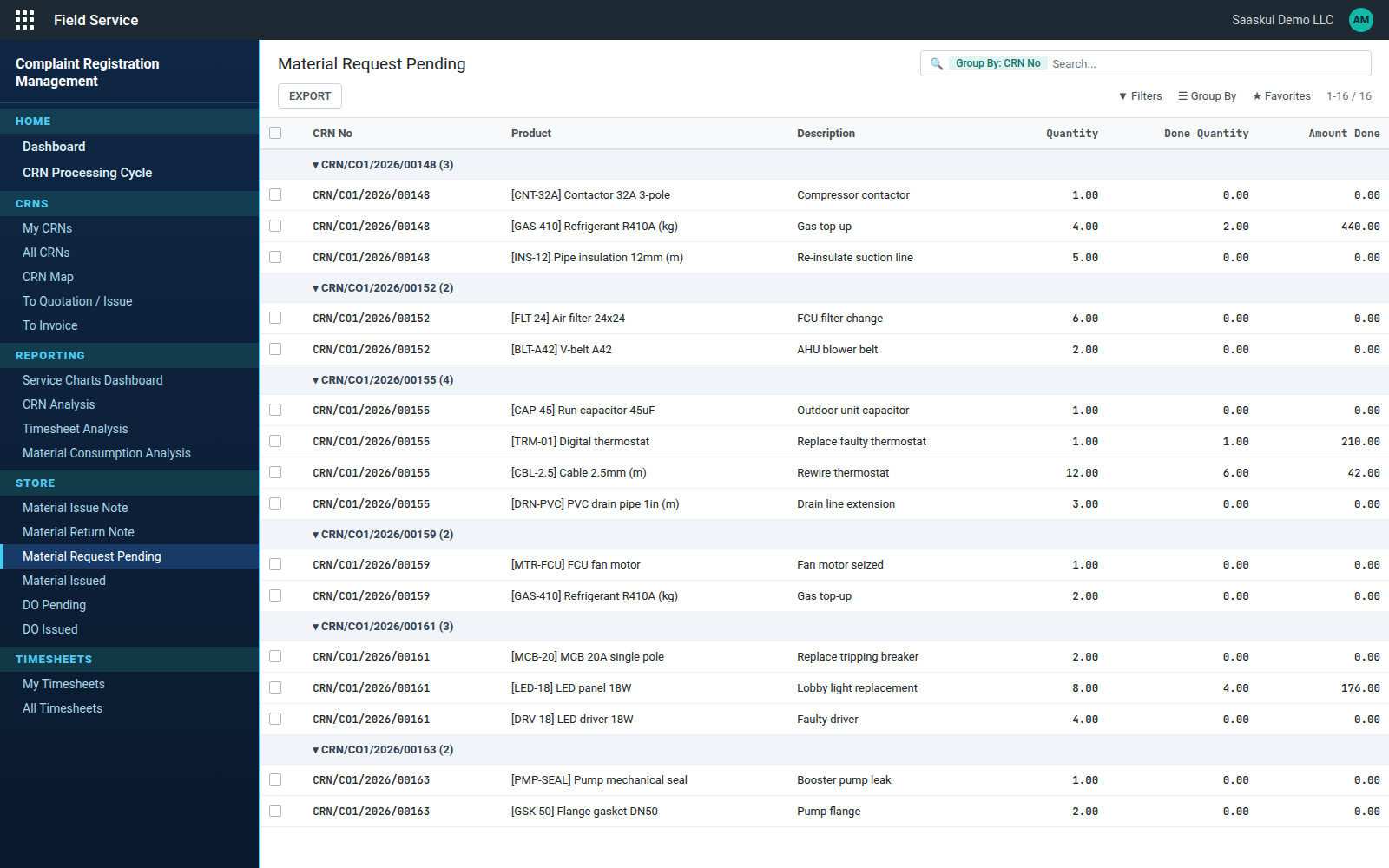
Job Completion Report, in two copies
| TMC Internal | Your own record of parts and engineer hours. |
| TMC Customer | The copy the customer signs at handover. |
Customer details, complaint and job details, parts used with serial numbers, the time sheet, and a handover block with signatures for the customer and your company. The number of table rows is set per CRN.
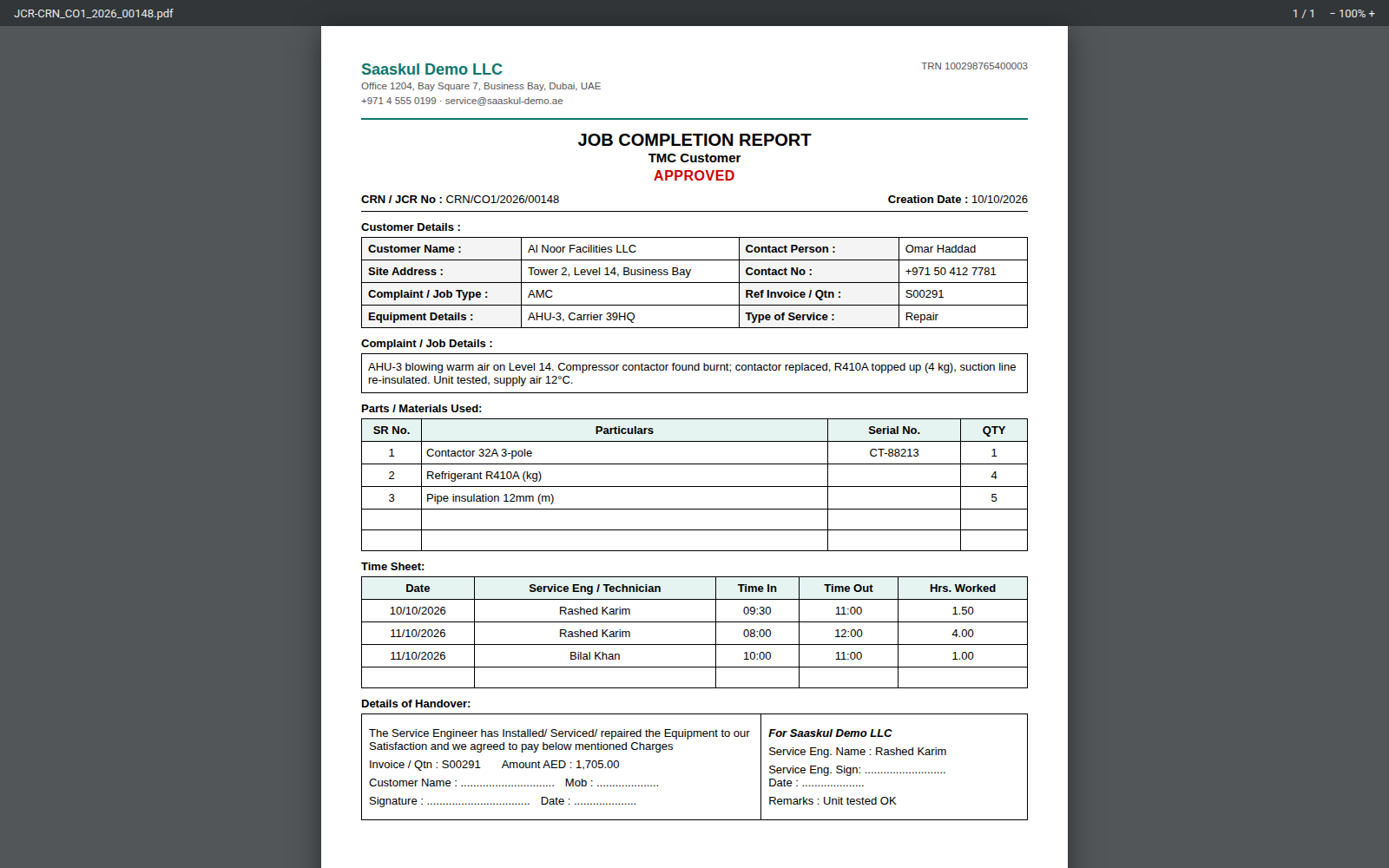
Service Monitoring Dashboard
Stage pipeline, complaint mix, created vs closed trend, engineer cost load and the oldest open CRNs, filtered by period and company.
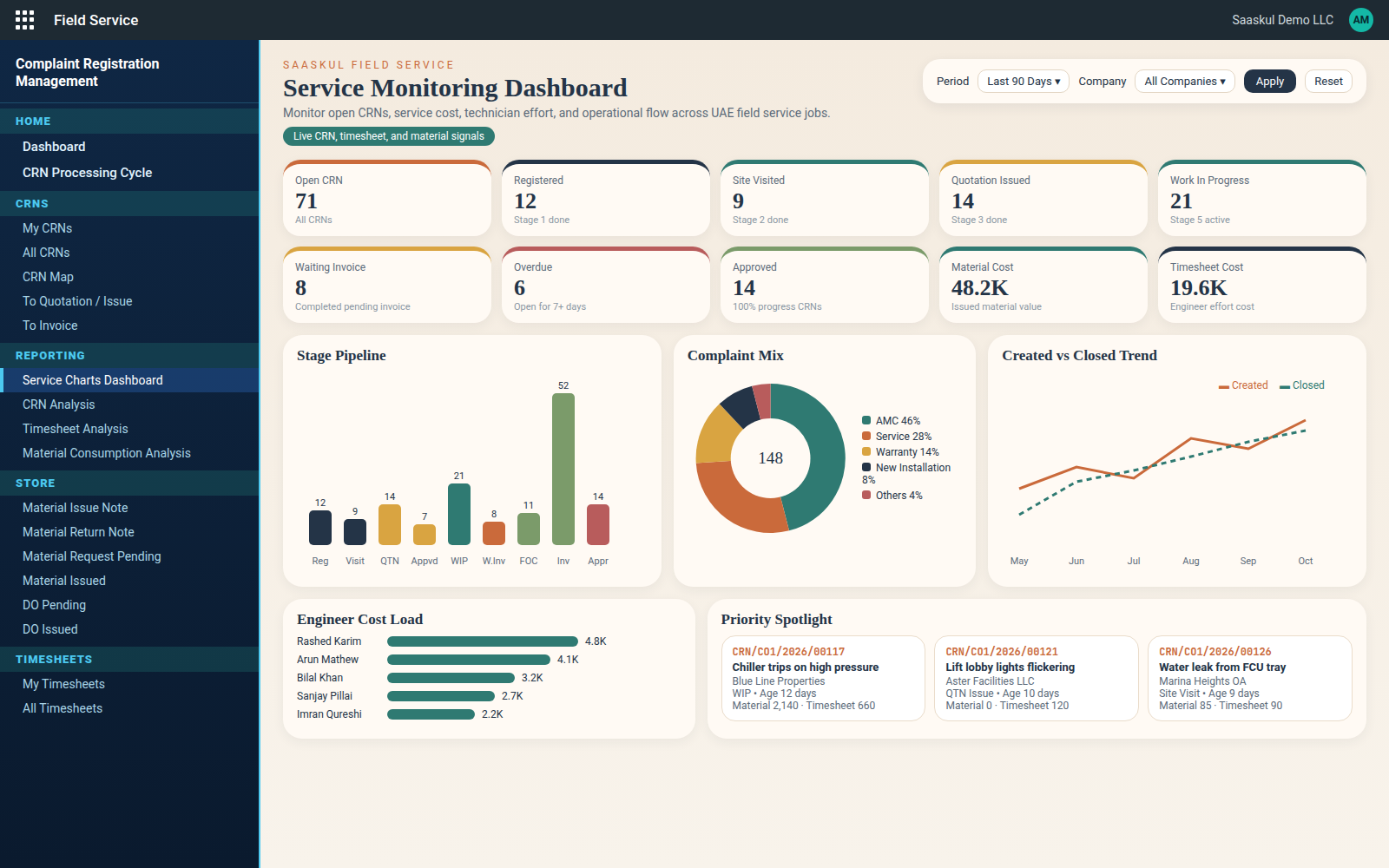
A CRN list you can read by colour
Progress %, age in days, material and timesheet cost on every row.
Requirements
| Odoo | 14.0 Community and Enterprise |
| Required apps | Project, Timesheets, Sales Timesheet, Sales Stock, Inventory, Purchase |
| Other modules | None. No third-party apps needed. |
Good to know
FAQ
Want a walkthrough on your data?
Write to us and we will set up a demo or help you install it.
info.cpabooks@gmail.com WhatsApp +971 56 256 8128name: Complaint Registration Services technical name: field_service_saaskul author: Saaskul category: Services version: Odoo 14 price: Free summary: Complaint Registration (CRN) for service teams: a guided 9-stage flow from registration and site visit to quotation, job completion, invoice and approval, with material issue and return notes, job costing and dashboards. Works on Odoo Community and Enterprise. depends: base, project, hr_timesheet, sale_timesheet, sale_stock, stock, purchase
Saaskul Field Service is published by Saaskul under the Odoo Proprietary License v1.0 (OPL-1) and is free on this app store.
You may use the app on your own Odoo databases. Redistribution or resale is not included.
Requires Odoo 14 Enterprise with Field Service; see Requirements in the description.
Support: info.cpabooks@gmail.com · WhatsApp +971 56 256 8128.
Copyright © Saaskul.